MCP Resources: The Quiet Half of the Protocol
Most MCP examples start with tools.
That makes sense. Tools are easy to demonstrate: the model asks, the server does something, and a result comes back.
Resources are quieter. They do not run an action. They expose named read access to state.
That distinction is the point.
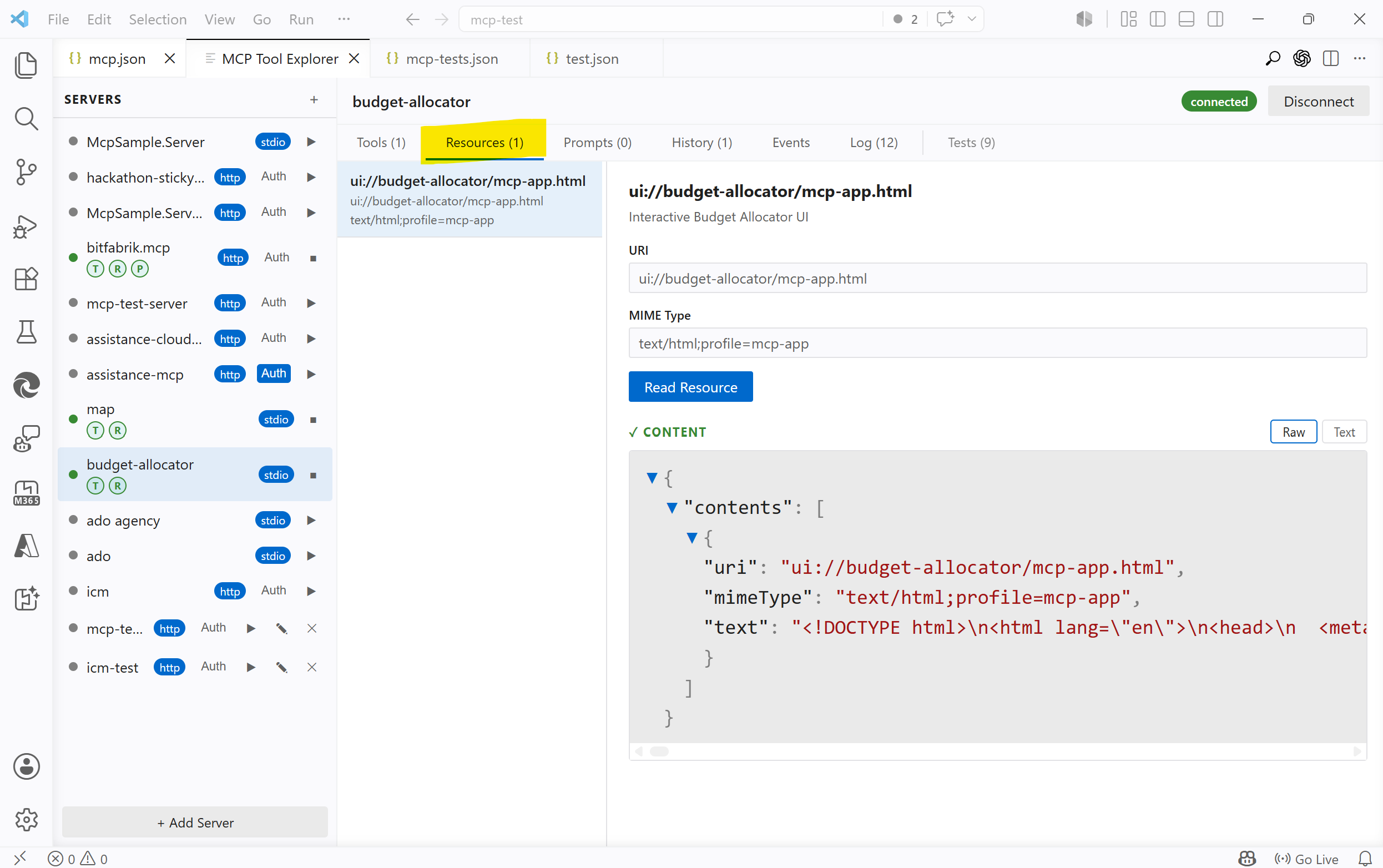
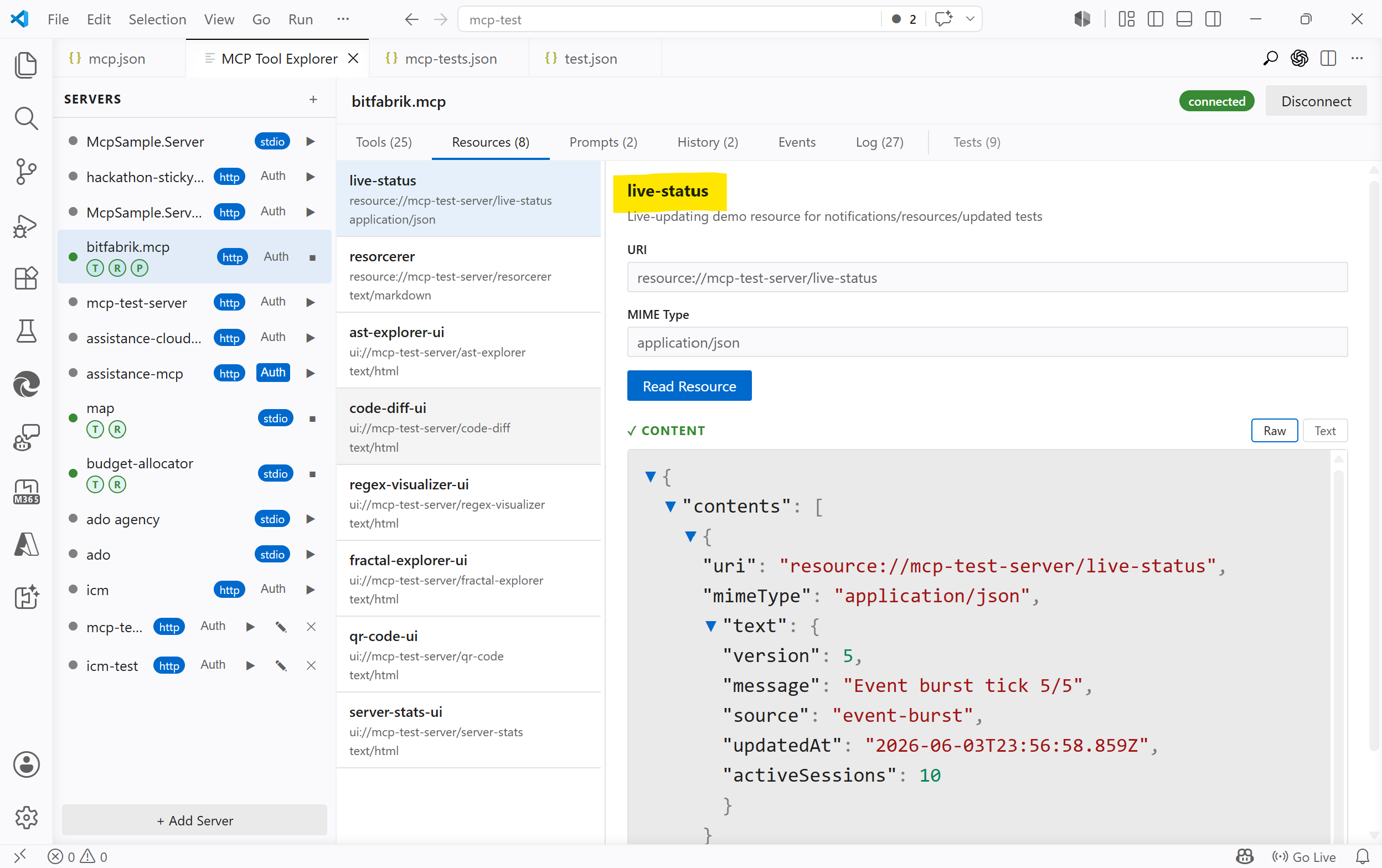
The screenshots show MCP Tool Explorer connected to the MCP SDK example server @modelcontextprotocol/server-budget-allocator.
Tools Are Commands
A tool is a command exposed by an MCP server.
It might calculate something, start a build, create an issue, query a database, send a message, rotate an image, or trigger a deployment. A tool has input, behavior, and a result. Sometimes it also has side effects.
That is why tool calls are the easy part of MCP to explain. They look familiar. The model asks for an operation, the host calls the server, the server replies.
tools/call run_tests
  input:  { "suite": "unit" }
  output: { "passed": 128, "failed": 0 }
Good tools should be explicit. They should have clear names, clear schemas, and clear errors. If a tool changes the world, that should not be hidden behind a vague description.
So far, so normal.
Resources Are Named Reads
A resource is different.
A resource is not a command. It is a URI the client can read from the server.
resources/list
  build://latest/log
  build://latest/summary
  config://current
  trace://last-run
  device://temperature
The server owns those names. It decides what exists, what each URI means, and what content is returned when the client calls resources/read.
That content may come from a file. It may come from memory. It may be assembled from an API call, a database row, a device sensor, a log tail, or a generated summary. The important part is not where the bytes come from. The important part is that the operation is a read.
Client -> Server: resources/read build://latest/log
Server -> Client: text/plain content
A resource can be dynamic and still be a resource. metrics://now might be different every time it is read. build://latest/log might point to whatever the latest build produced. device://temperature might be sampled live.
Dynamic does not mean action. It means the read is resolved at request time.
For example, a test server might expose a live-status resource. Reading it can return the server's current uptime, request counters, active configuration, or last activity. The values may change every few seconds, but the protocol shape stays the same: the client reads named state from the server.
Another good example is MCP Apps. In that case, a tool can point at a ui:// resource. The client reads that resource, receives an HTML document, and renders it as the app UI. The resource is not just metadata around the tool; it is the thing that implements the interactive surface.
That still follows the same rule: the app HTML is fetched through resources/read. The tool may trigger the experience, but the UI itself is loaded as a named read from the server.
I wrote about the full app mechanism, sandboxing, protocol flow, and host implementation in MCP Tool Explorer Supports MCP Apps: Protocol, Code, and the Fine Print.
The Model Does Not See Resources Automatically
This is the part that is easy to get subtly wrong.
Resources are not hidden context that the model magically knows about. They are server-side readable state with names.
The client can list resources and read them from the server. It does not need to know where the data lives or how it is collected. For a log resource, the client does not know the logs. The server does. The client only knows that a named read is available.
After reading a resource, the client can show the returned content to the user, cache it, use it internally, or include selected contents in a model request. But the model only sees the resource if the client deliberately includes that returned content.
Until then, the resource is available to the client, not present in the model context.
That is why the resource boundary matters. The server exposes knowledge the client does not otherwise have: logs, status, snapshots, generated reports, files, device state, or app HTML. A resource has an owner, a URI, a MIME type, a lifecycle, and a read boundary. The server says what can be read; the client asks for it by name.
That explicit boundary is what makes the system easier to inspect and reason about.
A Small Example
A server could expose a build system like this:
resources/list
  build://latest/summary
  build://latest/log
  build://latest/artifacts

tools/list
  run_build
  run_tests
  deploy_preview
The resources describe current state. The tools perform operations.
A client might first read build://latest/summary and show it to the user. If the model needs more detail, the client can read build://latest/log and pass only the relevant part into the next request. If the user asks for a new build, the client calls run_build.
After that, the server may update what build://latest/summary returns. It may also notify the client that the resource list or resource contents changed, depending on the server and host behavior.
The important thing is that reading the log and starting the build are separate protocol concepts.
One observes state. The other asks for work.
Resource Design Is API Design
The hard part is not implementing resources/read. The hard part is deciding what deserves a URI.
A good resource should be specific enough to be useful, but not so tiny that the client has to stitch together a hundred fragments. It should be stable enough to reference, but not so broad that every read becomes a data dump.
There are practical questions:
- How current does the data need to be?
- Can the client cache it?
- Who is allowed to read it?
- Does it contain secrets?
- Should large content be summarized or paged?
- Is this really a read, or is it a tool pretending to be harmless?
That last one matters.
Reading build://latest/log is a resource. Starting a build is a tool.
Reading config://current is a resource. Changing the config is a tool.
Reading device://temperature is a resource. Turning on a relay is a tool.
The names are not decoration. They define where the read boundary is.
Why This Matters
MCP is often described as a way to give models tools. That is true, but incomplete.
Tools expose commands. Resources expose readable state.
That separation gives MCP clients a cleaner way to work with systems that have more going on than one request and one response. Logs can be read without starting anything. Current configuration can be inspected without changing it. A server can expose status without turning every status check into a tool call.
It also helps humans. A resource list is inspectable. A resource URI can be logged. A resource read can be replayed. Permissions can be reasoned about at the boundary between "may read this" and "may do this".
That is less spectacular than a flashy agent demo.
It is also closer to how real software survives contact with Tuesday.
The Short Version
A tool is a command.
A resource is a named read.
The model does not automatically have either one. The MCP client connects to the server, discovers what the server exposes, and can then call tools or read resources by name.
That may sound like a small protocol detail. It is not.
It is the difference between assuming the client already knows the state and giving it a clean way to ask the server what the server knows.