-
Der CPL-Filter: Dieses analoge Kamera-Zubehör kann nicht durch Software ersetzt werden
In Zeiten KI-gestützter Bildbearbeitung gibt es ein analoges Kamera-Zubehör, das nach wie vor unersetzbar bleibt. Oft entscheiden nämlich nicht die Megapixel der Kamera über ein brillantes Landschaftsfoto, sondern ein unscheinbares Stück Glas auf dem Objektiv.
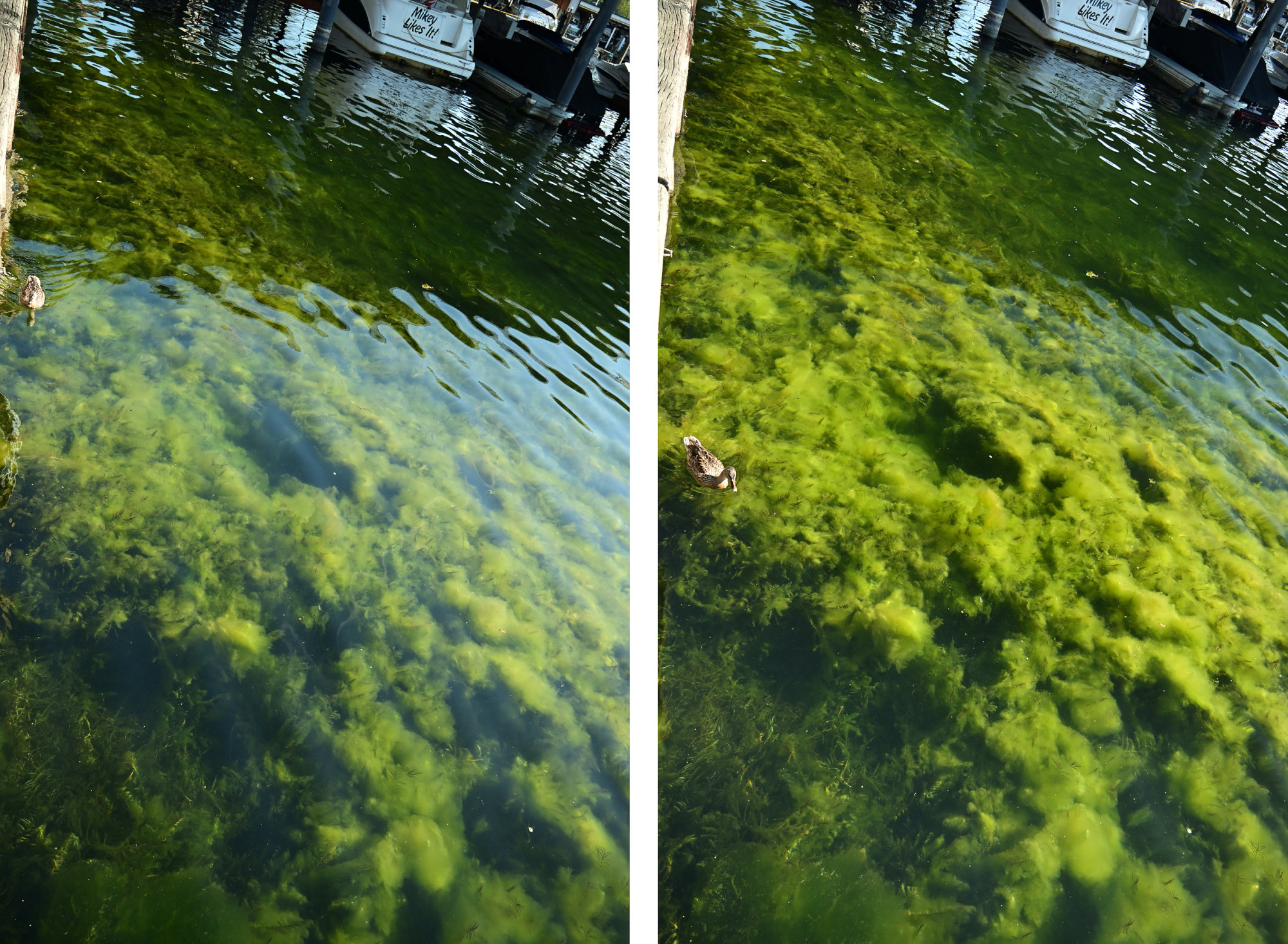
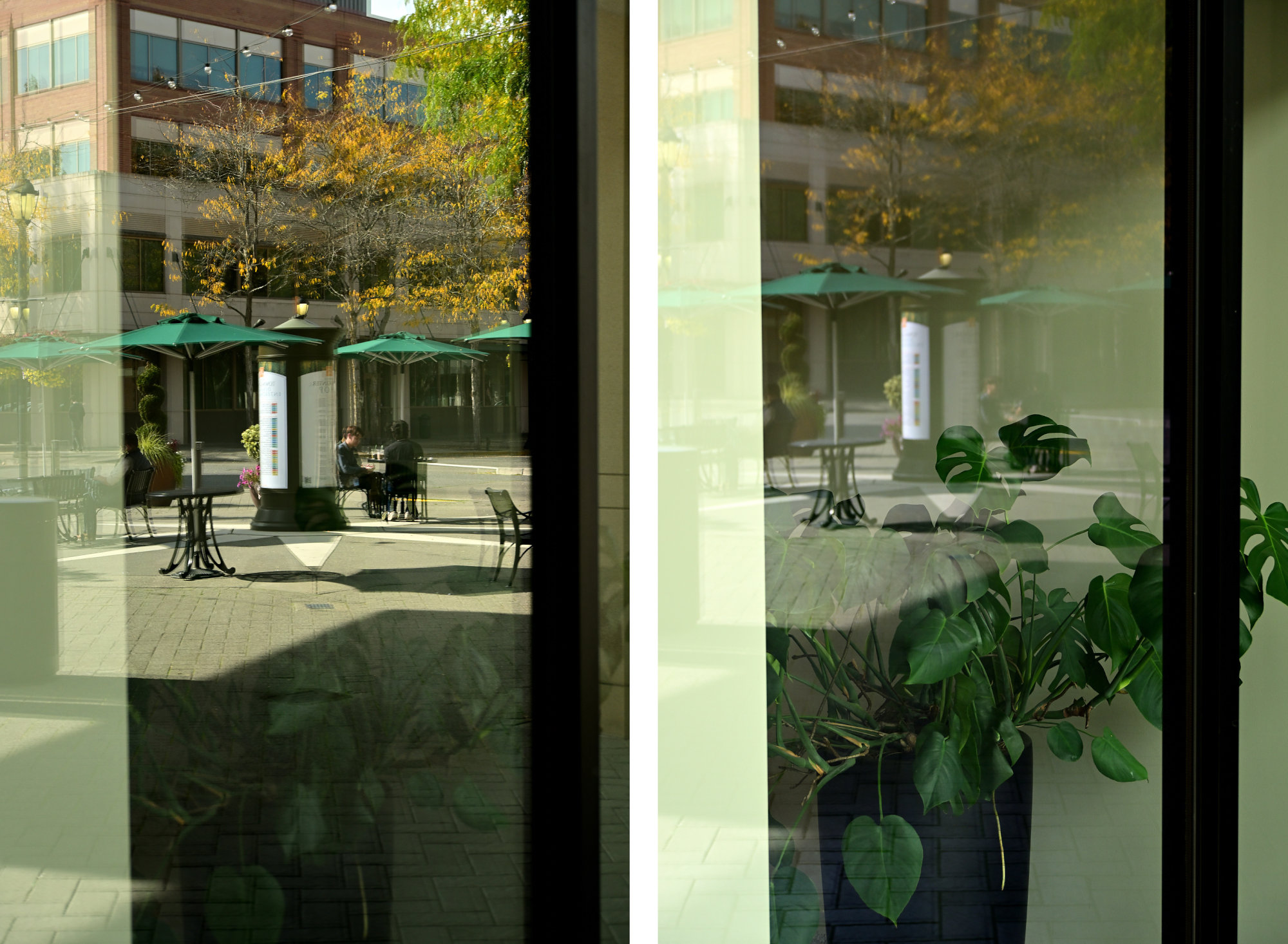
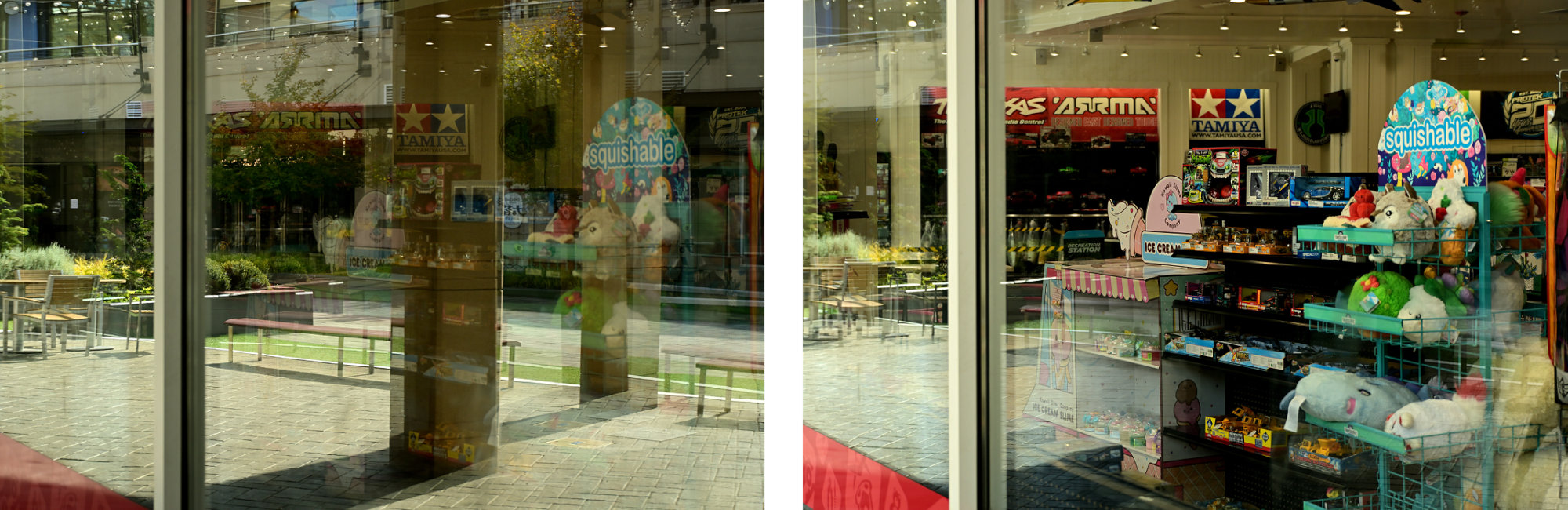
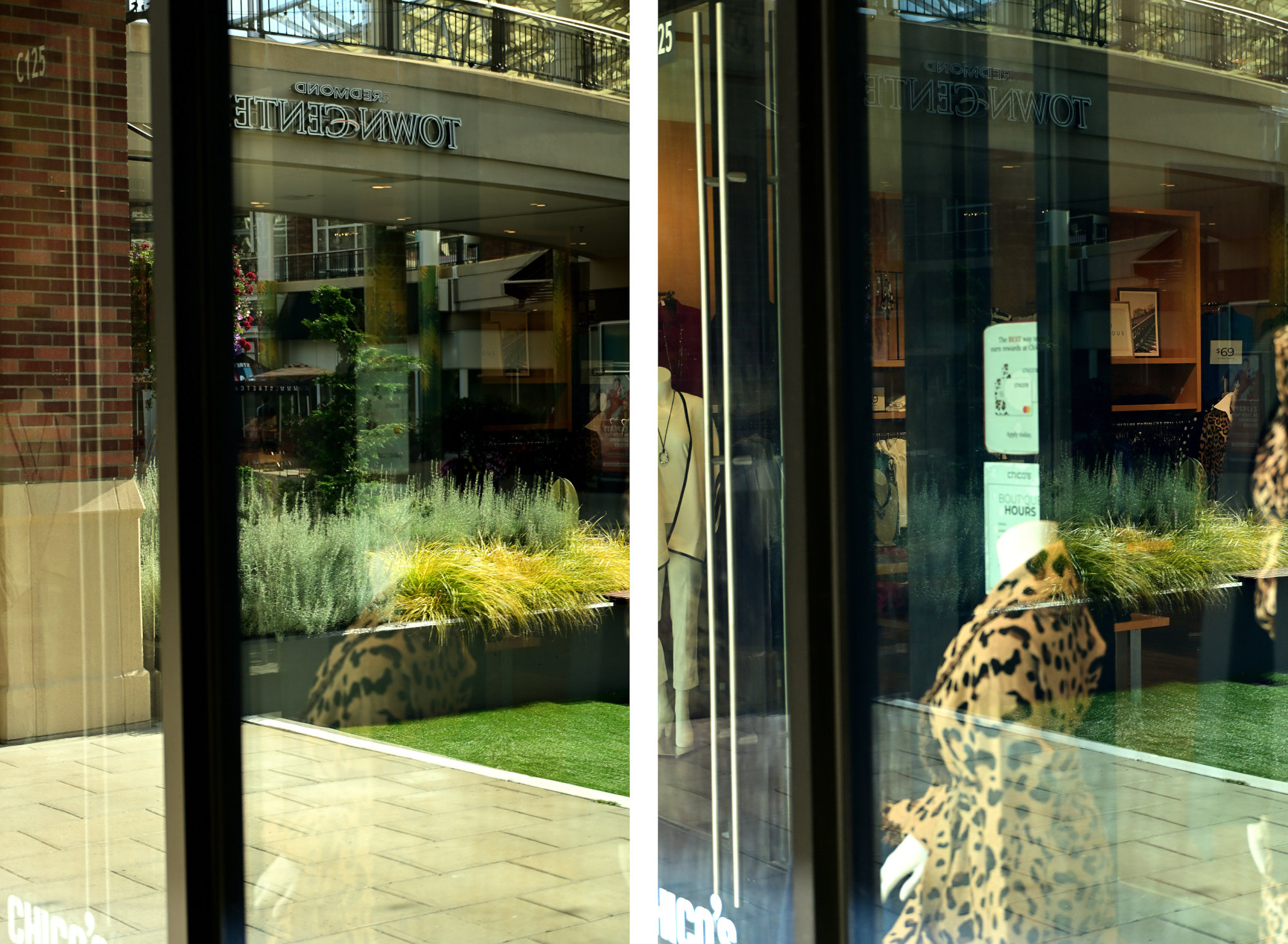
Wer glaubt, dass sich alles nachträglich in der Nachbearbeitung korrigieren lässt, stößt bei unerwünschten Spiegelungen an Grenzen, da diese Bildinformationen im Nachhinein einfach fehlen. Und niemand möchte ein Foto, bei dem eine KI die entfernte Spiegelung bloß fantasievoll simuliert, statt die echte Szene zu zeigen:
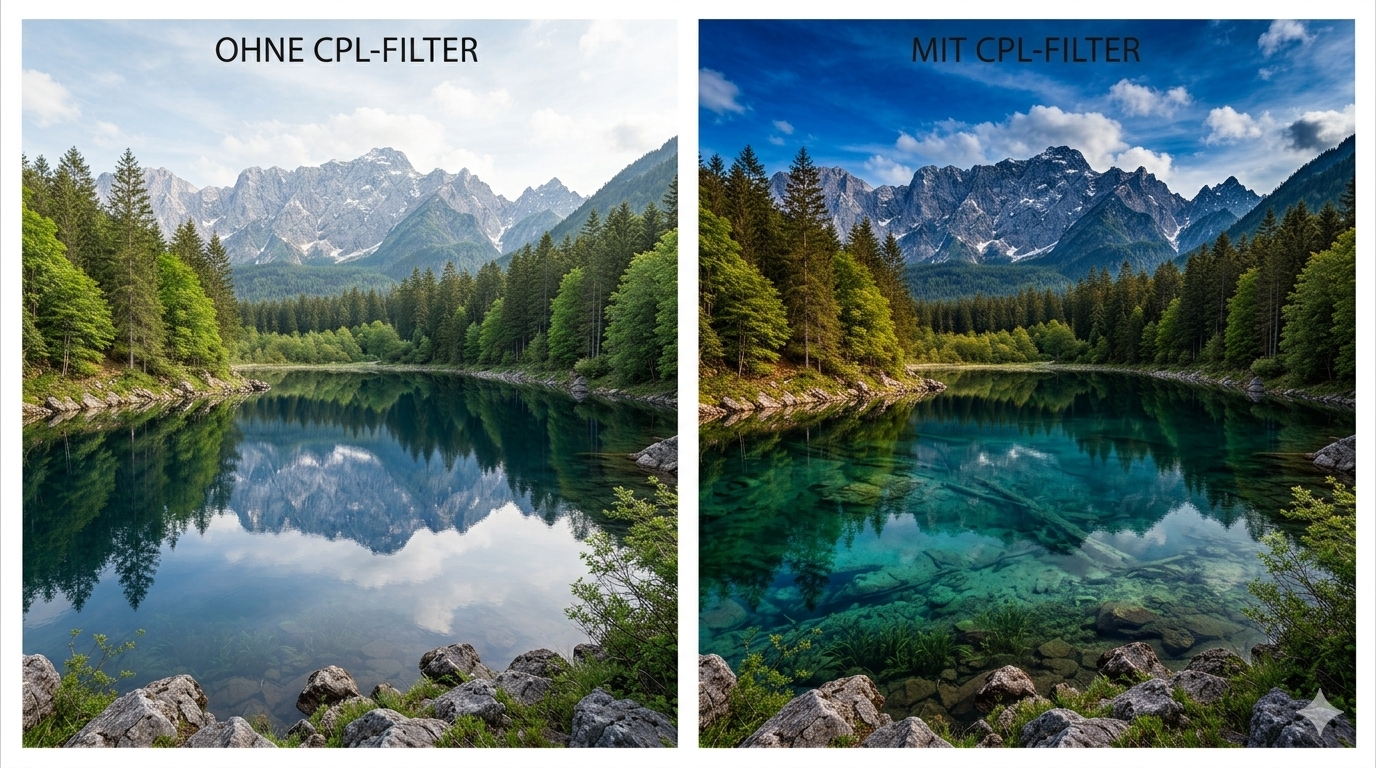
In der Landschafts- und Architekturfotografie lassen sich viele Effekte durch digitale Bildbearbeitung anpassen, doch beim CPL-Filter (zirkularer Polarisationsfilter) hört der Spaß auf. Da der Filter das Licht vor dem Sensor manipuliert, lassen sich die Effekte nachträglich nicht fehlerfrei rekonstruieren.
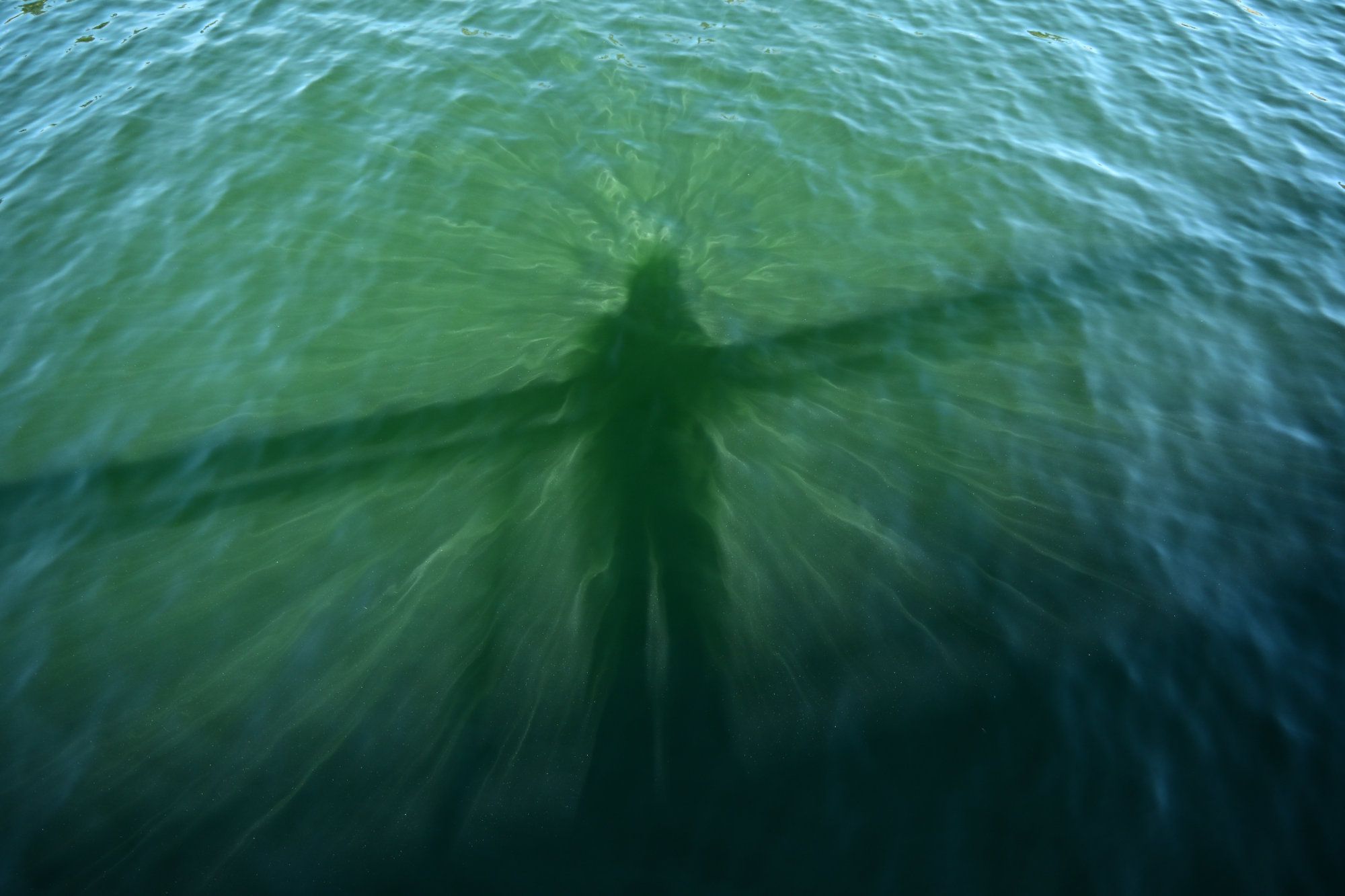
Ein Schatten, den es ohne dieses Glas für uns nicht gibt.
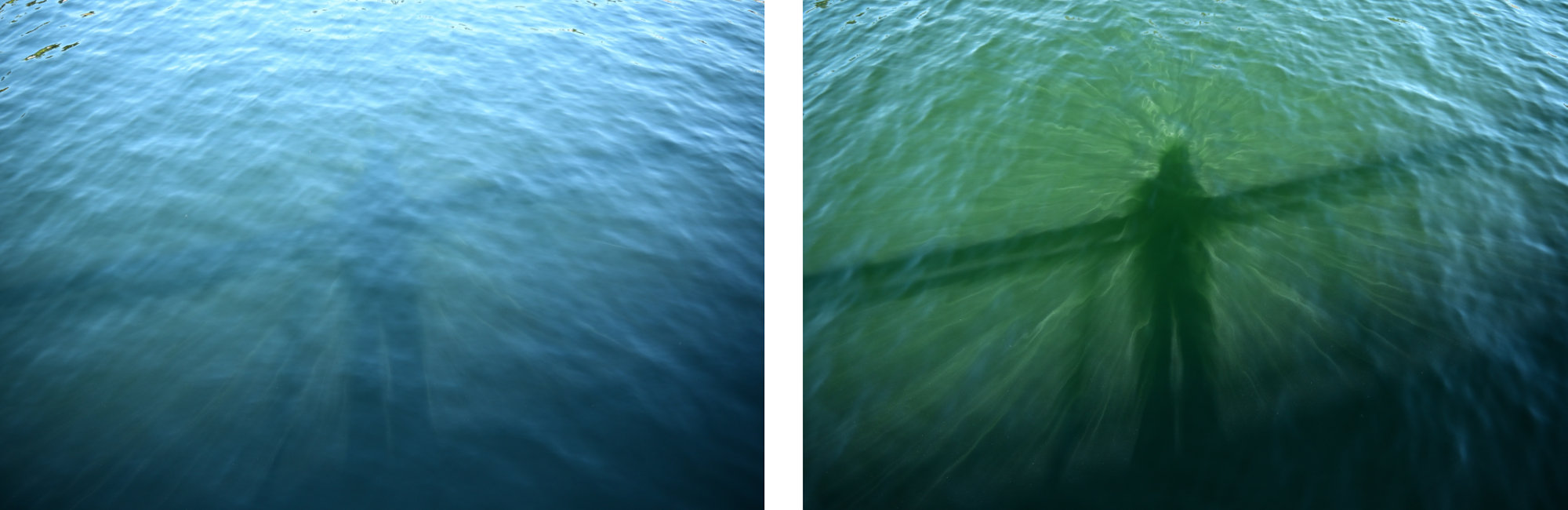
Was ist ein CPL-Filter?
CPL steht für Circular Polarizer. Optisch handelt es sich um einen Aufsatz aus zwei Glasscheiben in einem Metallgewinde, bei dem sich die vordere Scheibe kontinuierlich im Kreis drehen lässt.
Physikalisch gesehen funktioniert der Filter wie ein optisches Gitter für Lichtwellen. Normales Tageslicht schwingt unpolarisiert in alle Richtungen. Trifft es auf eine nicht-metallische Oberfläche (wie Wasser, Glas oder die Wachsschicht von grünen Blättern), wird es reflektiert. Durch diese Reflexion wird das Licht polarisiert, es schwingt danach überwiegend in einer Vorzugsrichtung. Genau dieses gerichtete Reflexionslicht blockiert der Filter, wenn er in den passenden Winkel gedreht wird.
Die optischen Auswirkungen und praktische Anwendung
Der Einsatz bewirkt drei zentrale Effekte:
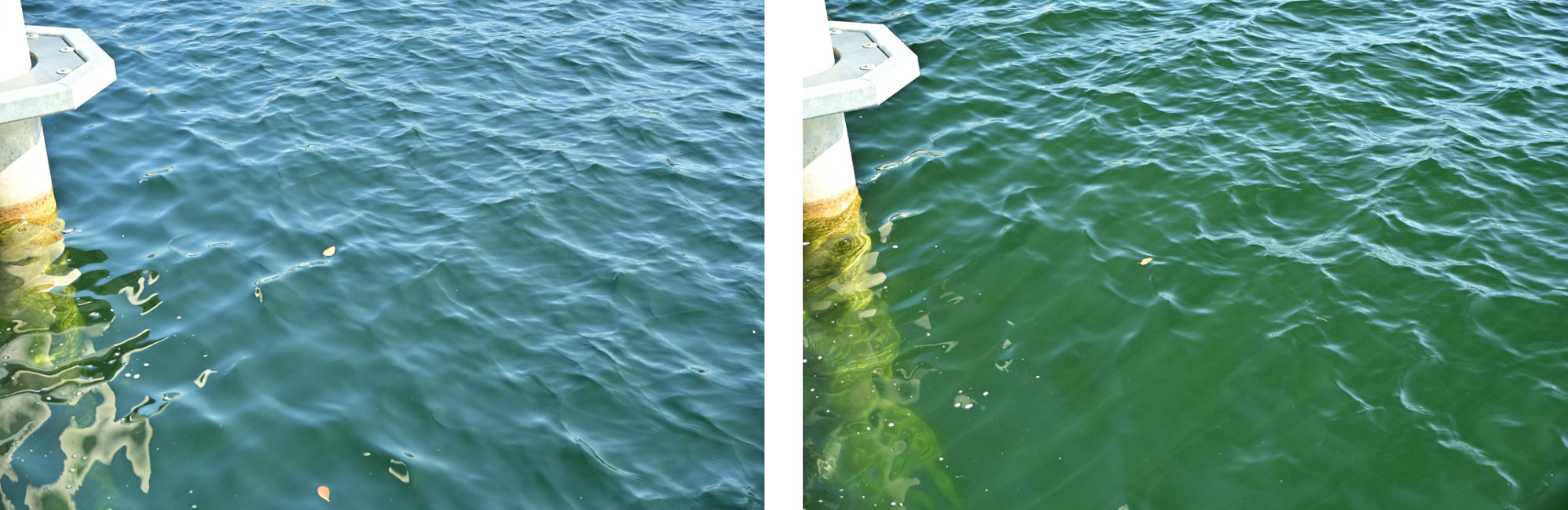
- Unterdrückung von Reflexionen: Spiegelungen auf Oberflächen werden ausgeblendet, wodurch beispielsweise der Grund eines Sees oder das Innere von Fenstern sichtbar wird.
- Erhöhung der Farbsättigung: Ein Lichtschleier auf Blättern, Gras oder nassen Steinen wird eliminiert, was das Grün intensiver wirken lässt (außer bei den Steinen).
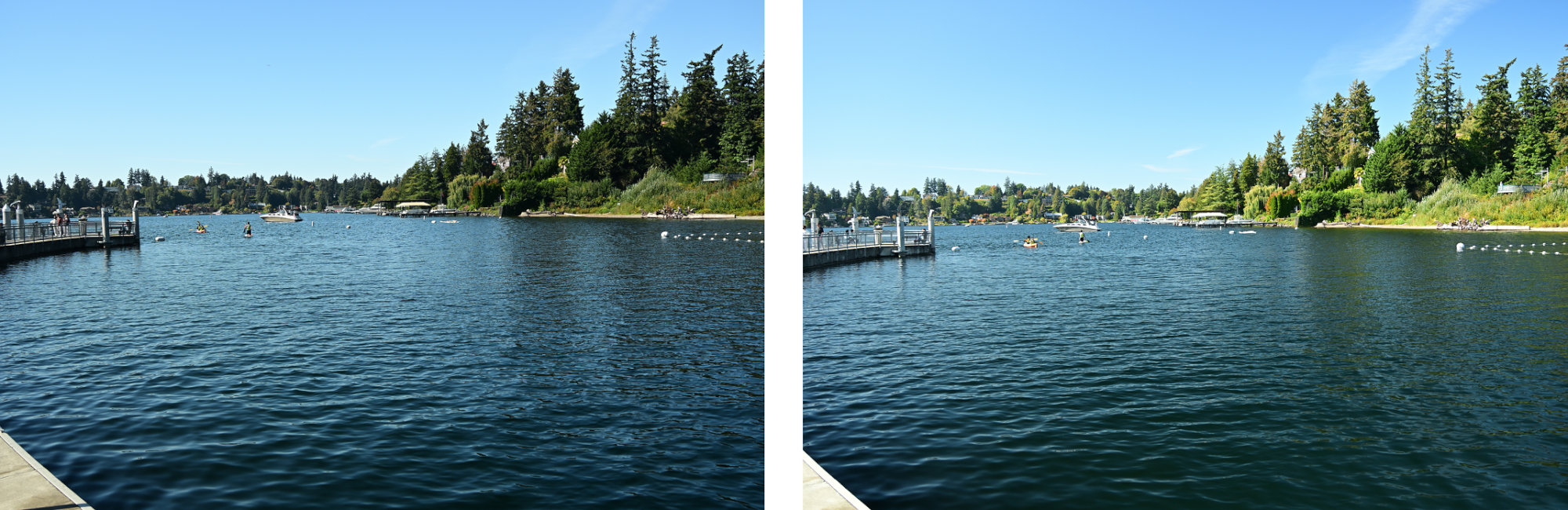
- Kontraststeigerung im Himmel: Dunstpartikel werden herausgefiltert, wodurch das Himmelsblau abdunkelt und Wolken kontrastreicher hervortreten.
Was in der Praxis beachten werden muss
Ein CPL-Filter ist nichts, das einmal aufschraubt und vergessen wird. Er verlangt ein wenig Aufmerksamkeit:
- Manuelle Justierung: Beim Wechsel vom Quer- ins Hochformat oder wenn sich der Winkel zur Sonne ändert, muss auch der vorderen Ring des Filters neu justiert werden. Ein kurzer Blick durch den Sucher oder auf das Display reicht: Einfach so lange drehen, bis die Spiegelung auf dem Wasser verschwindet oder der Himmel den dunkelsten Punkt erreicht.
- Der 90-Grad-Winkel zur Sonne: Die maximale Wirkung am Himmel wird erzielt, wenn im 90-Grad-Winkel zur Sonne fotografiert wird. Wer direkt in die Sonne oder mit der Sonne im Rücken fotografiert, verliert den Effekt am Himmel fast vollständig (die Farbintensivierung auf Blättern oder Wasser funktioniert trotzdem).
- Vorsicht bei Ultraweitwinkel-Objektiven: Bei extremen Weitwinkelobjektiven (z. B. unter 24mm Vollbild-Äquivalent) wird so viel Himmel auf einmal eingefangen, dass der Polfilter-Effekt ungleichmäßig wirkt. Das Resultat ist oft ein unschöner, dunkler Fleck mitten im ansonsten helleren Himmel. Hier sollte der Filter etwas feinfühliger dosiert und nicht komplett auf Anschlag gedreht werden.
- Physikalischer Lichtverlust: Das Filtern verringert physikalisch bedingt die Lichtmenge, meistens um 1 bis 2 Blendenstufen. Das bedeutet: Die Verschlusszeit verlängert sich. Bei strahlendem Sonnenschein ist das nebensächlich, aber in der Dämmerung oder im schattigen Wald muss die ISO angehoben oder ein Stativ benutzt werden.
Bereit für den Praxistest?
Eine Software-Nachbearbeitung kann viel, aber verlorene Bilddaten durch überstrahlte Reflexionen nicht rekonstruieren. Wer Spiegelungen eliminieren will, muss das Licht physikalisch filtern, bevor es den Sensor erreicht. Einzig die optische Qualität des Glases ist entscheidend und minderwertige Filter ruinieren nur die Bildschärfe und verfälschen die Farben.
Lass dich inspirieren: Weitere Vorher-Nachher-Vergleiche, die den Unterschied zeigen.
ohne CPL-Filtermit CPL-Filter


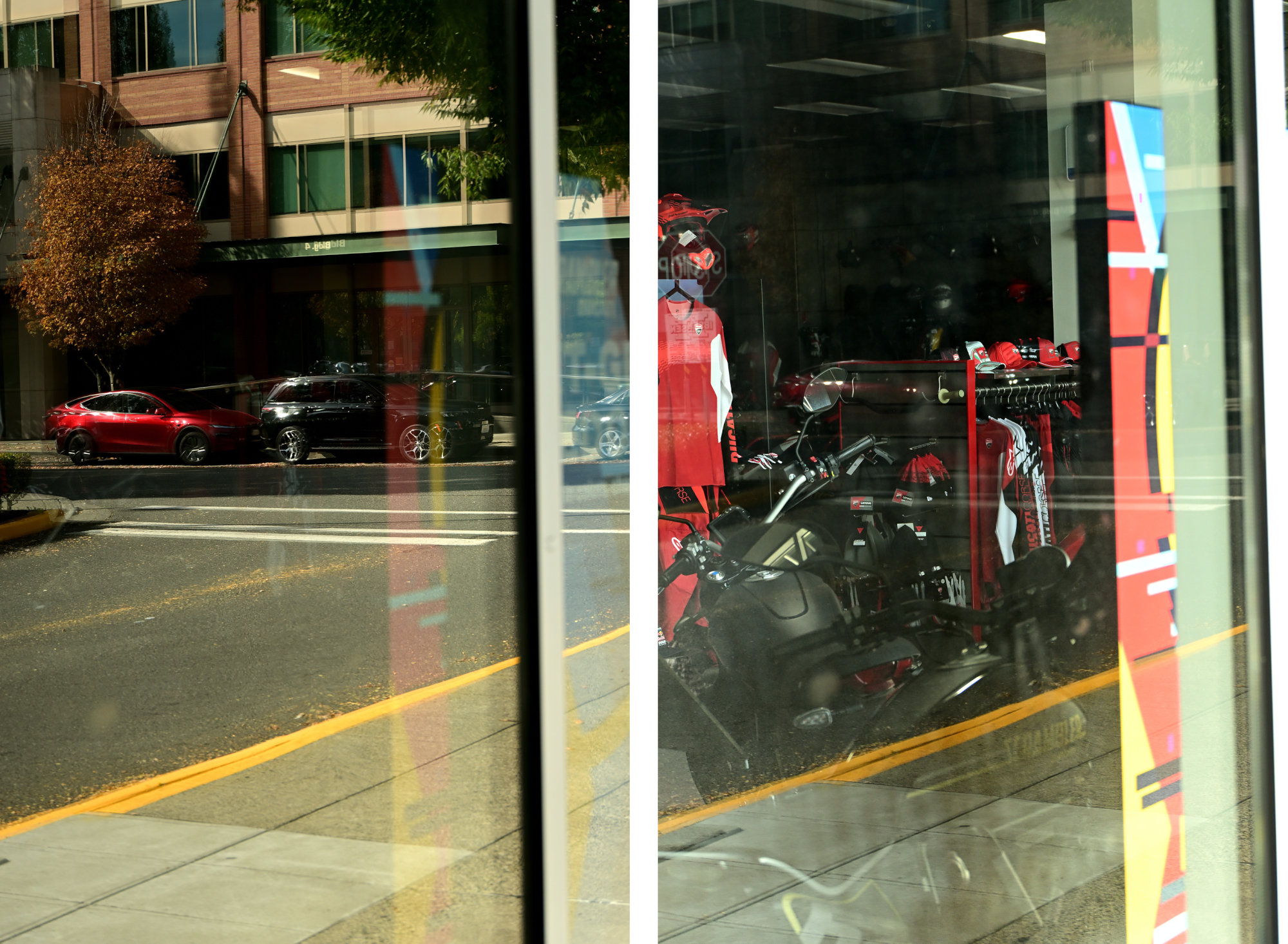
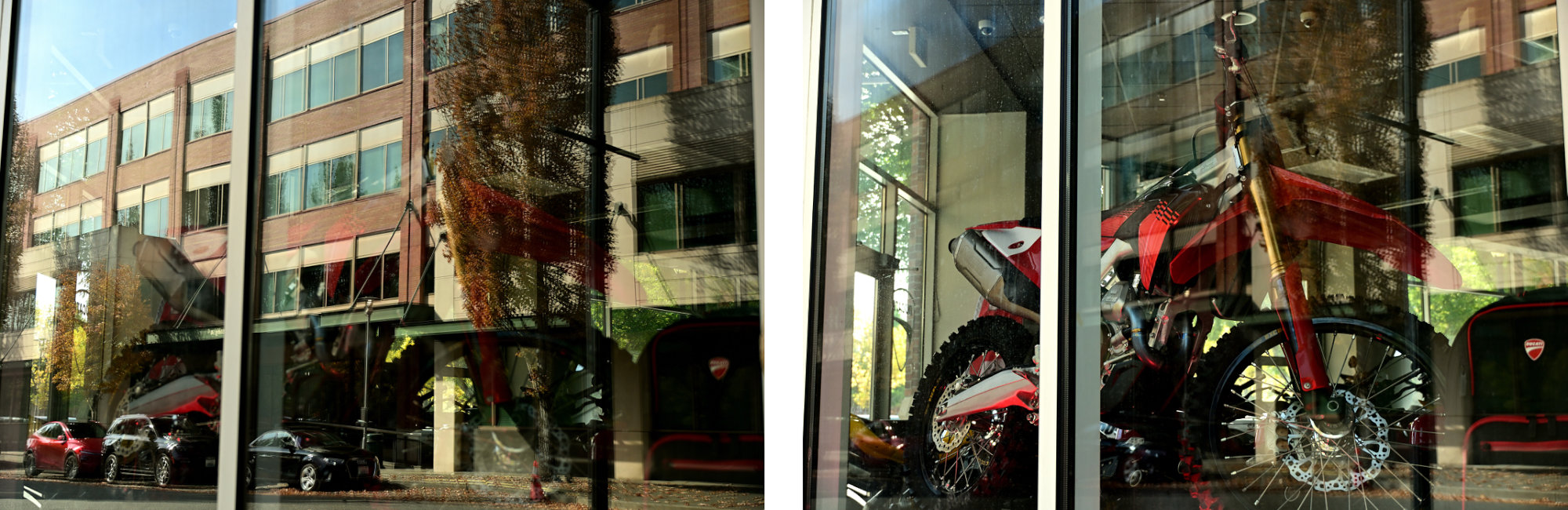
-
Redmond Downtown Park and Bridges
Redmond Downtown Park
Redmond Downtown Park seamlessly integrates a central lawn, vibrant plazas, and modern pathways into the core of the neighborhood.
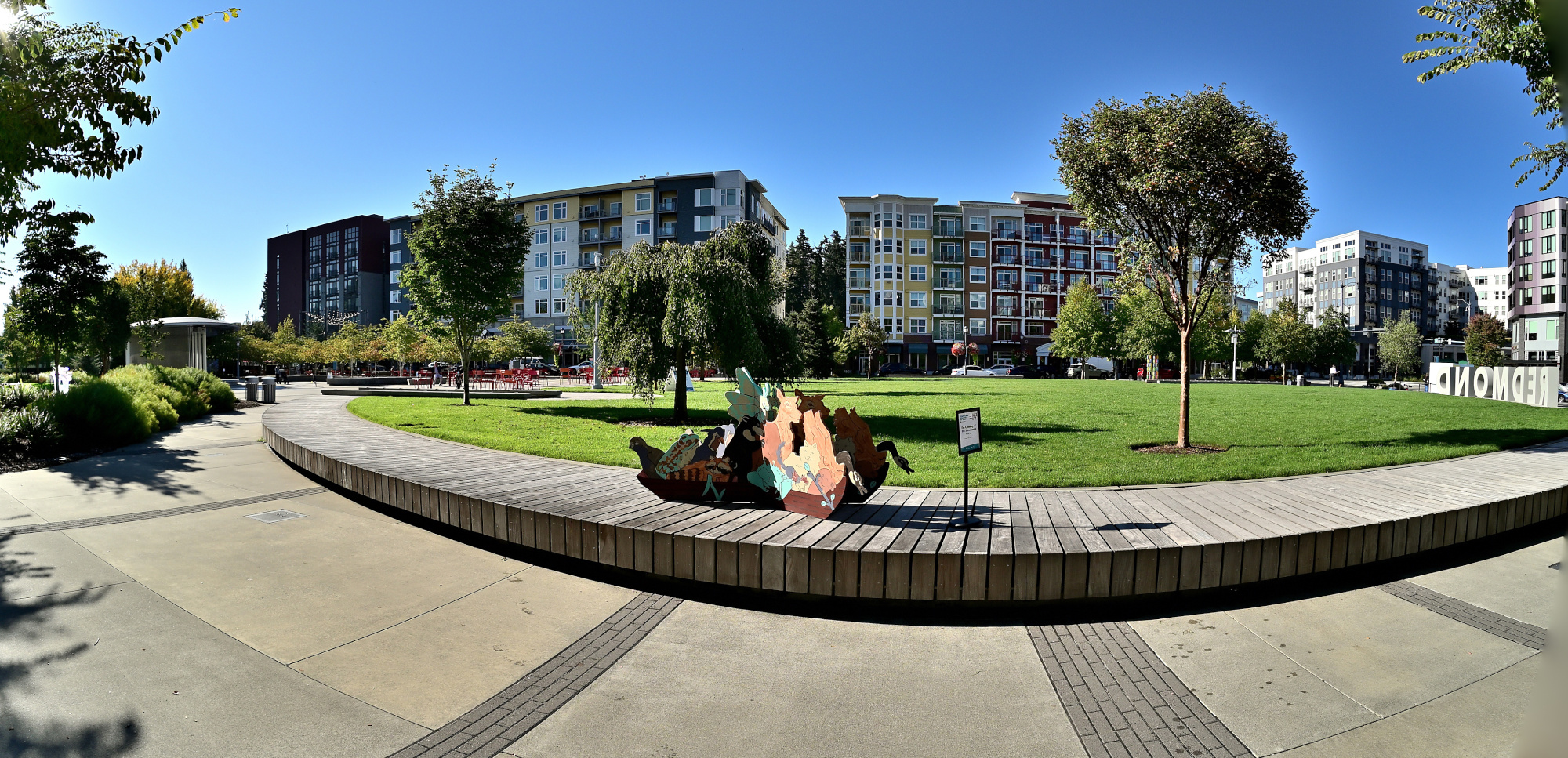
Interactive Panorama Redmond Downtown Park 1 360x180
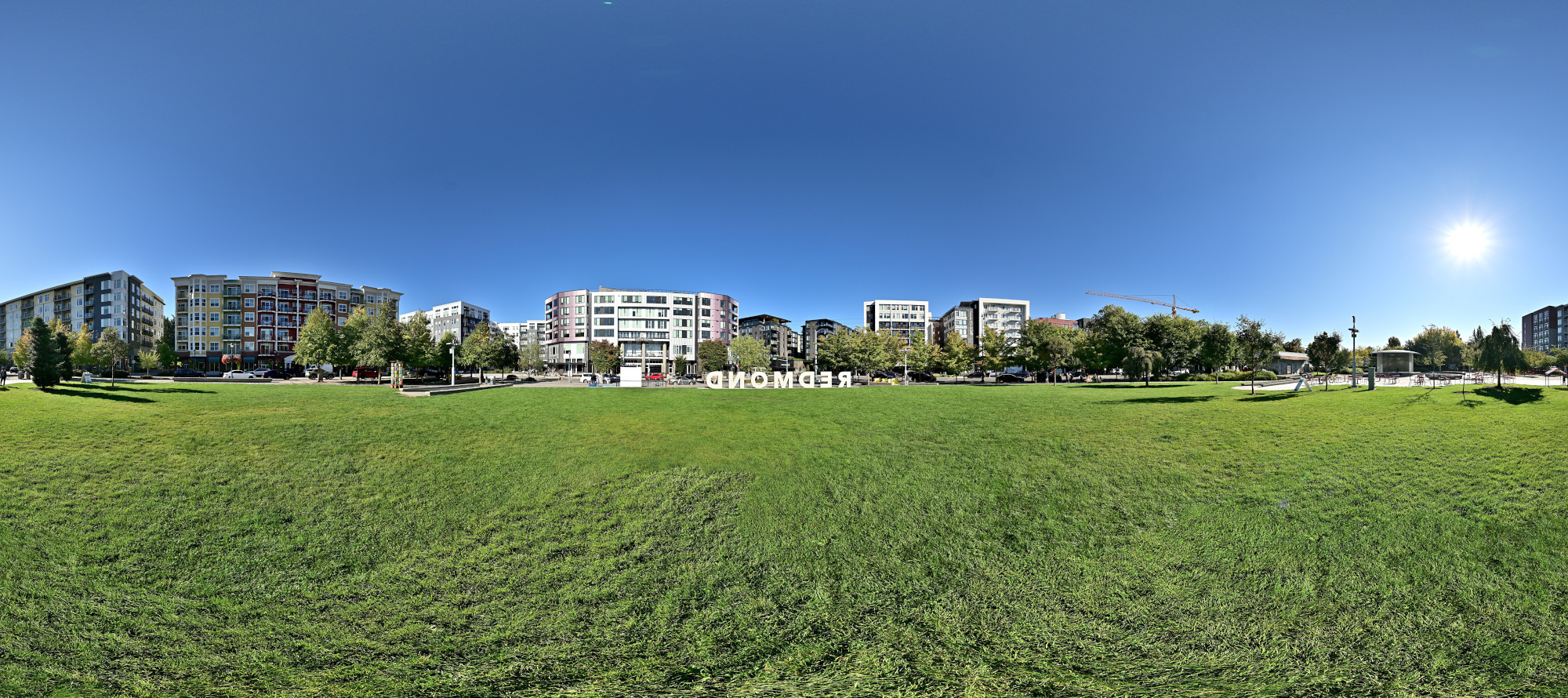
1/1000s f/5,6 ISO 100/21° f=7,5mm
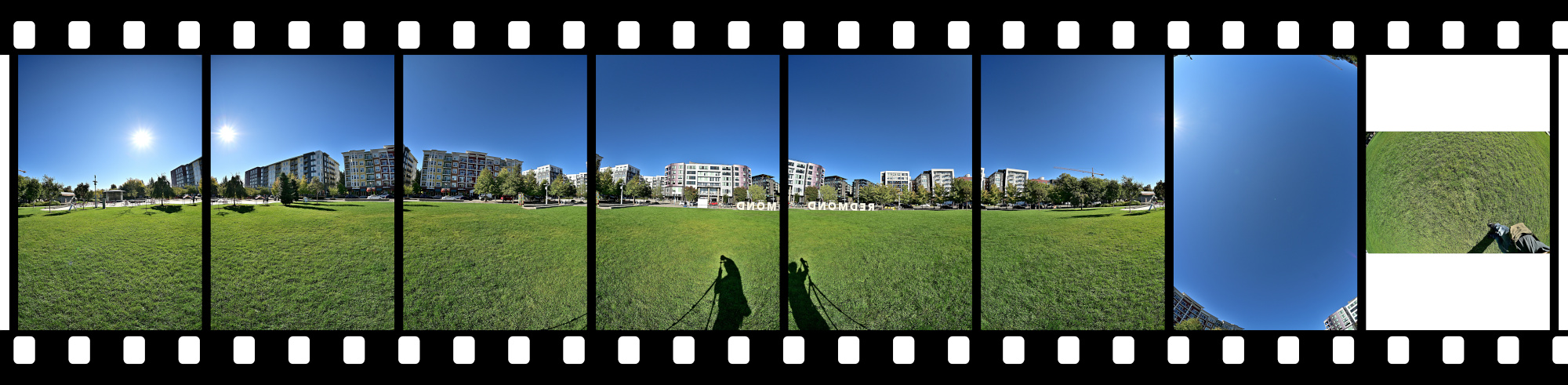
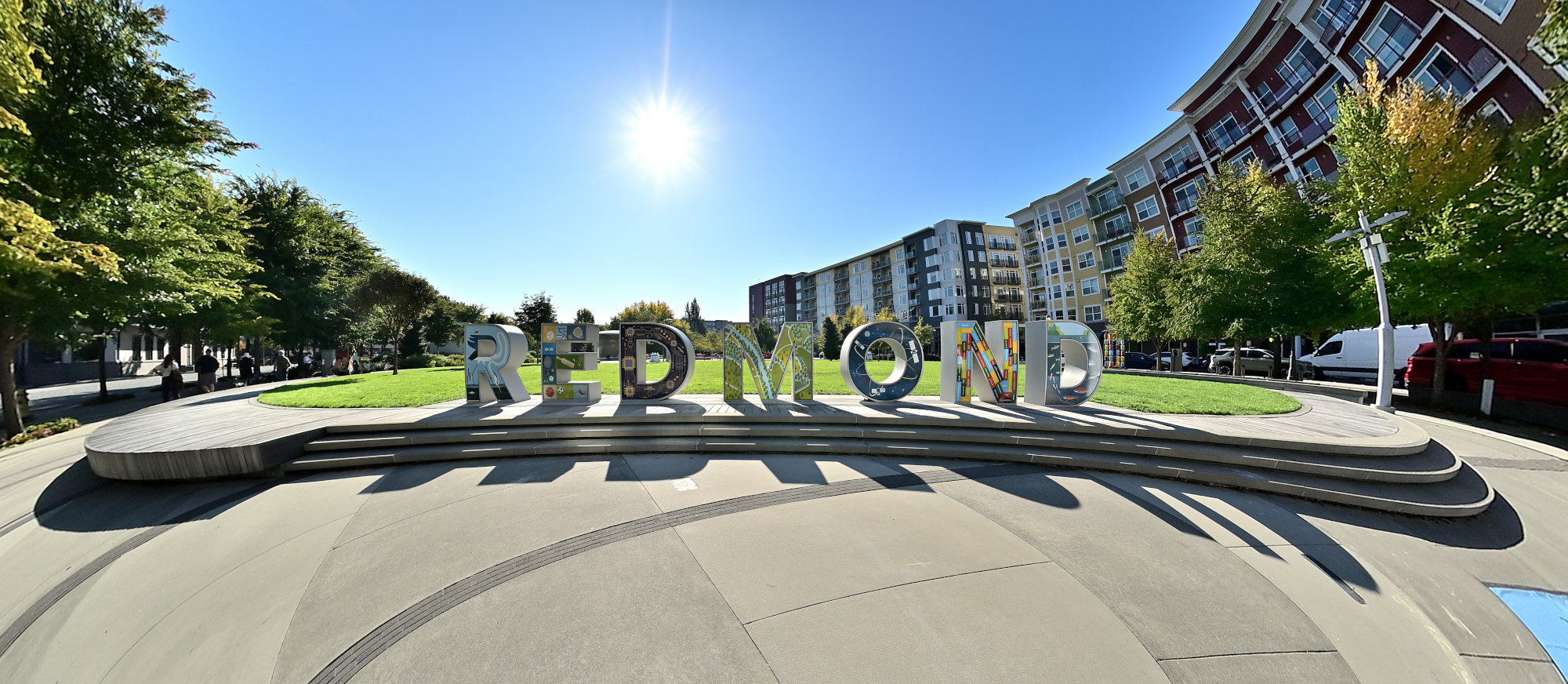
Projection is mirrored to correctly display the REDMOND letters.
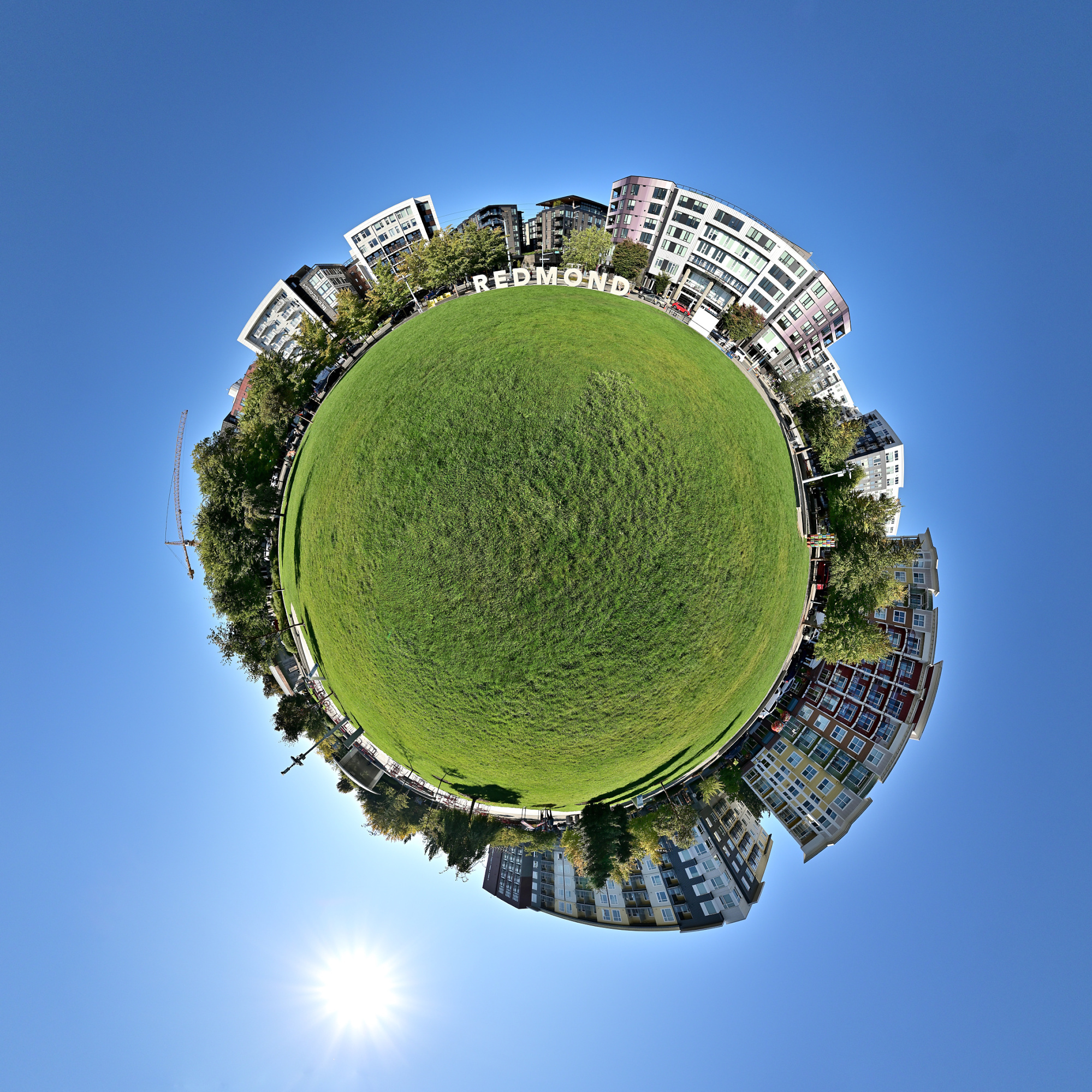
Original Projection
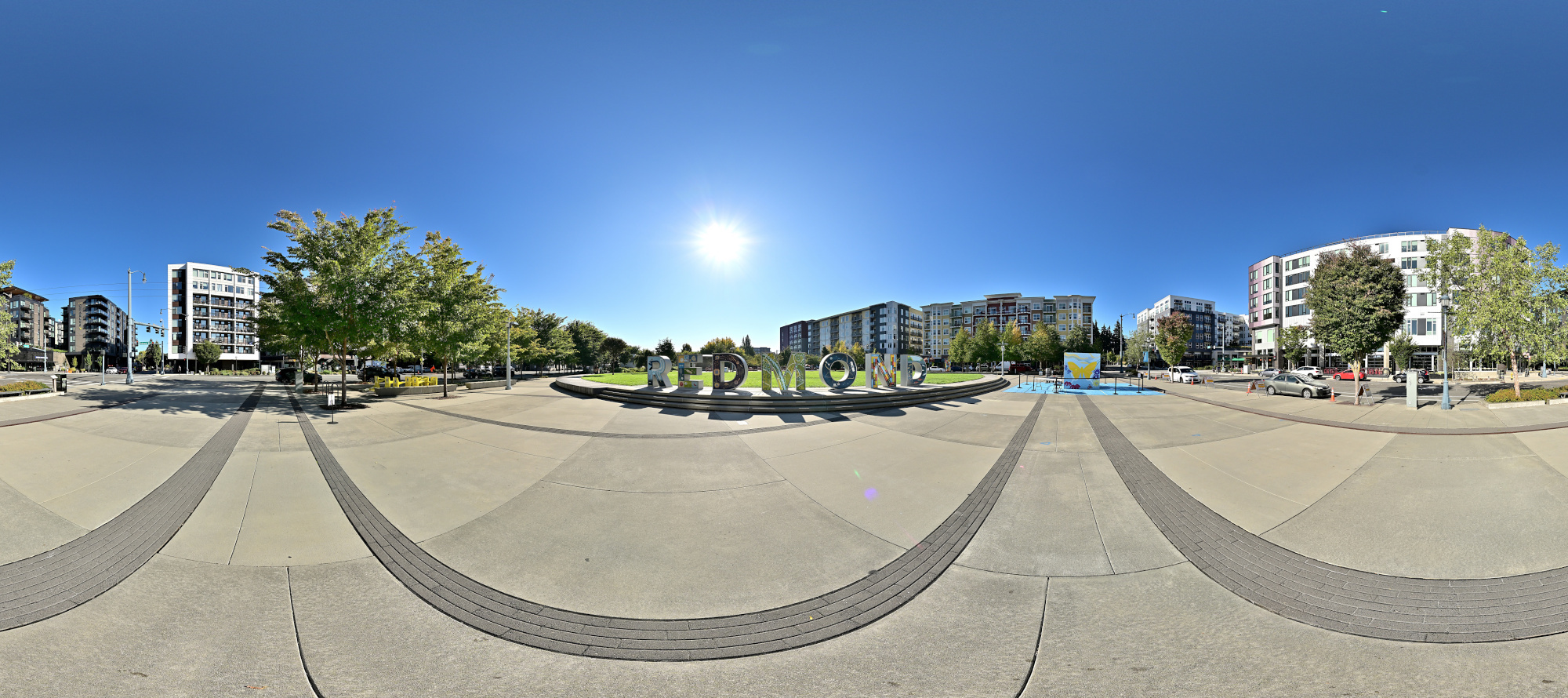
REDMOND Sign
This view highlights a prominent corner of the plaza featuring the city's striking "REDMOND" World Cup Legacy Sign. Permanently installed to commemorate the global soccer tournament's footprint in the Puget Sound region, the five-foot-tall concrete landmark is finished with vibrant, custom porcelain enamel overlays. The detailed artwork across each massive letter visually celebrates local culture, innovation, nature, and community inclusion.Interactive Panorama Redmond Downtown Park 2 360x180
1/800s f/5,6 ISO 100/21° f=7,5mm
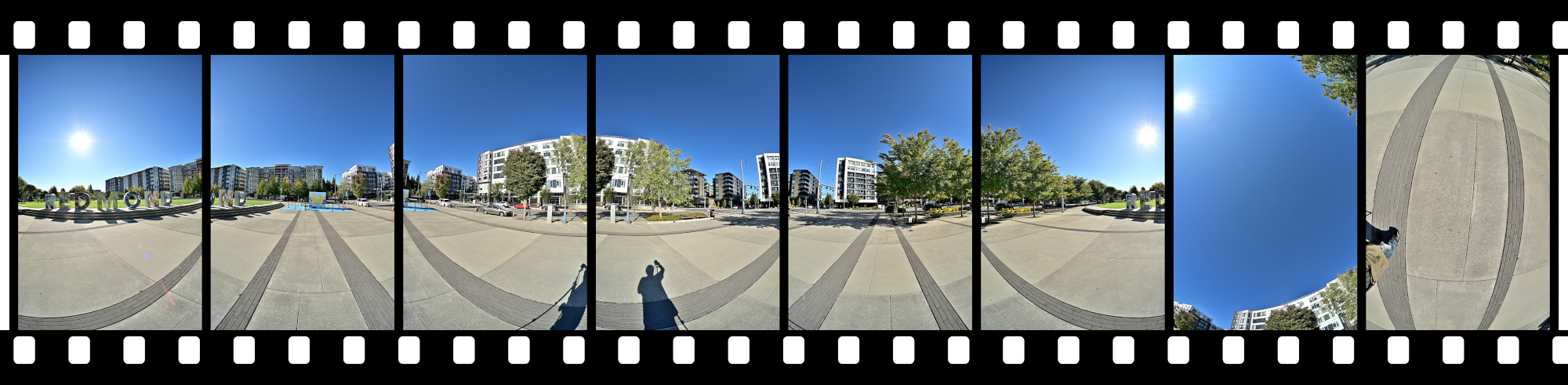
The World around Redmond.
Transversal Mercator Projection straightens out REDMOND.
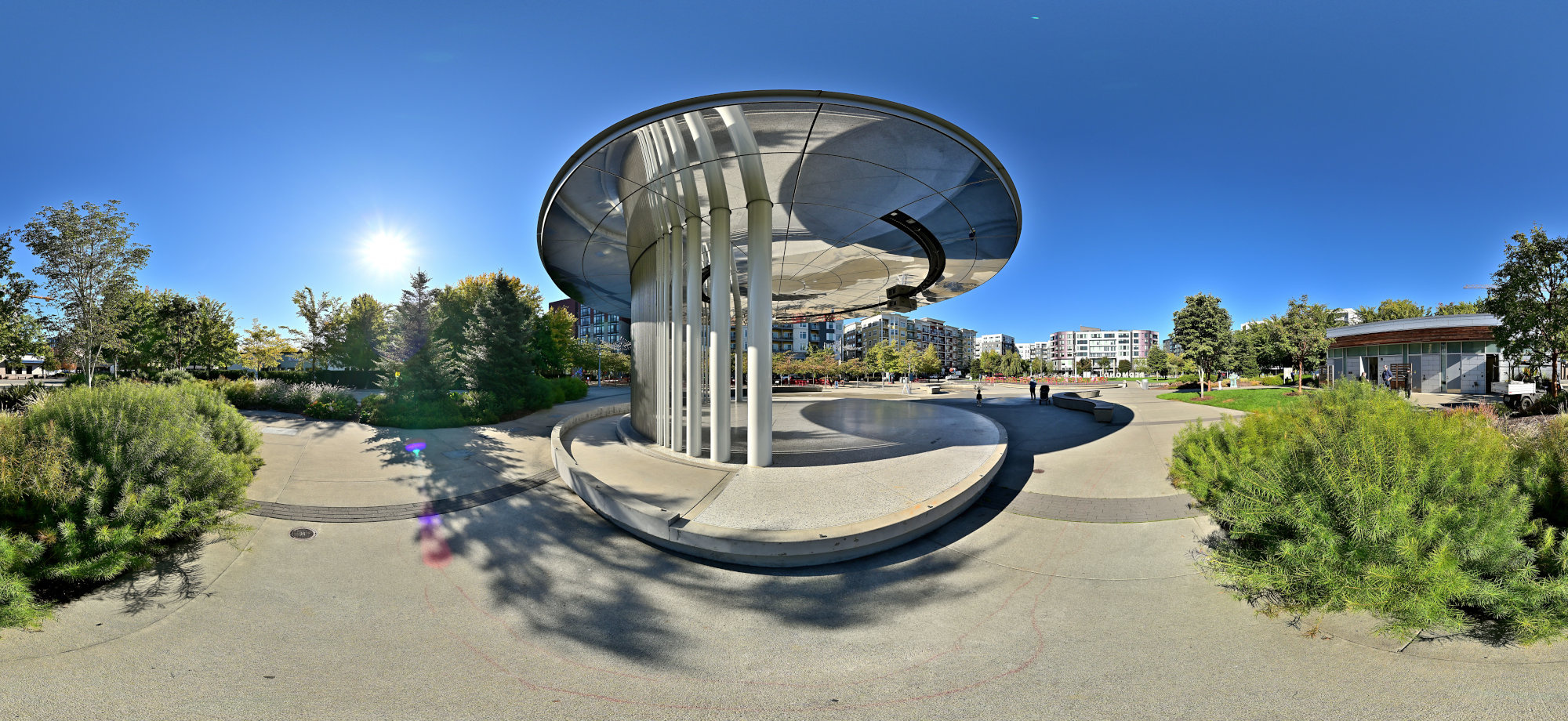
Buoyant Pavilion
My panorama for the WWP event Deception features the Buoyant Pavilion in Redmond Downtown Park.
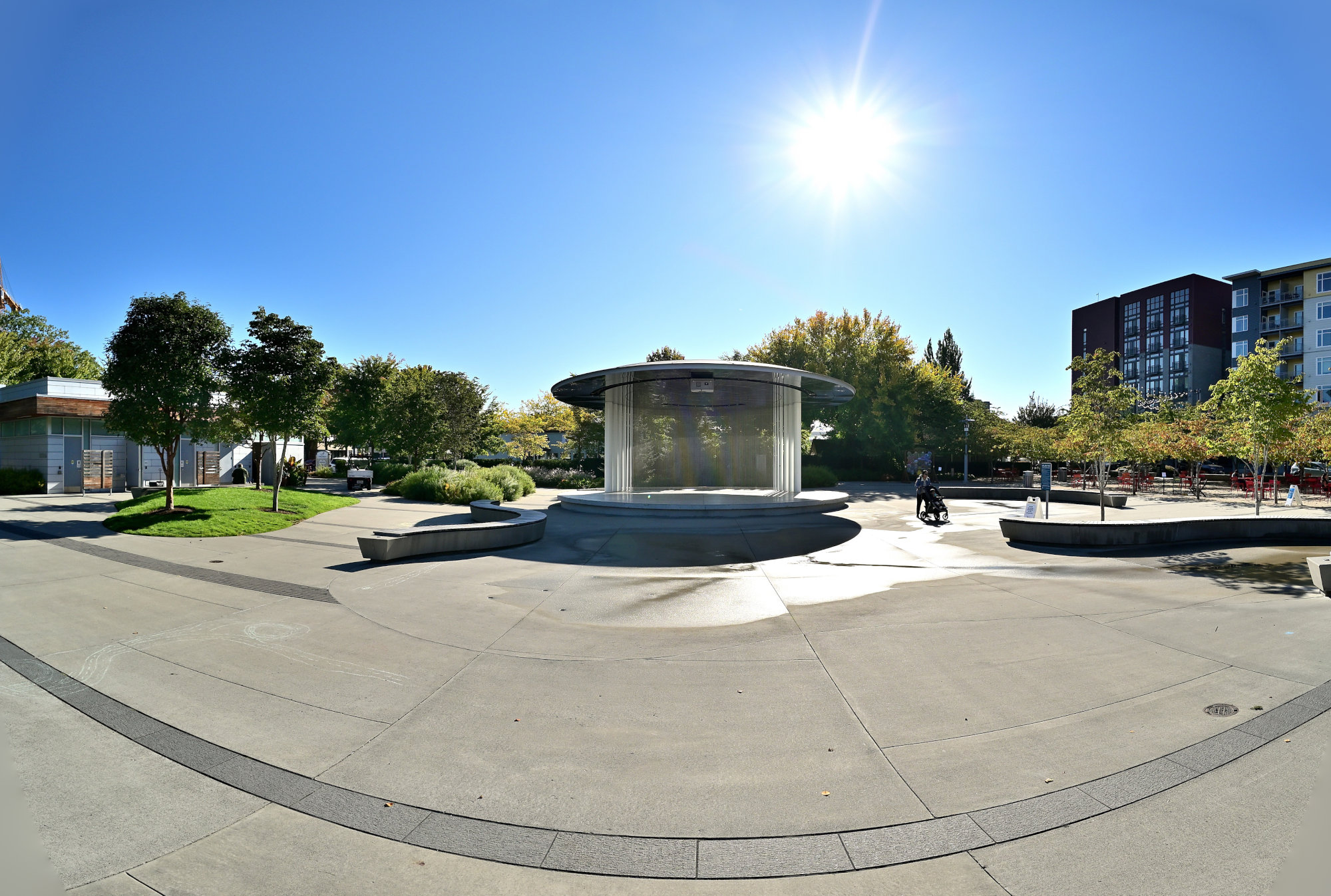
The Pavilion was designed by artist Jill Anholt, who wanted to create an inhabitable sculpture that bridges Redmond's history and its tech-driven future. The concept is inspired by the historic wetlands landscape that once existed on this very site, which is represented by the reflective water surfaces and floating elements.
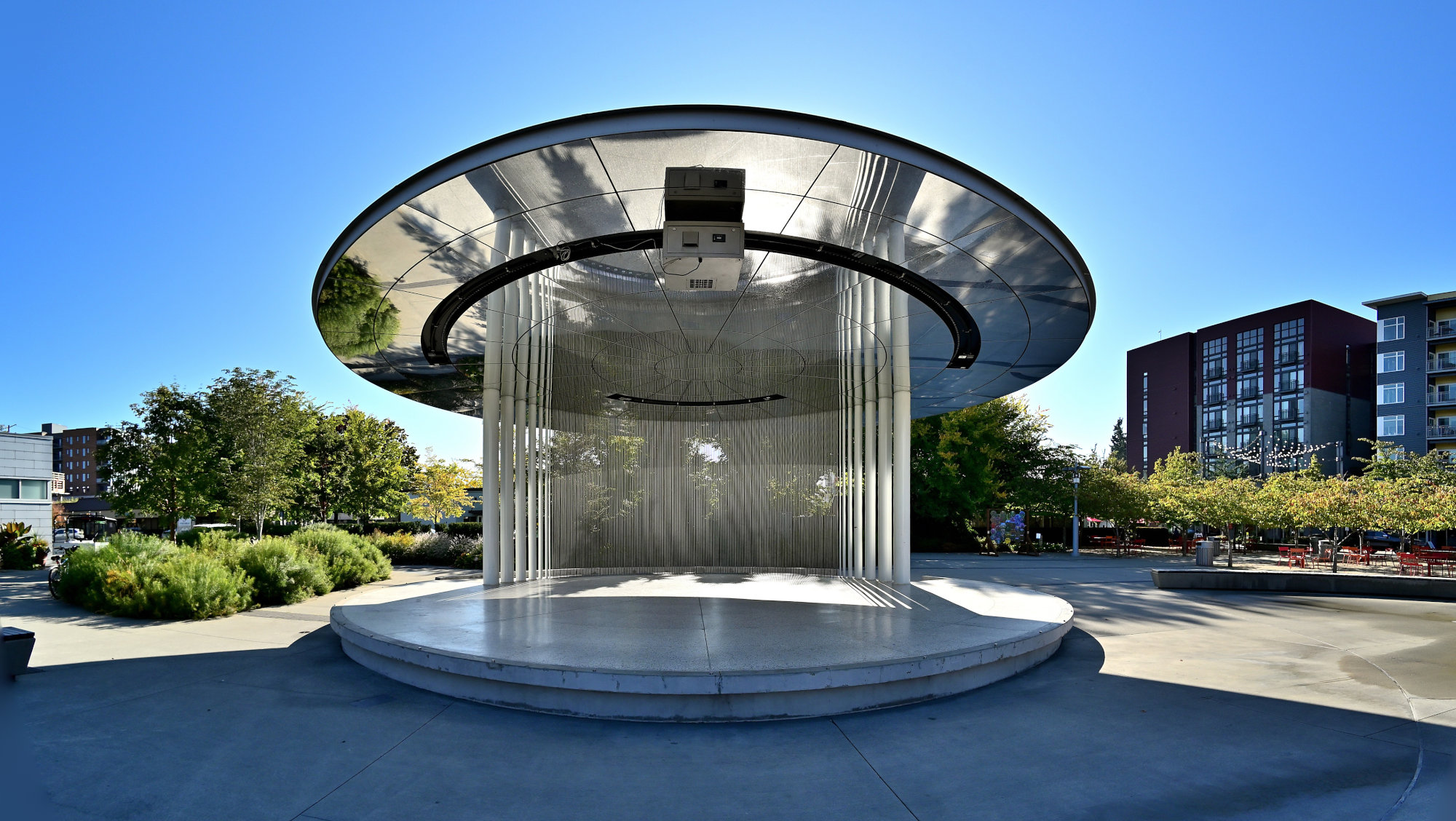
Anholt mixed this history with Redmond's modern identity as a major digital hub. Standing directly under the massive mirrored ceiling, the real surroundings and the architecture blur.
In a quiet visual deception of space, the heavy structure appears weightlessly suspended over thin, water-rimmed rods, catching both the natural park setting and the city's energy in an infinite loop.
Interactive Panorama Buoyant Pavilion 1 360x180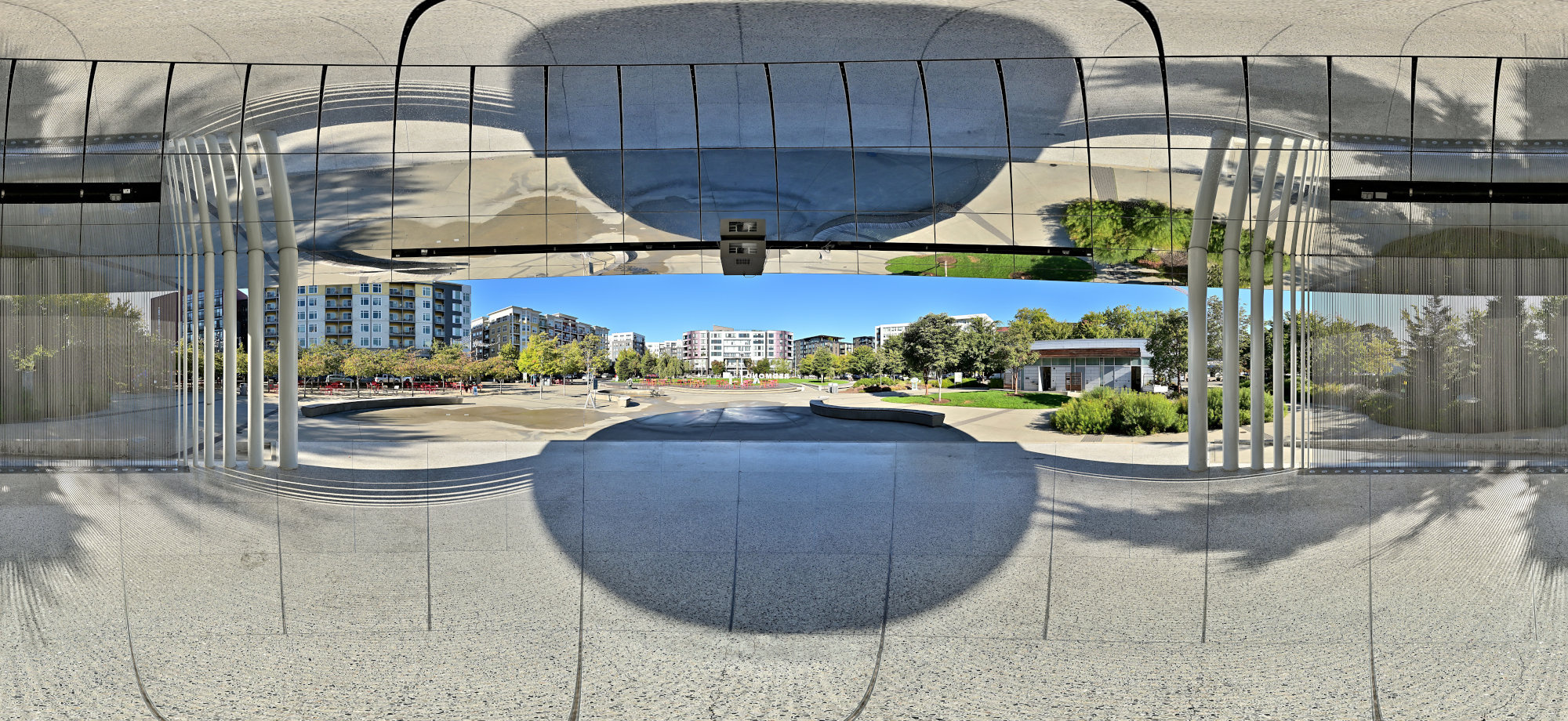
1/500s f/5,6 ISO 100/21° f=7,5mm
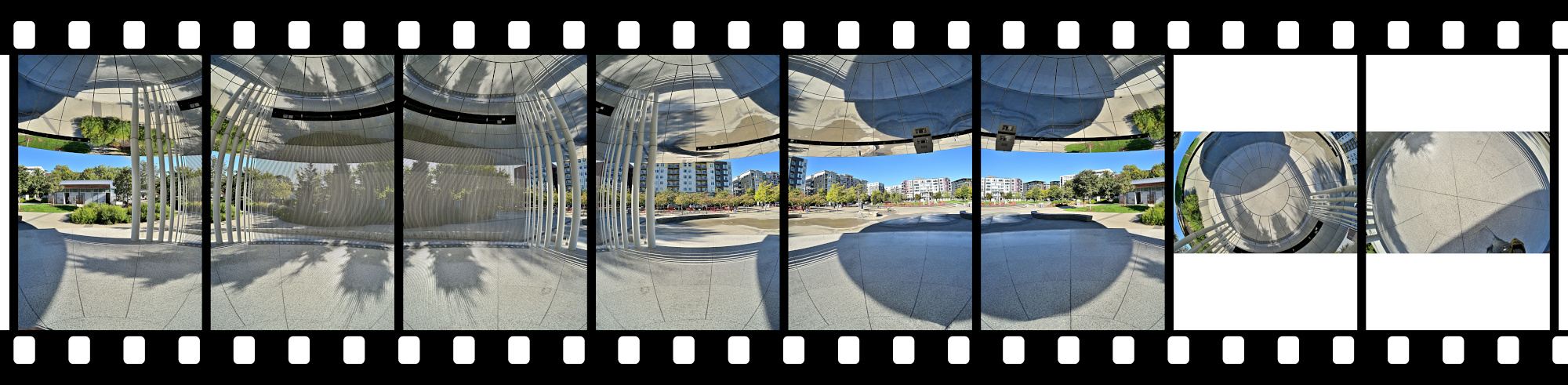
Looking through the stargate portal of the Buoyant Pavilion.
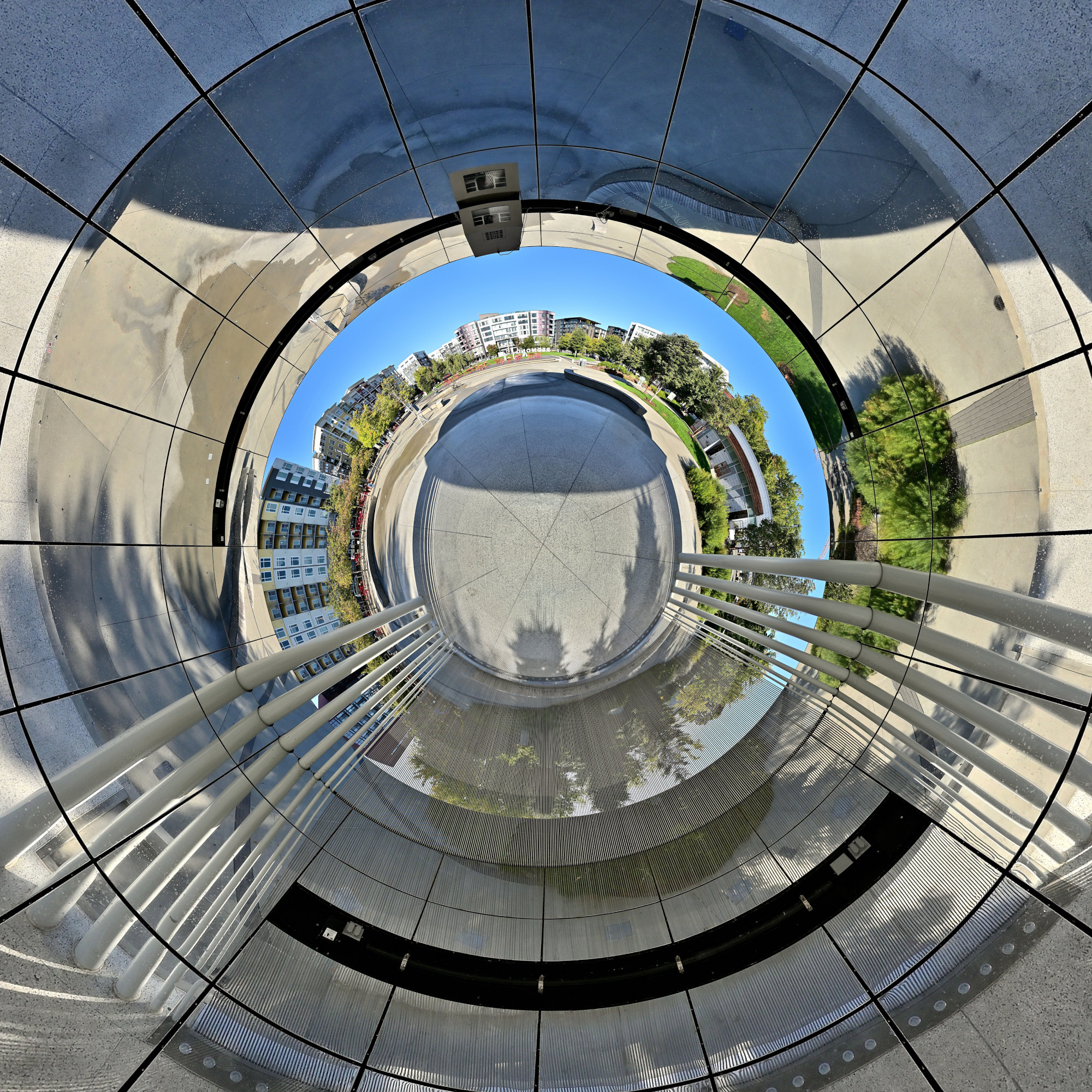
Interactive Panorama Buoyant Pavilion 2 360x180
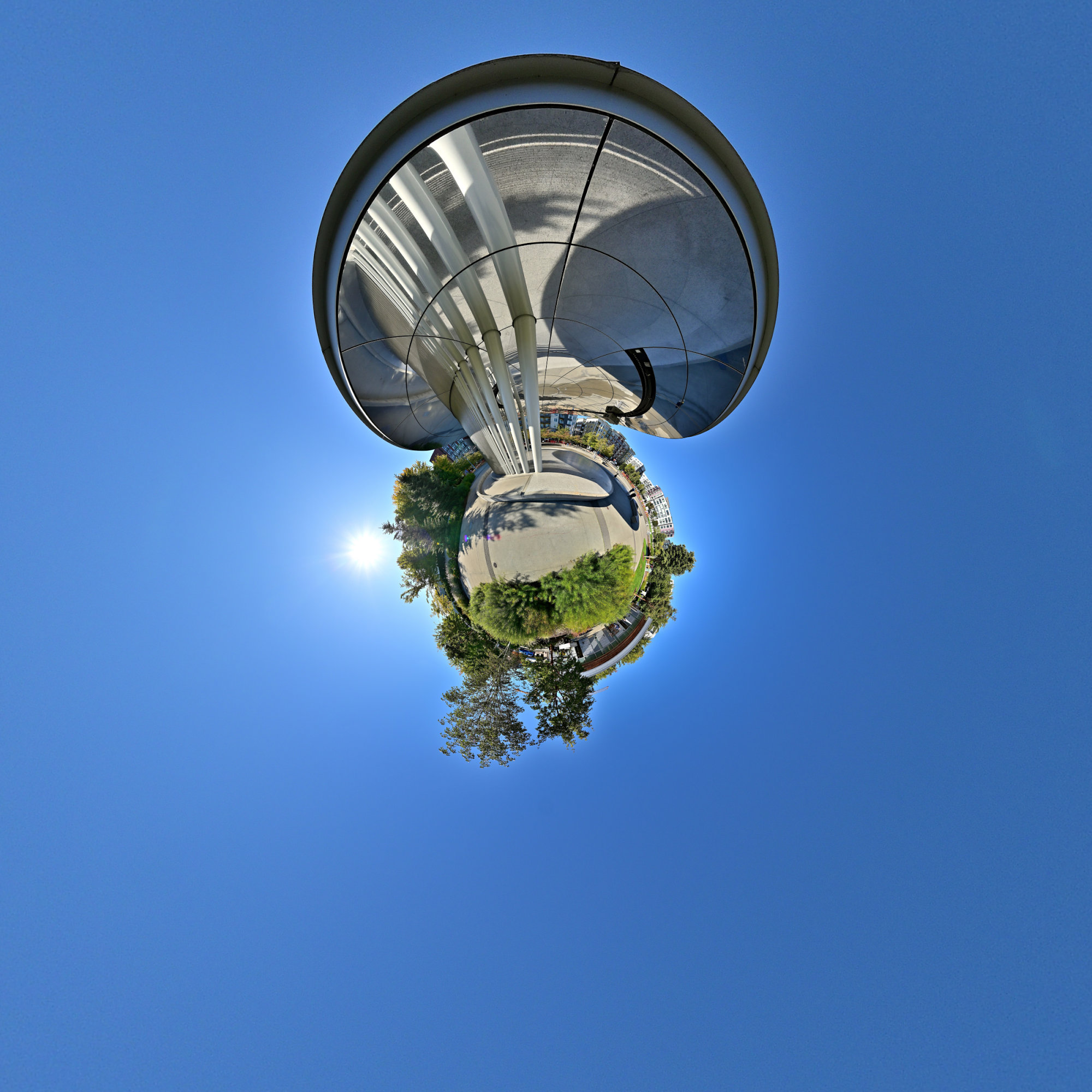
1/800s f/5,6 ISO 100/21° f=7,5mm

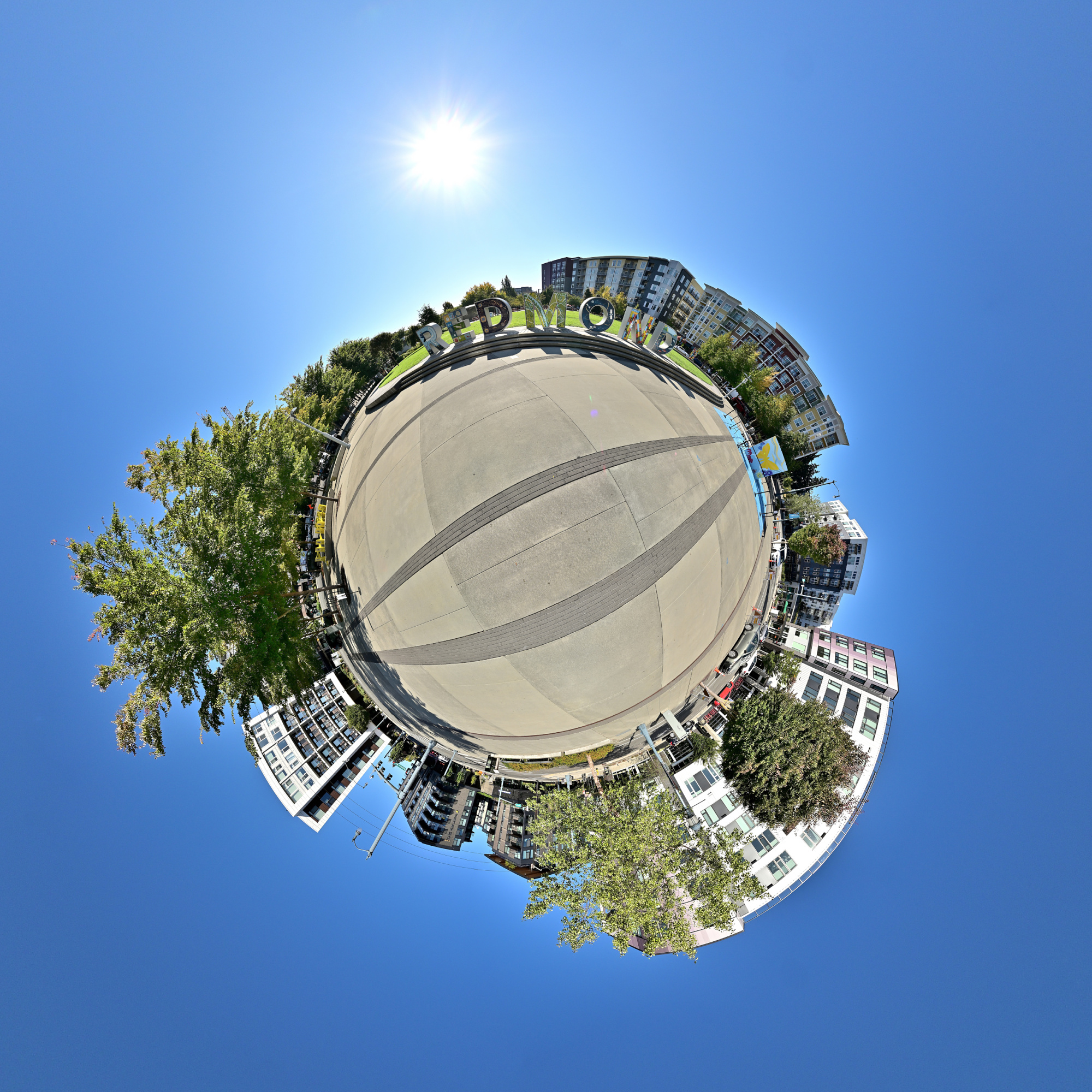
Planet Redmond. Composition: One pavilion, trees, and a bit of skyline.
Sammamish River Trestle
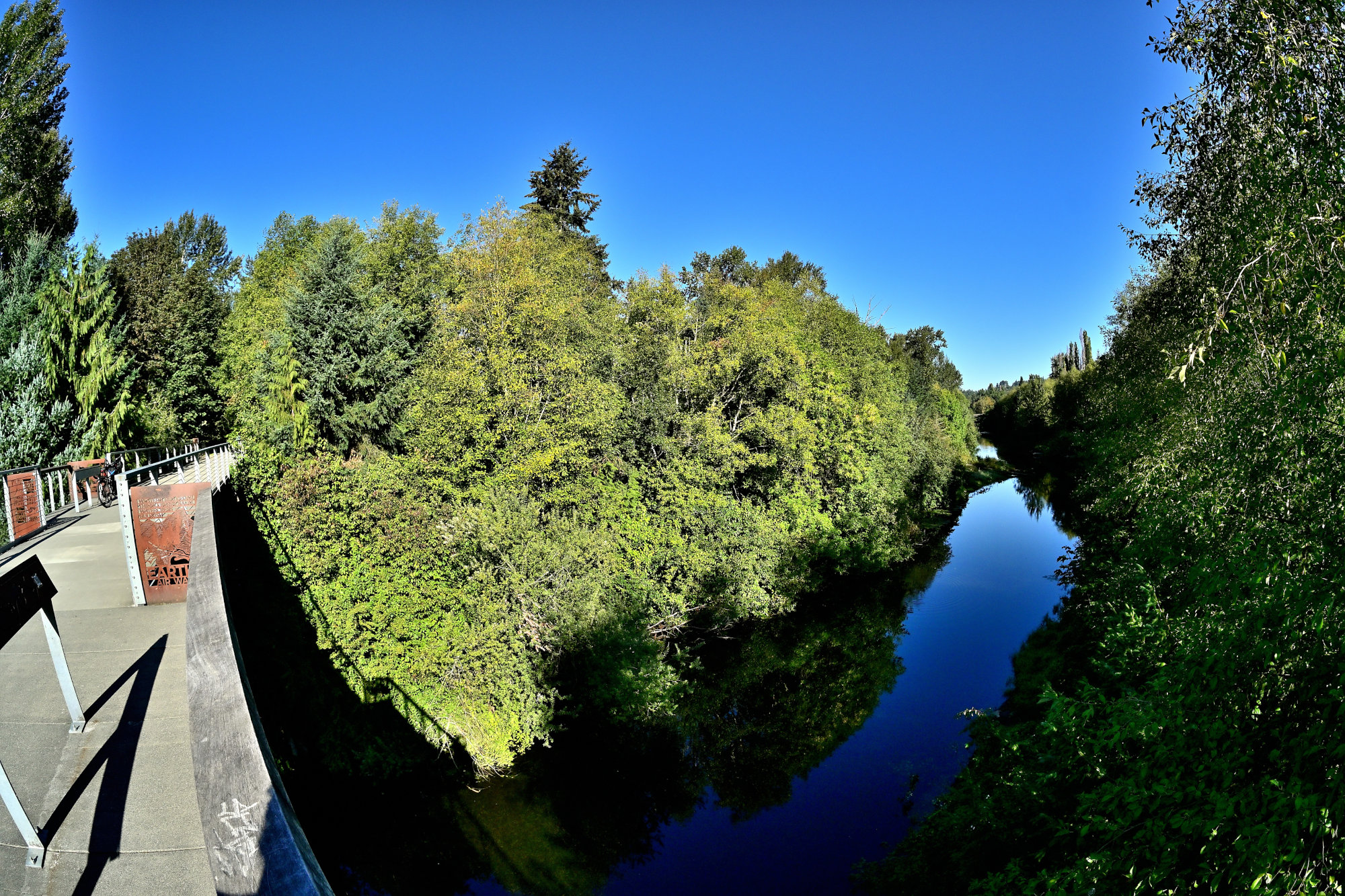
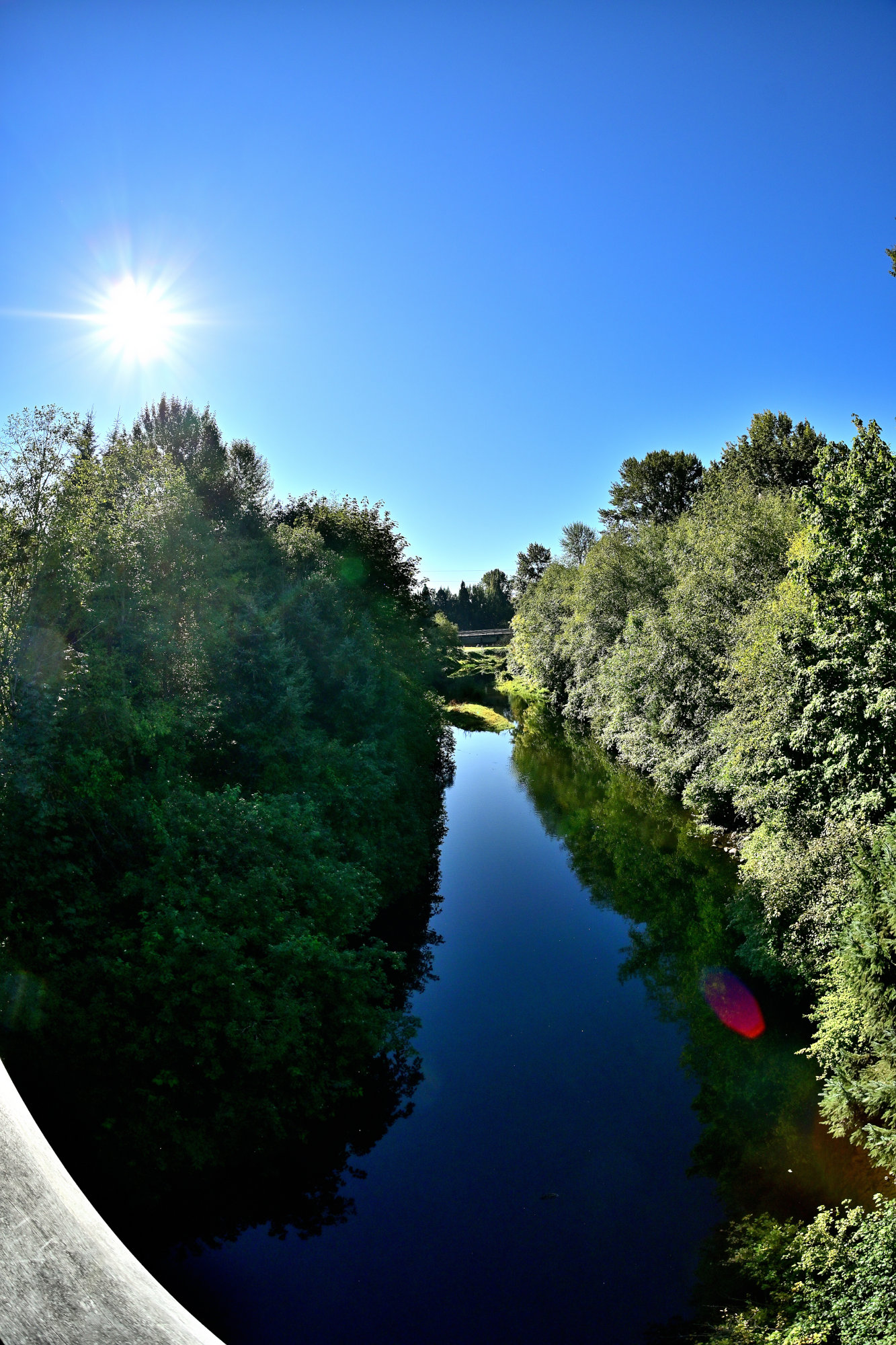
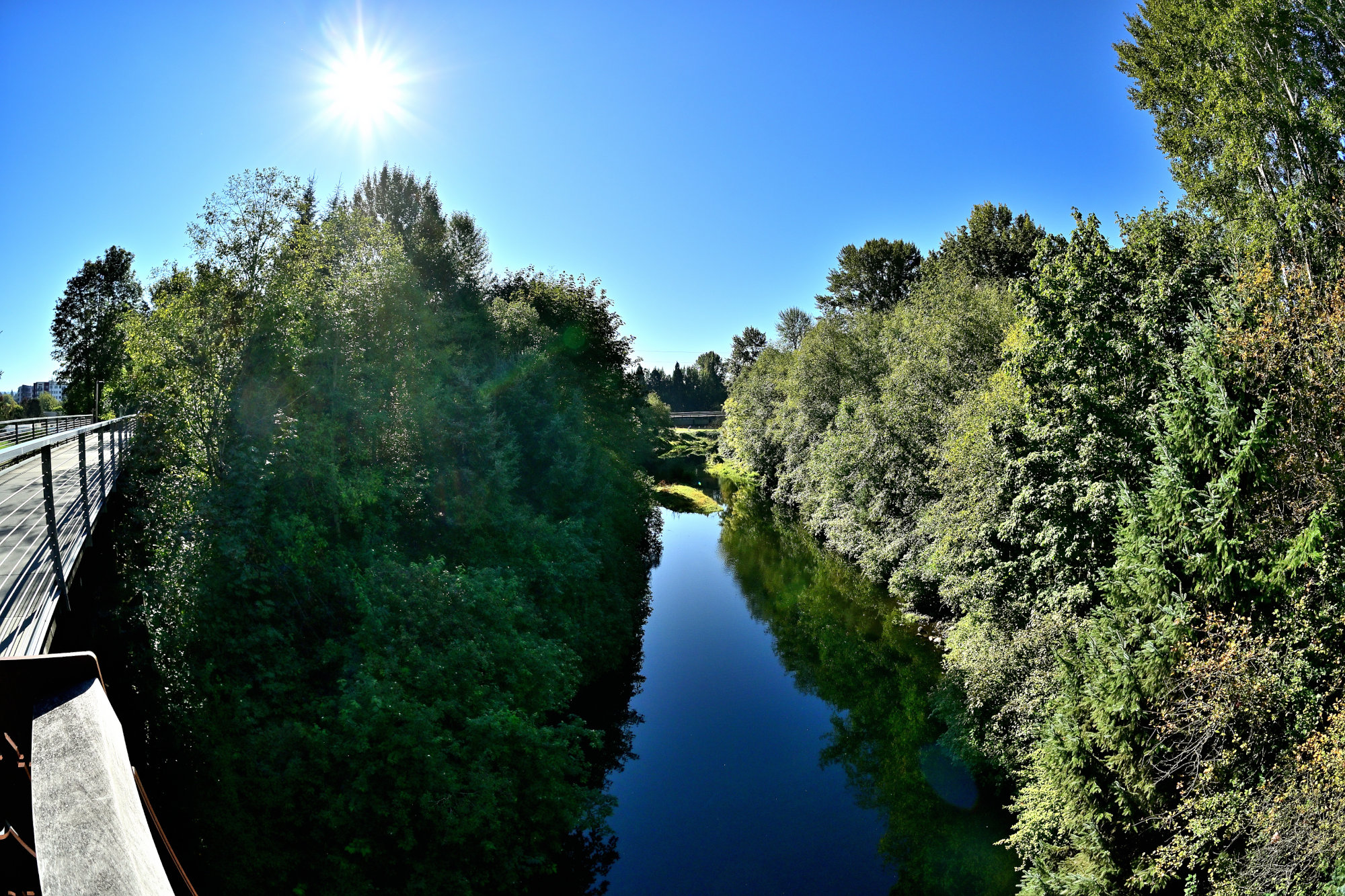
Once it was a railway bridge, built to haul heavy timber and freight across a changing landscape. Today, the Sammamish River Trestle serves a beautifully different purpose.
The view from this historic structure presents a peaceful illusion of absolute wilderness. It completely hides the surrounding Redmond tech hub behind dense trees and calm, slow-moving currents, effortlessly deceiving visitors into believing they are miles away from any urban environment.
Trestles: Frames, Crossbeams, and Heritage
The word trestle originates from the Old French word trestel, meaning a crossbeam or a supporting frame, which was originally derived from the Latin transtrum for a beam. In engineering and architecture, a trestle is a rigid framework composed of short beams and slanted legs. These legs are often configured in a series of inverted V shapes called bents, which are designed to support an elevated bridge structure.
In the 19th and early 20th centuries, timber trestle bridges became iconic staples of American railroading. They were brilliant because they could be erected rapidly using local timber to span deep valleys, swamps, and rivers without requiring massive stone masonry or expensive ironwork.
Bridging the Past and Present
The story of the Sammamish River Trestle begins in the late 1880s. Before the arrival of iron tracks, the marshy Sammamish Valley relied on slow water routes like pole-drawn barges and small steam-powered scows to transport goods. That changed in early 1888 when the Seattle, Lake Shore and Eastern Railway (SLS&E) pushed its tracks directly through Redmond.
The railway built this trestle over the river to overcome the challenging, flood-prone wetlands. For over 30 years, it acted as the lifeblood of Redmond's early economy, moving passengers and hauling massive loads of logs from the logging boom straight to local mills and global markets.
Eventually, as the logging era faded and alternative transport grew, commercial freight service dwindled and finally stopped by the early 2000s. Instead of being demolished, this piece of industrial history was preserved, retrofitted with pedestrian walkways, and seamlessly incorporated into the modern Sammamish River Trail network. Standing on it today, you are quite literally walking on the historic skeleton of the transportation line that put Redmond on the map.
Interactive Panorama Sammamish River Trestle 360x180
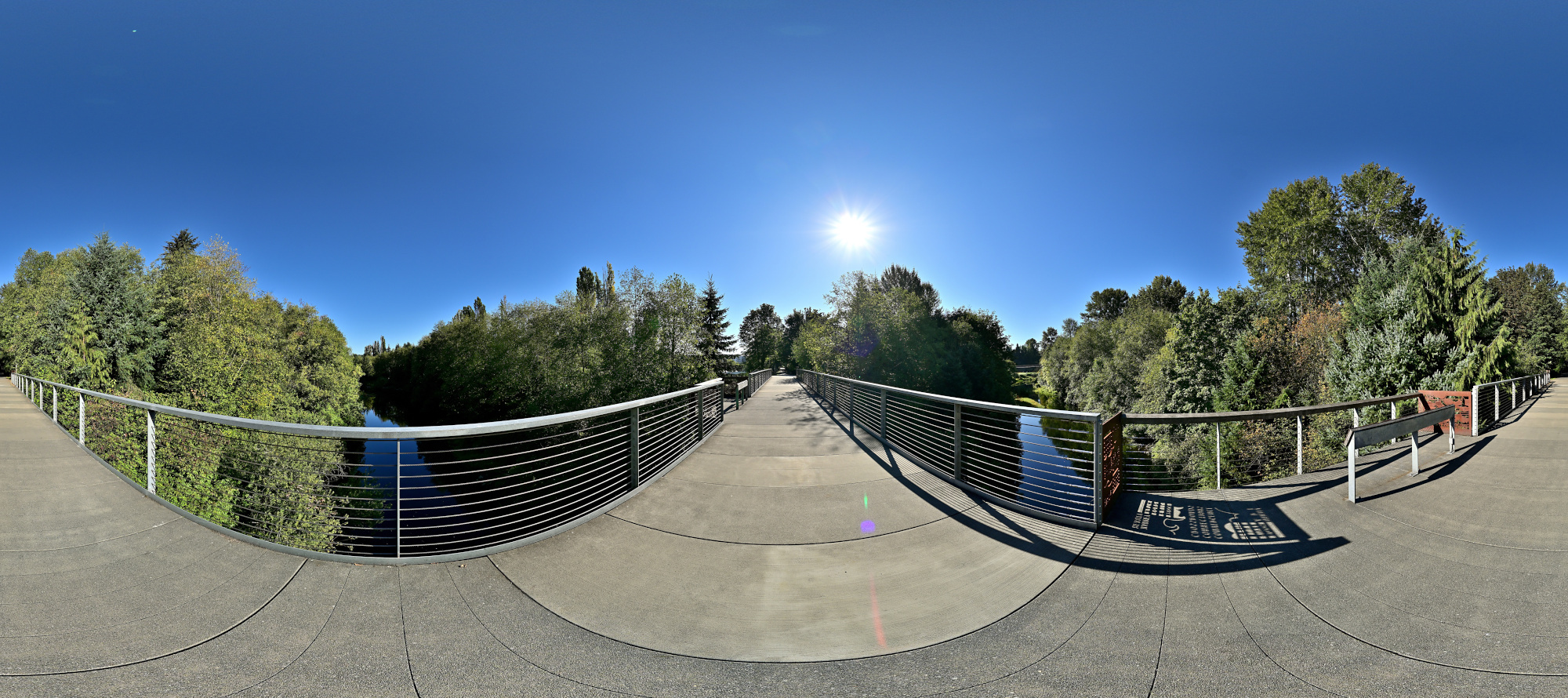
1/1000s f/5,6 ISO 100/21° f=7,5mm
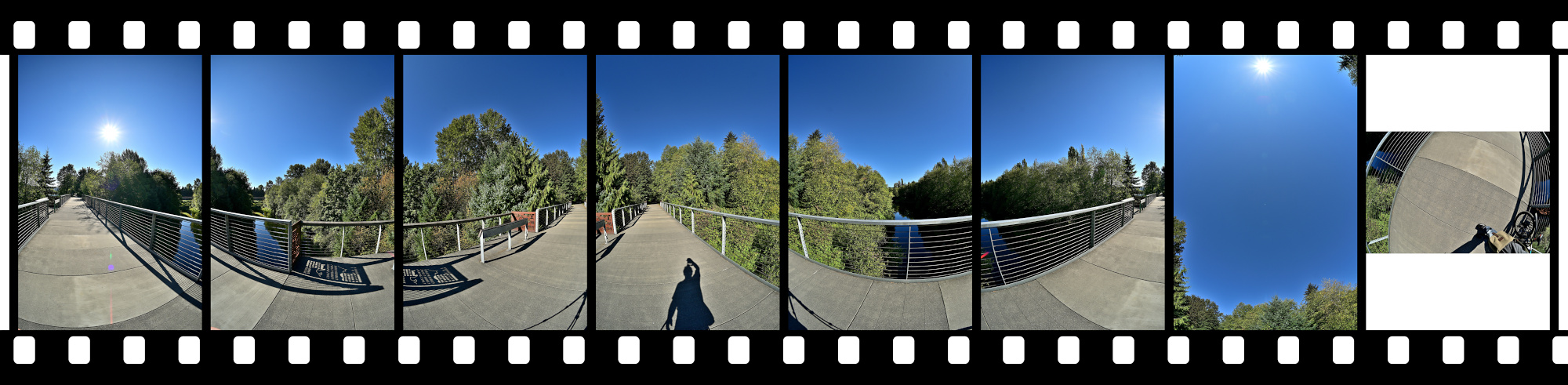
A bridge that spans the world of Redmond.
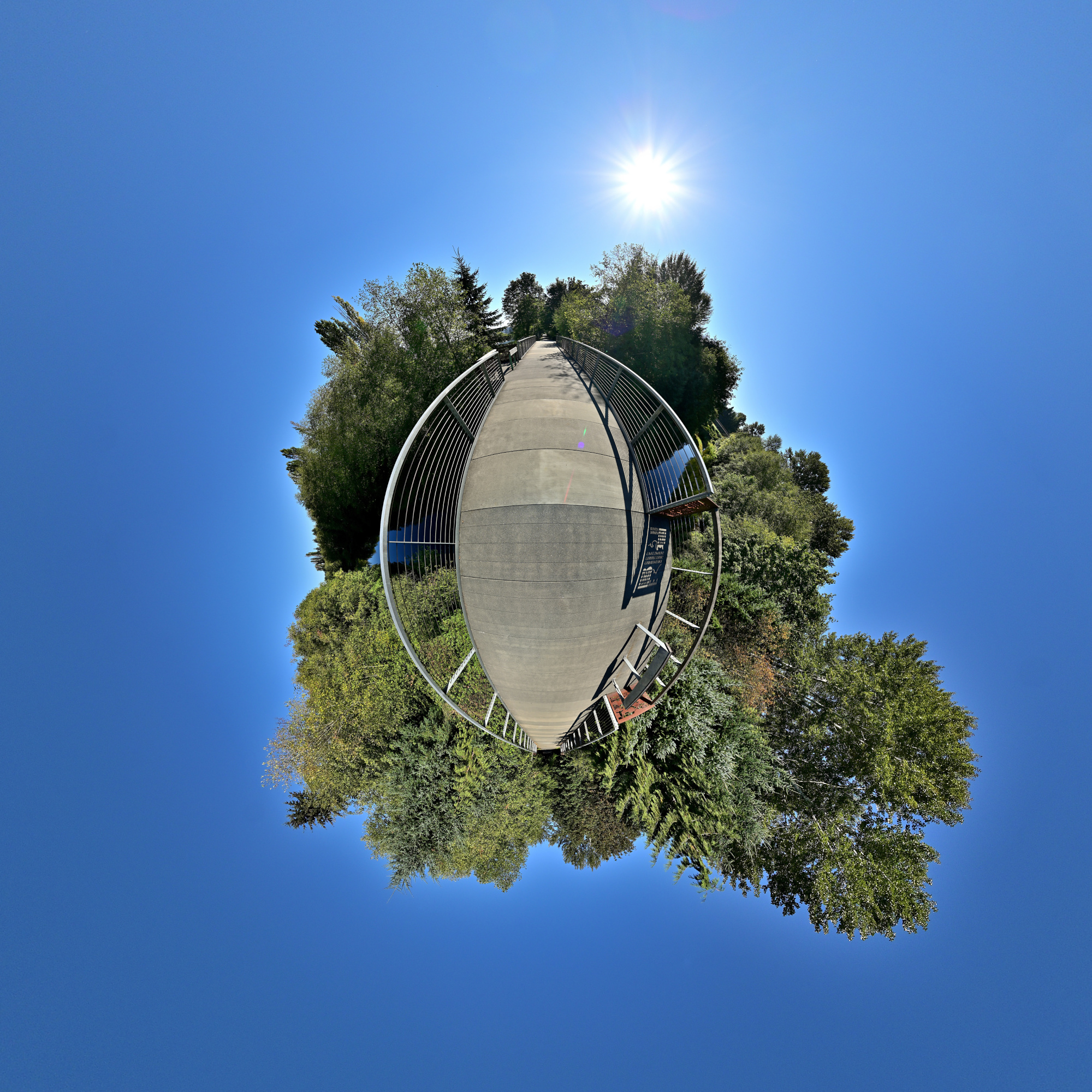
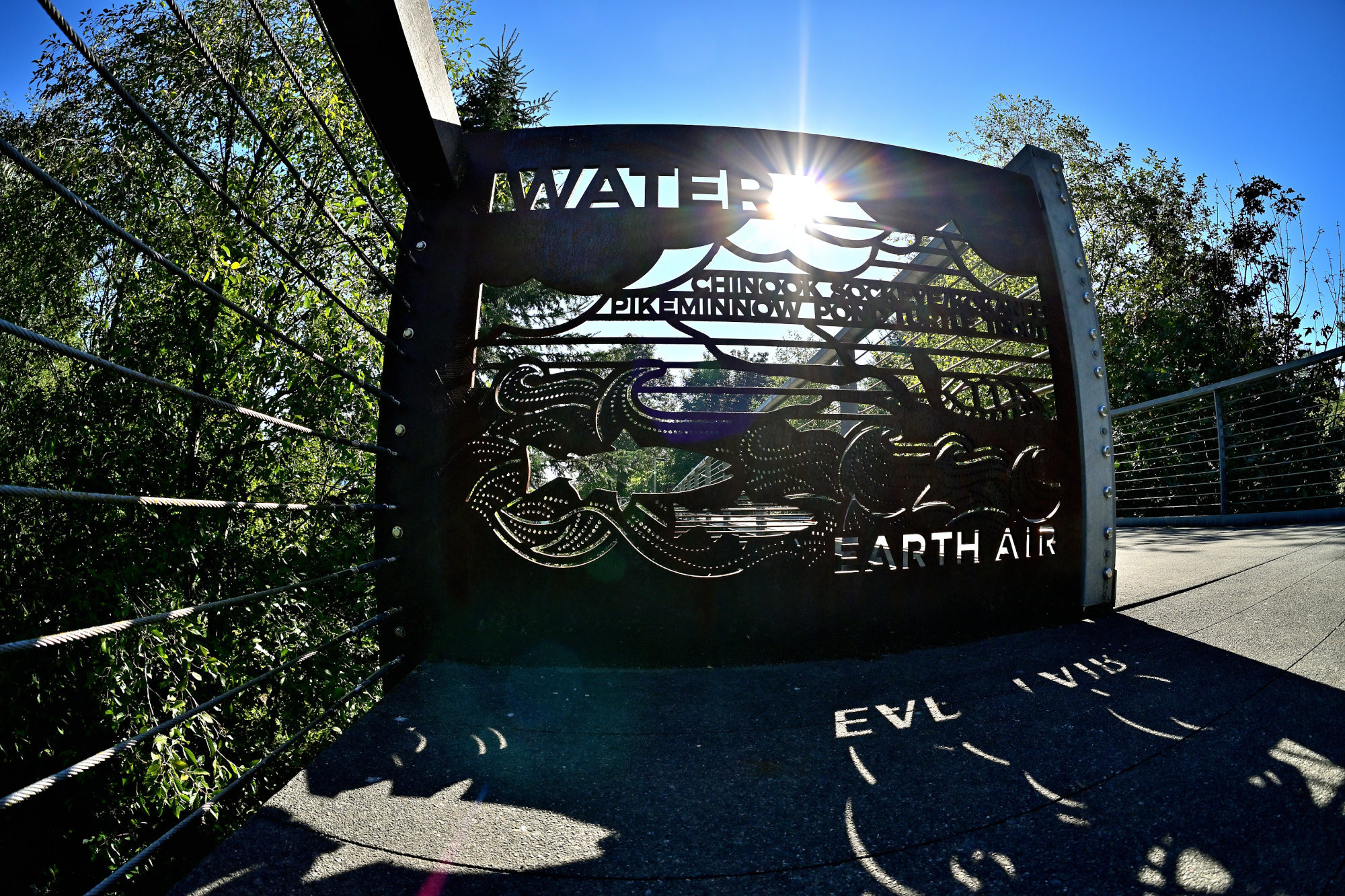
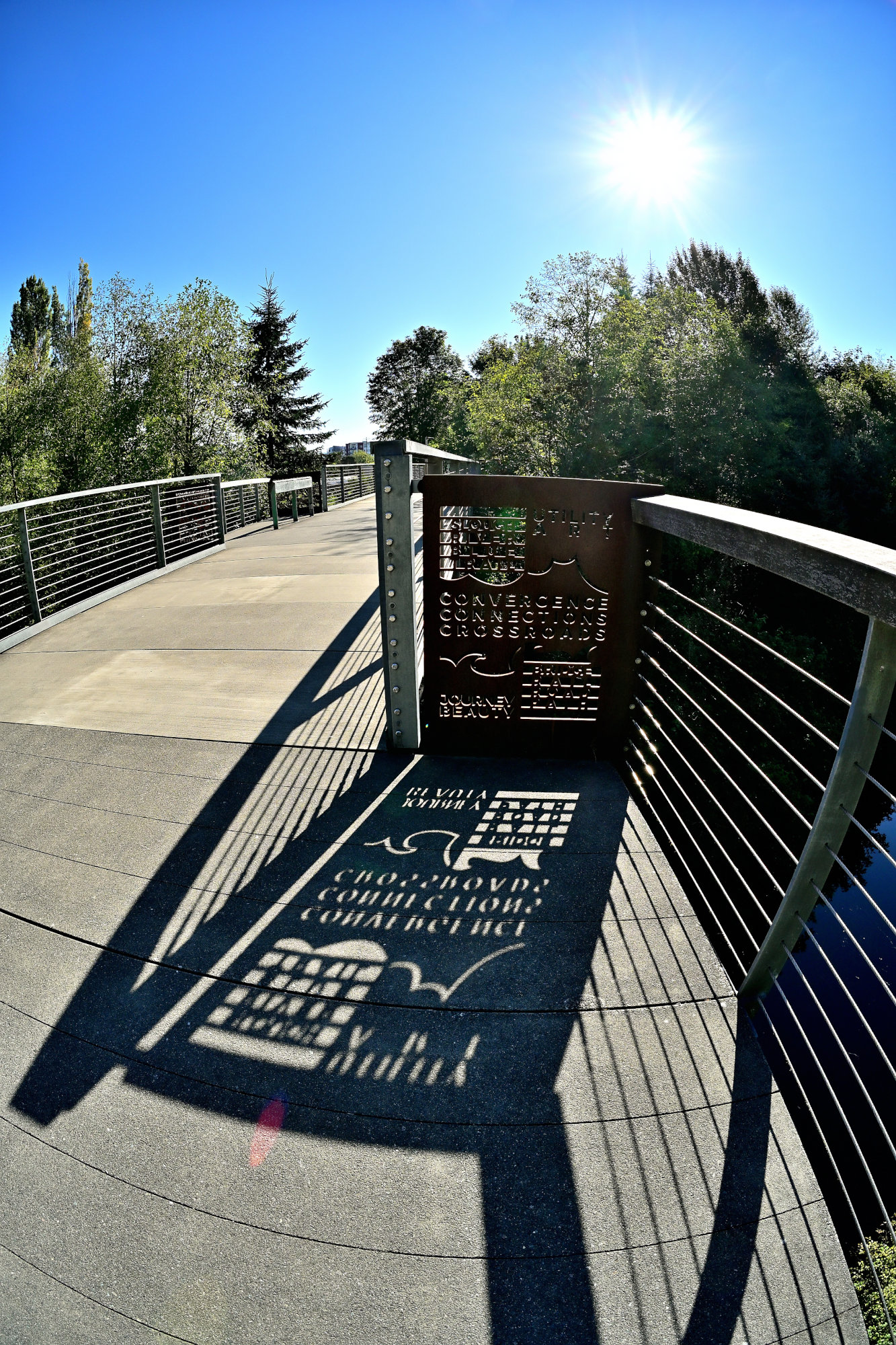
Framed in Steel with Stories Cut from Half Inch Plate
These massive handrail plates double as an open-air gallery along the trestle. Cut directly into the heavy steel are bold silhouettes of local wildlife and clear links to early railroad history. This unique metalwork reflects an art installation based on the themes of Earth, Air, and Water, inspired by the work of Redmond's very first Poet Laureate, Rebecca Meredith.

Overlake Village Station Pedestrian Bridge
This viewpoint showcases the interior of the bridge, highlighting a masterful architectural deception created by local artist Leo Saul Berk. Titled Verdant, the installation features 1026 vertical aluminum louvers decorated with over 156k hand-painted rectangles.
From either end of the walkway, the louvers seamlessly blend together to trick the viewer into seeing a solid, lush green wall. However, as pedestrians and cyclists move past the gaps, the visual illusion shatters, breaking the forest scene apart to expose the State Route 520 traffic passing directly beneath.
Interactive Panorama Overlake Village Station Pedestrian Bridge 360x180
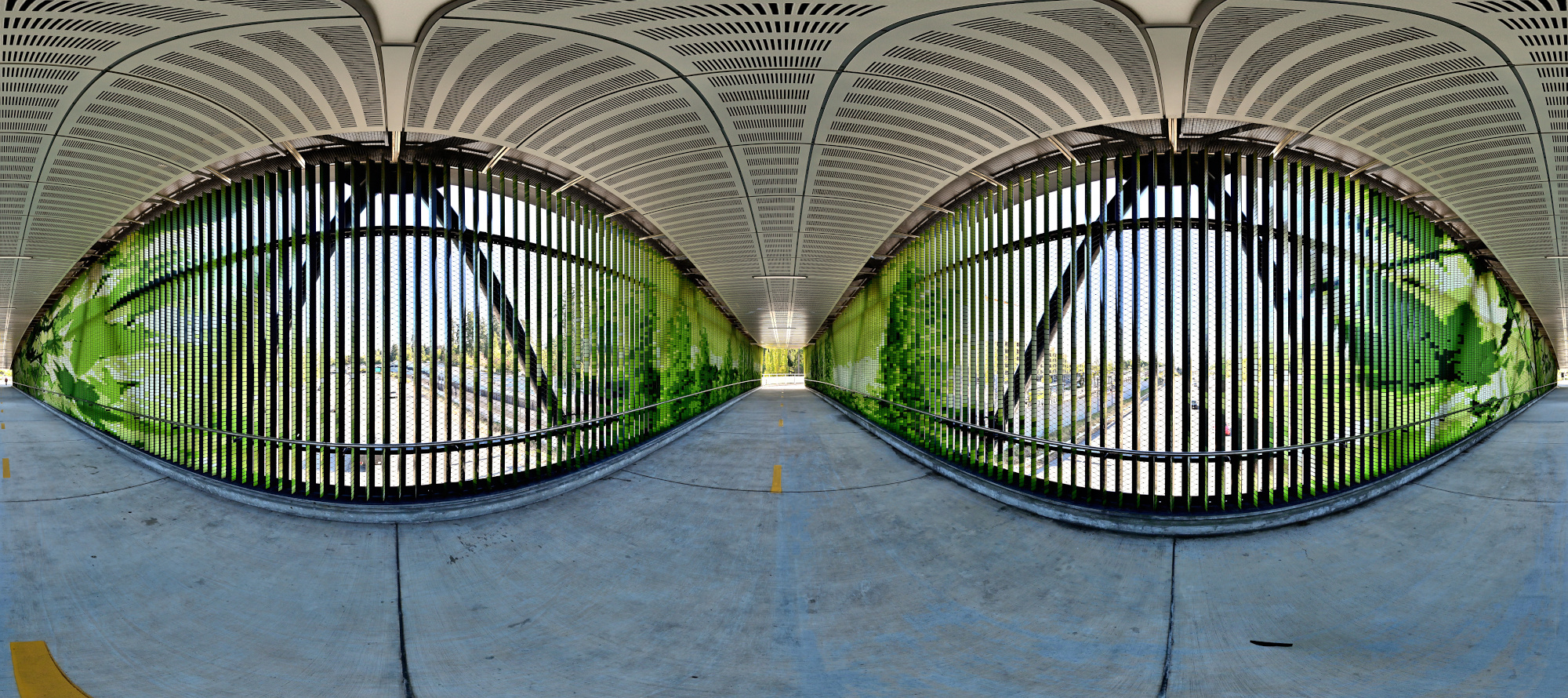
1/100s f/5,6 ISO 100/21° f=7,5mm
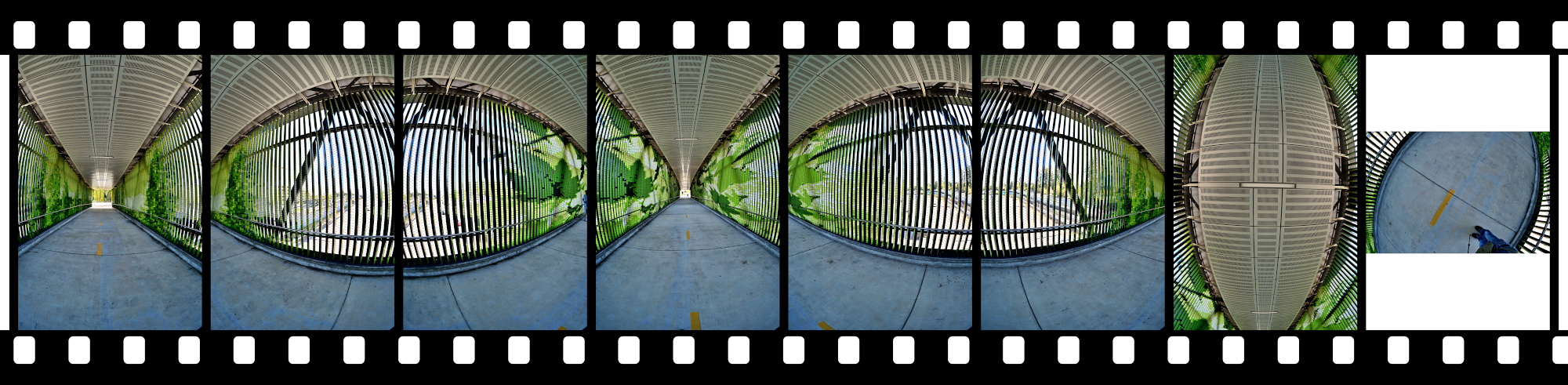
Our eyes have a higher dynamic range than a camera. When we look at a bridge, we can see both the dark interior and the bright sky clearly. A camera cannot do this in a single photo. This picture is exposed for the bright sky, so the sky looks natural. However, the camera makes the louvers and beams look much darker than they would appear to our eyes.
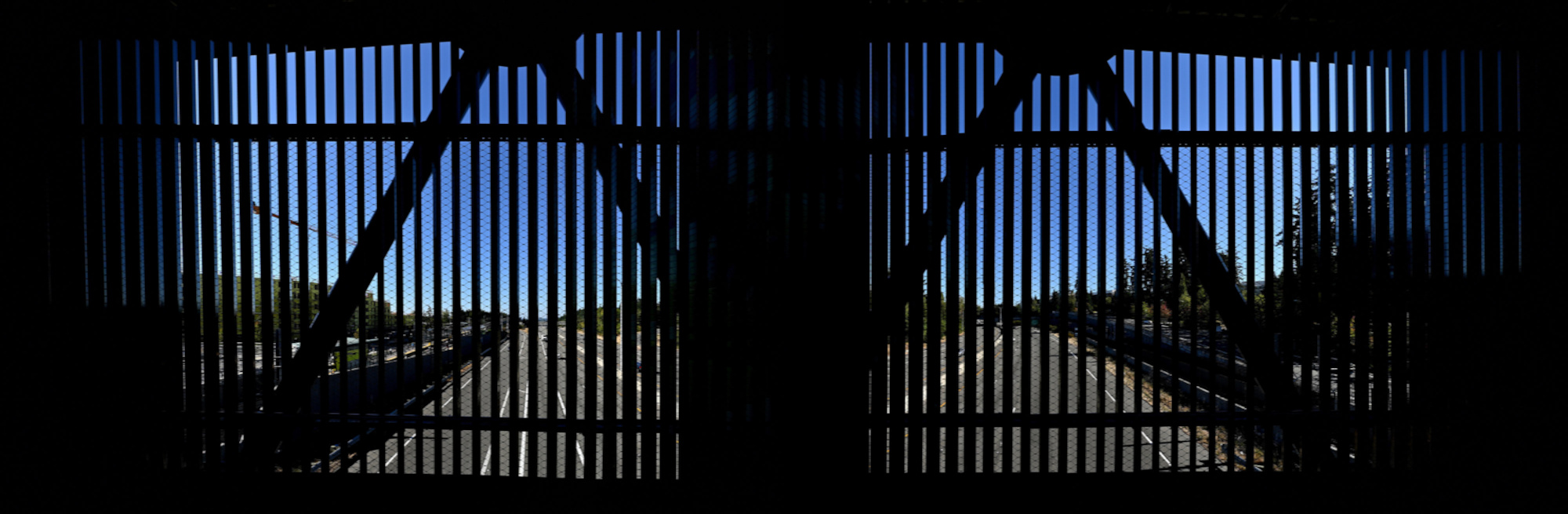
1/640s f/5,6 ISO 100/21° f=7,5mm
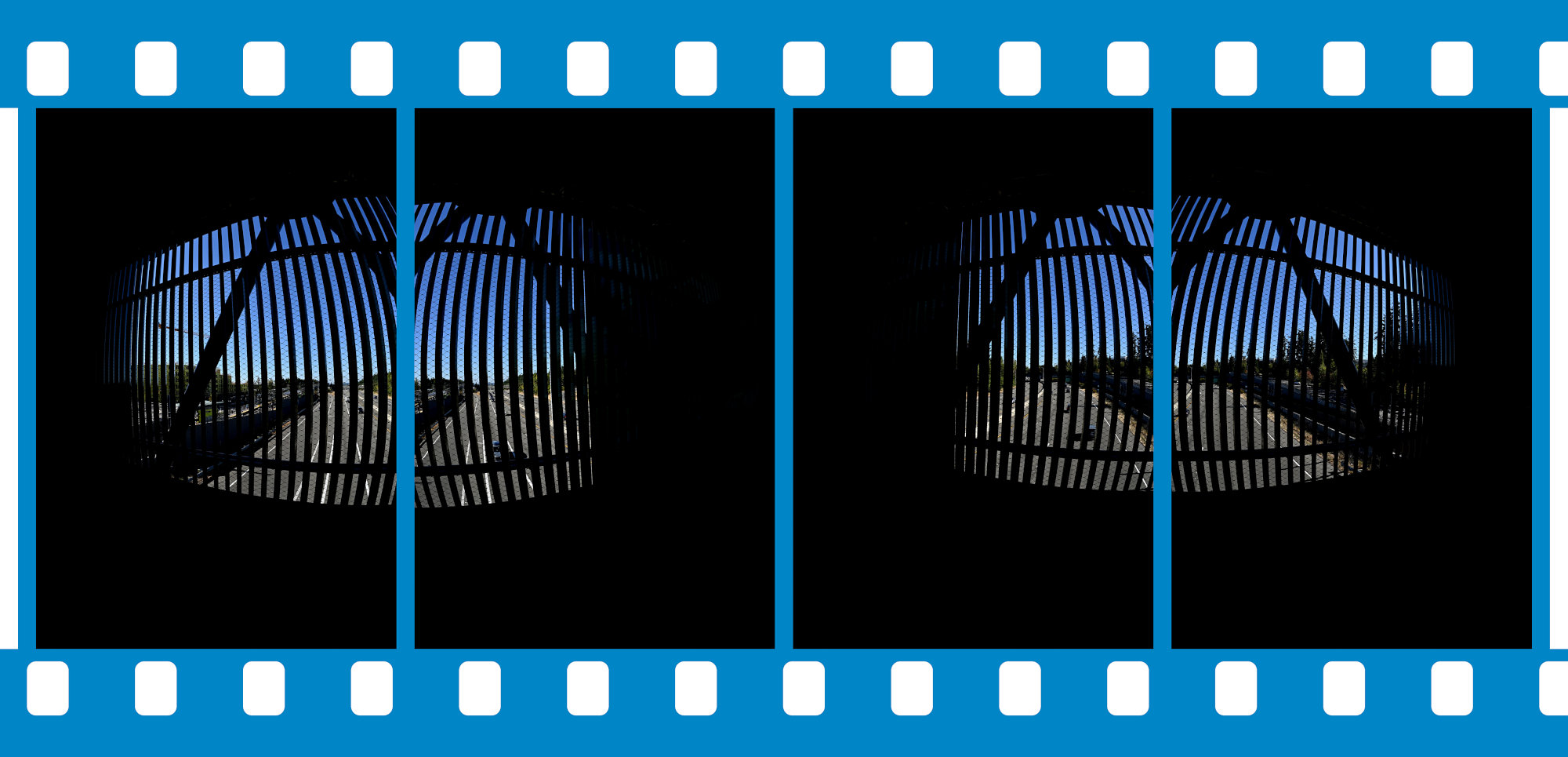
-
Die Evolution der Schärfe: Eine historische Zeitreise mit Capsaicin 🌶️
Das Phänomen der Schärfe beim Essen wird im Alltag meist rein kulinarisch bewertet. Aus evolutionsbiologischer und historischer Sicht handelt es sich dabei jedoch um ein hocheffizientes Abwehrsystem der Natur, das vom Menschen gezielt umgangen und für eigene Zwecke modifiziert wurde.
Die visuelle Telemetrie zeigt die schrittweise Transformation von der unstrukturierten biologischen Rohmasse bis zum finalen Aggregatzustand auf dem Teller.
Das initiale System-Setup vor dem Start
1/60s f/5 ISO 250/25° 16-50mm f/2,8 VR f=30mm/45mm
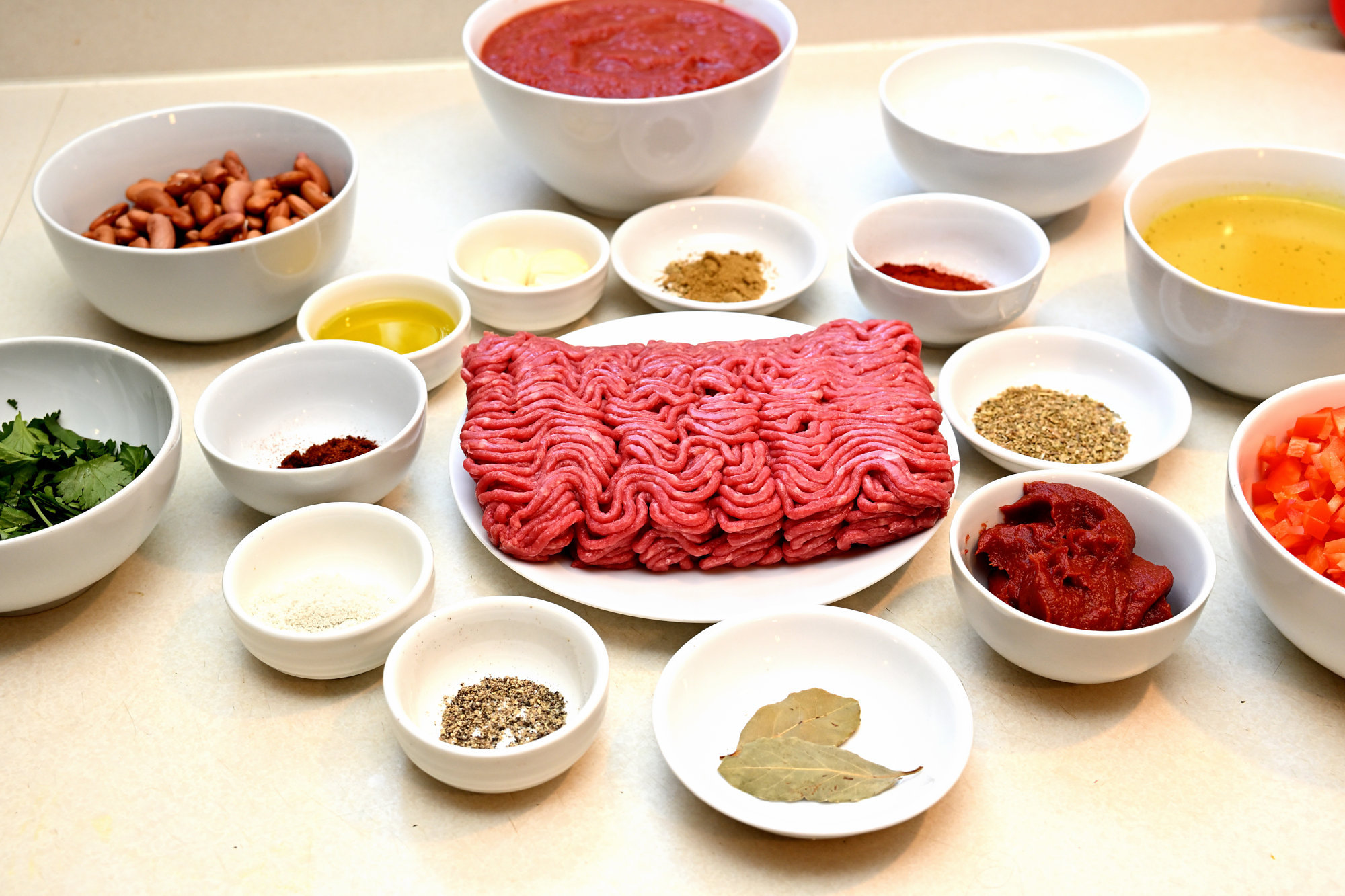
Chilis verdanken ihre Schärfe dem Alkaloid Capsaicin. Aus Sicht der Evolution ist dieser Stoff eine reine Abwehrwaffe. Pflanzen der Gattung Capsicum entwickelten den Mechanismus, um Säugetiere vom Verzehr abzuhalten, da deren Verdauungstrakt die Samen zerstört. Vögel hingegen besitzen keine Rezeptoren für Capsaicin; sie fressen die Früchte unbeschadet und sichern die Evolution der Pflanze durch die unversehrte Ausscheidung der Samen.Thermische Transformation im Kochgefäß
1/60s f/5 ISO 250/25° 16-50mm f/2,8 VR f=22mm/33mm

Die menschliche Reaktion auf diesen Abwehrmechanismus ist paradox: Statt die Pflanze zu meiden, kultiviert die Menschheit Chilis seit fast 10.000 Jahren und züchtet sie systematisch auf höhere Capsaicin-Konzentrationen. Beim Verzehr dockt das Molekül an die TRPV1-Rezeptoren1 der Nervenenden an. Diese sind eigentlich für die Erkennung von thermischer Hitze (ab 43 °C) zuständig. Dem Gehirn wird somit eine akute Verbrennung signalisiert, obwohl keine reale Gewebeschädigung stattfindet.Der biochemische Puffer (die vegetarische Begleitkomponente)
Ein reines Chili stößt schnell an die Grenzen der menschlichen Sensorik. Als funktionale System-Erweiterung auf dem Teller dienen hier selbstgemachte, fleischlose Gemüse-Patties.
1/60s f/5 ISO 250/25° 16-50mm f/2,8 VR f=22mm/33mm
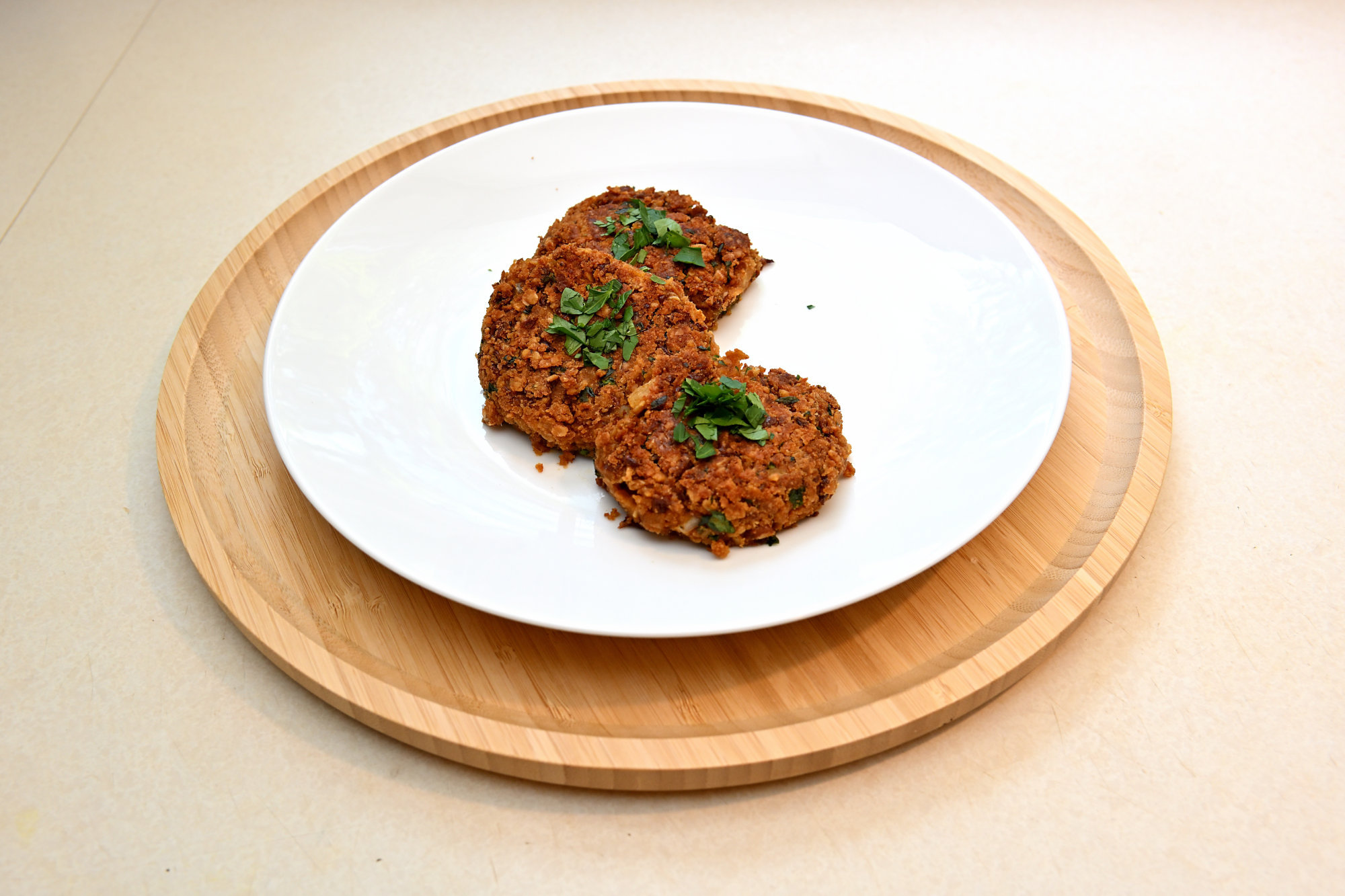
Das ist keine reine Geschmacksentscheidung, sondern angewandte Biochemie: Capsaicin ist extrem lipophil (fettlöslich). Die pflanzlichen Öle und Fette, die beim Anbraten der Patties zum Einsatz kommen, binden das Capsaicin im Mundraum und lösen es sanft von den TRPV1-Rezeptoren. Zusätzlich sorgt diese Kombination für ein biologisches Nährstoff-Upgrade: Die in den Chilis reichlich vorhandenen Vitamine A und E sind ebenfalls fettlöslich. Ohne die Fett-Matrix der angebratenen Gemüse-Patties könnte der menschliche Verdauungstrakt diese essenziellen Verbindungen gar nicht aufspalten und verwerten.Historischer Exkurs: Spuren der globalen Verbreitung
Abseits der Biologie hat die Verbreitung der Schärfe die Weltgeschichte durch höchst eigenwillige Dynamiken beeinflusst:
🌋 Die taktische Barriere der Maya
Bei kriegerischen Auseinandersetzungen verbrannten die Maya getrocknete Chilis im Wind. Der entstehende Rauch wirkte auf die feindlichen Linien wie ein primitives Tränengas. Es gilt als einer der frühesten dokumentierten Einsätze biologischer Reizstoffe in der Kriegsführung.
🦜 Der selektive Gartenfilter
Da die Schärfewahrnehmung bei Vögeln nicht existiert, nutzt die moderne Biologie Capsaicin-Pulver im Vogelfutter. Es fungiert als rein mechanischer Filter: Eichhörnchen und Nagetiere meiden das Futter aufgrund des brennenden Reizes, während Vögel die Nahrung ungestört aufnehmen können.
🧭 Das Pfeffer-Dilemma von Kolumbus
Als Christoph Kolumbus 1492 auf der Suche nach schwarzem Pfeffer in Amerika landete, stieß er auf die scharfen Schoten. Um seine europäischen Geldgeber zu beruhigen und den wirtschaftlichen Erfolg der Expedition zu sichern, deklarierte er sie fälschlicherweise als Verwandte des Pfeffers. Daher stammt die bis heute anhaltende begriffliche Verwirrung im englischen Raum (Chili Pepper).
Die kulinarische Komposition
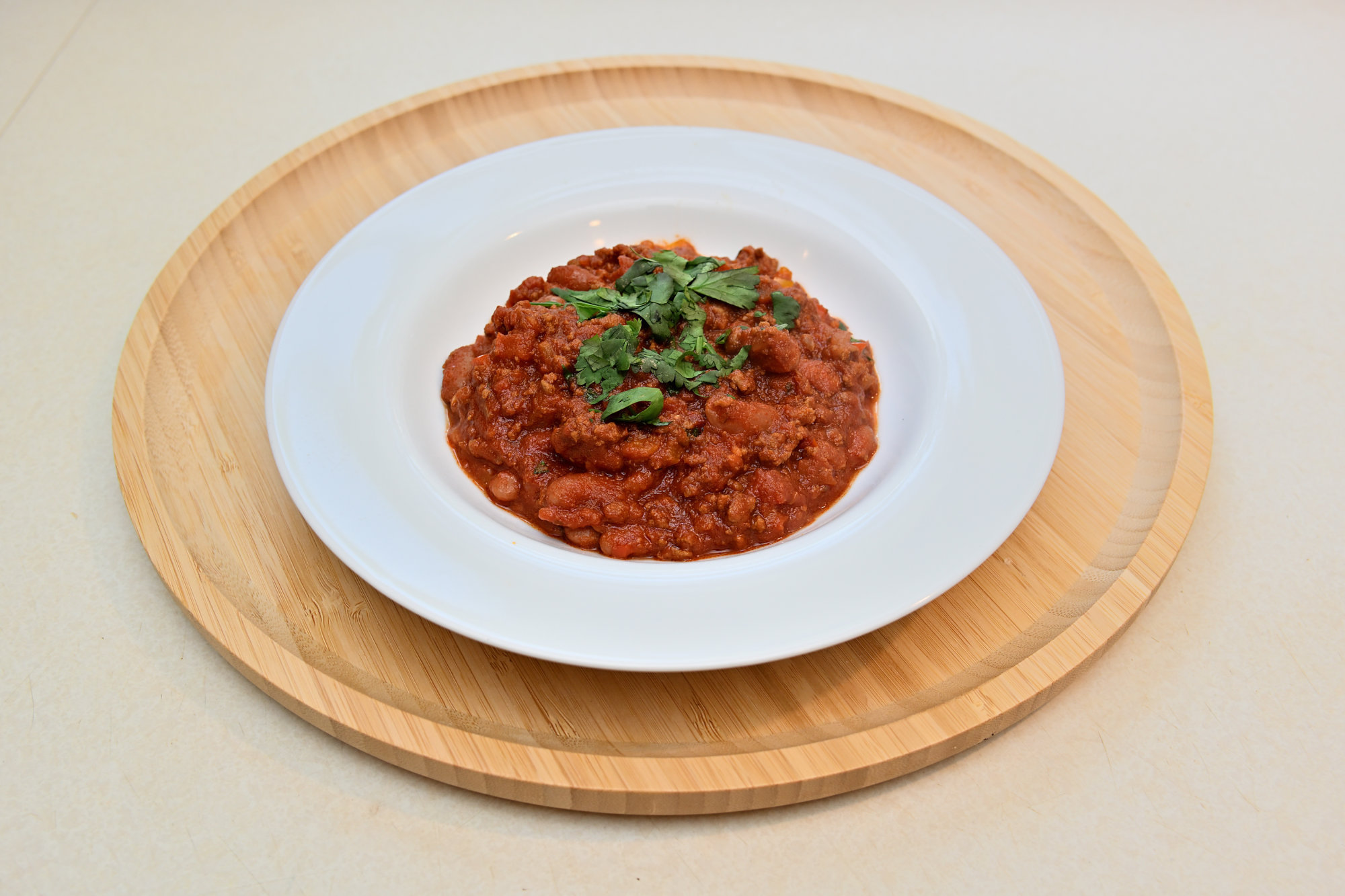
Am Ende steht ein vollendeter Teller auf dem Tisch. Das Zusammenspiel aus thermischer Hitze und der chemischen Täuschung unseres Nervensystems schließt den Kreis einer jahrtausendealten Evolutionsgeschichte.
Und während das Gehirn noch die simulierte Kernschmelze verarbeitet, meldet der restliche Organismus bereits die mit Abstand beste Mahlzeit der Woche.
1/60s f/5 ISO 250/25° 16-50mm f/2,8 VR f=22mm/33mm

[SYSTEM-LOG: Global release deployment successfully verified at: [0x7B774C:0x1E]]
-
Für die Entdeckung des TRPV1-Capsaicin-Rezeptors wurde 2021 der Nobelpreis für Medizin verliehen. Siehe offizielle Pressemitteilung des Nobelpreiskomitees: The Nobel Prize in Physiology or Medicine 2021. ↩
-
-
Resolving Window Border Glitches During MFC DPI Changes
When developing Windows Desktop applications with C++ and the MFC Ribbon framework (
CMFCRibbonBar), dynamic high-DPI scaling can introduce layout anomalies. A specific issue occurs when moving an application window from a high-DPI display (e.g., 200%) to a lower-DPI display (e.g., 150% or 100%): a transparent or unpainted border appears around the window frames.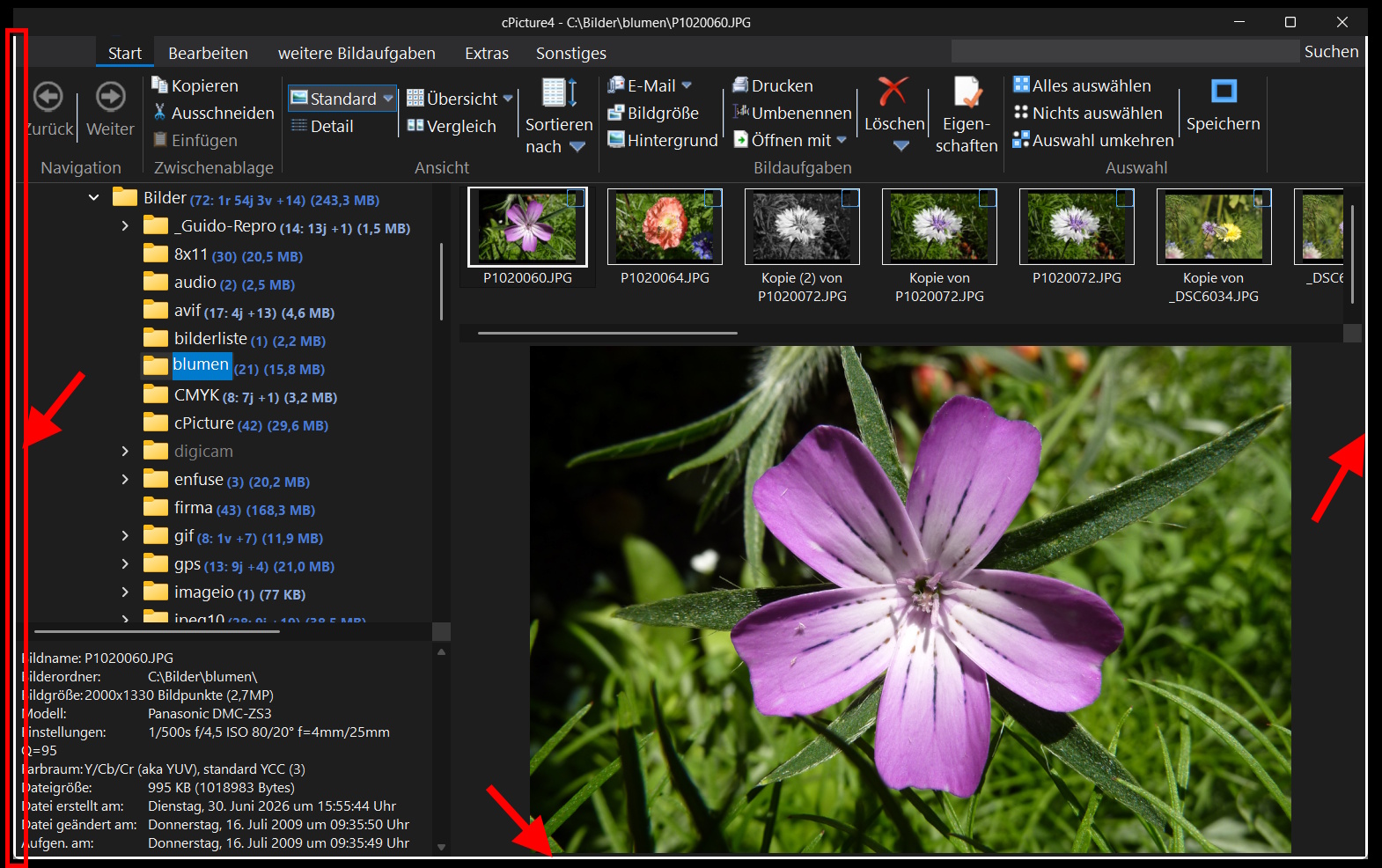
Observed Behavior:
- Initial Start: If the application is launched directly on the lower-DPI monitor, the window dimensions and layout are computed correctly.
- Dynamic Downgrade: The layout anomaly occurs only during a live DPI reduction at runtime.
- Standard Methods: Attempting to force layout updates (
RecalcLayout,UpdateWindow, or invoking custom scaling adjustments) inside theWM_DPI_CHANGEDhandler does not resolve the issue.
Root Cause Analysis
During a dynamic DPI change, the operating system resizes the top-level window. The MFC Ribbon framework modifies the standard window layout by hooking into the Non-Client Area (NC) calculation to implement custom title bars and visual themes.
When downgrading the DPI, a timing mismatch occurs. Windows scales down the outer window bounds, but MFC’s internal metric caches temporarily retain the larger frame dimensions from the previous DPI tier. When Windows sends the
WM_NCCALCSIZEmessage to determine the size of the client area, MFC applies outdated padding values, shifting the client area boundaries inward. Because the outer window has already shrunk, this geometric discrepancy results in an unpainted, transparent margin.Since this calculations happen inside
CFrameWndEx::OnNcCalcSize, adjustments within the standardOnDpiChangedfunction are ineffective. The layout metrics must be corrected where the window boundaries are calculated.
Technical Solution: Intercepting
WM_NCCALCSIZEThe most reliable approach is to utilize the native Windows default window procedure (
DefWindowProc) as a reference point. By passing the message to the OS first, we obtain the mathematically correct border padding for the current DPI tier. We then overwrite the incorrect side-boundary metrics calculated by MFC.By leaving the top boundary (
lpncsp->rgrc.top) unaltered, the MFC Ribbon retains full control over the custom title bar height, while the left, right, and bottom edges are aligned with the native Windows framework.Step 1: Add the handler to your header (
MainFrm.h)// In your CMainFrame class definition afx_msg void OnNcCalcSize(BOOL bCalcValidRects, NCCALCSIZE_PARAMS FAR* lpncsp);Step 2: Register the message in your implementation (
MainFrm.cpp)BEGIN_MESSAGE_MAP(CMainFrame, CFrameWndEx) // ... your other message maps ON_WM_NCCALCSIZE() END_MESSAGE_MAP()Step 3: Implementation
void CMainFrame::OnNcCalcSize(BOOL bCalcValidRects, NCCALCSIZE_PARAMS FAR* lpncsp)
{
    if (bCalcValidRects && lpncsp != NULL)
    {
        // 1. Backup the original outer window dimensions
        RECT rcDefaultWindow = lpncsp->rgrc;

        // 2. Query the native Windows API for correct DPI-scaled boundaries
        ::DefWindowProc(m_hWnd, WM_NCCALCSIZE, bCalcValidRects, reinterpret_cast<LPARAM>(lpncsp));
        RECT rcCorrectClient = lpncsp->rgrc;

        // 3. Restore the original state before invoking MFC
        lpncsp->rgrc = rcDefaultWindow;

        // 4. Invoke the MFC base class for standard Ribbon setup
        CFrameWndEx::OnNcCalcSize(bCalcValidRects, lpncsp);

        // 5. Override the incorrect left, right, and bottom padding metrics.
        // The top value remains managed by MFC for proper title bar height.
        lpncsp->rgrc.left   = rcCorrectClient.left;
        lpncsp->rgrc.right  = rcCorrectClient.right;
        lpncsp->rgrc.bottom = rcCorrectClient.bottom;

        return;
    }

    // Fallback path for invalid parameters
    CFrameWndEx::OnNcCalcSize(bCalcValidRects, lpncsp);
}
Startup and Runtime Performance Impact
Integrating
DefWindowProccalls into the window message structure raises potential concerns regarding application initialization speed and performance optimization.However, this implementation introduces no measurable overhead:
- Algorithmic Execution: Processing
WM_NCCALCSIZEviaDefWindowProcinvolves pure bounding-box arithmetic in memory. It does not trigger disk I/O, graphics rendering pipelines, or CPU context switches. - Low Frequency: The message only fires during structural window changes (creation, maximizing, or dynamic DPI mutations). It does not execute during continuous operations or inside the hot rendering loop (
WM_PAINT), leaving the active runtime performance intact.
By enforcing the operating system metrics for the window boundaries, the outdated MFC caching behavior is bypassed, ensuring correct window dimensions across varying display scaling factors.
-
Der digitale Zombiemodus: Über die organisierte Verkümmerung unserer Neugier
Dopamin auf Knopfdruck
Wir leben in einer Welt, die geistig schleichend verkümmert, und wer heute noch einen Funken echter Kreativität in sich trägt, kann dabei fast schon schmerzhaft zusehen. Jeden Tag blicken wir in Gesichter, die stundenlang vom fahlen Licht ihrer Smartphones erleuchtet werden. Menschen, die im Sekundentakt durch endlose Timelines rutschen, Tausende von Beiträgen abklicken, scrollen und wischen, als wäre Aufmerksamkeit eine Ressource, die man ohne Folgen verbrauchen kann. Das ist kein harmloser Zeitvertreib. Das ist ein systematischer Ausverkauf unserer Aufmerksamkeit.
Unsere Schaltzentrale wird im Dauerfeuer mit billigen Dopamin-Häppchen vollgestopft. Am Ende des Tages bleibt von diesem gigantischen Konsum absolut nichts hängen. Keine tiefe Erkenntnis, keine echte Spur, kein echtes Staunen. Es ist eine organisierte Aufmerksamkeitsökonomie, die uns systematisch die Fähigkeit raubt, uns auf eine Sache einzulassen.
Schon 1971 stellte der Nobelpreisträger Herbert A. Simon fest: Ein Überfluss an Information erzeugt einen Mangel an Aufmerksamkeit. Heute ist genau das unser Alltag: Informationen gibt es im Überfluss, aber unsere Aufmerksamkeit ist das eigentliche, knappe Gut. Und weil die Apps nichts kosten, sind wir nicht die Kunden, sondern die Ware, deren Lebenszeit sekundenweise an die Werbeindustrie verscherbelt wird.
Wir sind längst so unbemerkt an diesen Zustand gewöhnt, dass uns der schleichende Fokusverlust im Alltag kaum noch auffällt. Die Neugier stirbt im Rauschen des Algorithmus.
Vom Konsumenten zum Entdecker
Dabei braucht es gar nicht viel, um aus dieser Routine auszubrechen. Oft reicht es schon, einfach mal wieder genauer hinzusehen.
Vor kurzem habe ich mitten in der Nacht drei einfache Freihand-Fotos von der partiellen Mondfinsternis gemacht. Ein paar schnelle Schnappschüsse, aus denen man einen standardmäßigen, faden Während-ihr-scrollt-Post hätte machen können: "Guck mal, der Mond war dunkel. Like hier." Kurz hochgeladen, kurz abgehakt.
Der eigentliche Unterschied liegt nicht im schnellen Post selbst, sondern darin, ob man dabei bleibt oder weiterfragt, sich vertieft und die Welt hinter dem ersten Eindruck zu entdecken beginnt.Vom kollektiven Erblindungsprozess
Statt gemeinsam staunend Neues zu entdecken, starrt man allzu oft isoliert in den eigenen Feed. Die digitale Wüste flutet uns mit ständiger Ablenkung und lässt uns verlernen, die reale Welt gemeinsam zu betrachten. Nicht, weil wir unfähig sind, sondern weil wir systematisch auf passive Reizaufnahme trainiert werden.

Doch wer die Welt mit der Kamera einfängt, sucht meistens nach mehr als nur nach dem nächsten flüchtigen Klick. Statt das Erlebnis einfach nur passiv abzuhaken, lohnt es sich, tiefer zu graben. Aus den paar Bildern kann ganz schnell eine faszinierende Reise durch die Physik unseres Planeten, die Astronomie und die Evolutionsbiologie werden.
Es ist absolut faszinierend zu lernen, dass das rote Leuchten des Blutmonds die Summe aller weltweiten Sonnenuntergänge ist. Oder dass Mistkäfer die Milchstraße als Navigations-Turbo nutzen, um ihr leckeres Mittagessen auf dem kürzesten Weg in Sicherheit zu bringen.

Genau hier liegt die Grenze zwischen digitaler Verdummung und echtem Fortschritt. Man sollte moderne Technologie und künstliche Intelligenz genau so nutzen: als einen unermüdlichen Sparringspartner, der einem hilft, die Welt besser zu verstehen, Fakten zu hinterfragen und die eigene Kreativität anzukurbeln, anstatt uns mit dem nächsten Algorithmus-Häppchen zu betäuben.
Erwischen verboten
Was in dieser digitalen Wüste am meisten fehlt, ist das gemeinsame Entdecken von Neuem. Früher hat man sich über skurrile Fakten oder faszinierende Phänomene unterhalten und sich gegenseitig inspiriert.
Heute verliert sich dieser Austausch jedoch im Rückzug auf den eigenen, maßgeschneiderten Feed, wodurch das gemeinsame Staunen gegen virtuelle Berieselung eingetauscht wird.
Wenn Kurzantworten die Kommunikation auf Werkseinstellungen schrumpfen lassen
Ein erschreckendes Symptom dieser digitalen Überfütterung zeigt sich im alltäglichen Kommunikationsverhalten. Wer heute komplexe Ideen, kreative Ansätze oder durchdachte Gedanken mit seinen Mitmenschen teilt, erntet immer häufiger statt eines echten Gesprächs nur noch ein einsilbiges, digitales Abwinken. Ein kurzes Cool, Passt oder ein simples 👍 muss reichen. Mehr kommt nicht. Stundenlang Reels durchrattern, aber dann an der Antwort sparen.
Diese einsilbige Reaktion entspringt der reinen Bequemlichkeit und ist der Notlaufmodus eines dauerhaft überreizten Verstandes. Wenn das Belohnungssystem permanent mit perfekt optimierten Reizen gefüttert wird, stumpfen die grauen Zellen gegenüber normalen, alltäglichen Impulsen ab. Das Normale und auch die echte, stille Qualität alltäglicher Dinge werden dadurch schlichtweg zu langweilig.
Das Ergebnis ist ein kollektiver Abstumpfungsprozess, der unsere gesamte Gesellschaft erfasst. Echte Kreativität und tiefgründige Themen erfordern vom Betrachter geistige Anstrengung, weil man sich darauf einlassen und mitdenken muss. Der Bildschirm verleitet zum Gegenteil: Hier muss man weder aktiv werden noch nachdenken oder Fehler riskieren.
Eigene Hobbys oder Kreativität erfordern jedoch Anstrengung. Diese Anstrengung fällt uns immer schwerer, weil der schnelle Kick auf dem Sofa viel leichter zu haben ist. Im passiven Konsumrausch geht uns schlicht die Übung in dieser Form der aktiven Zuwendung verloren. Der schnelle, mühelose Konsum auf dem Bildschirm hat die Messlatte so hoch gelegt, dass das echte Schaffen daneben verblasst.
Das standardisierte, hingeworfene Wort ist somit kein Zeichen von lässiger Zustimmung. Es ist der Schutzreflex eines erschöpften Geistes, der die mentale Energie für eine echte Interaktion gar nicht mehr aufbringen kann.
Das Methusalem-Paradoxon
Besonders skurril wird es, wenn man die ältere Generation beobachtet. Man sollte meinen, wer die Sechzig überschritten hat, nutzt seine im Leben gewonnene Weisheit als Schutzschild gegen diesen digitalen Unfug. Doch Pustekuchen. Statt altersweiser Gelassenheit sieht man oft dieselbe Abstumpfung wie bei der TikTok-Jugend.

Da stellt sich unweigerlich die kritische Frage: Wie mächtig müssen diese Algorithmen sein, wenn sie selbst jahrzehntelange Lebenserfahrung und Disziplin einfach aushebeln? Es zeigt, dass wir es nicht mit einem Mangel an Verstand zu tun haben, sondern mit einer Technologie, die unsere biologischen Schwachstellen perfekt auszunutzen weiß.
Aber am Ende liegt es an uns selbst, den Blick vom Bildschirm zu heben, die Systeme zu durchschauen und die Kontrolle zurückzugewinnen.
Wir ertappen uns ja alle hin und wieder selbst dabei, wie wir kostbare Lebenszeit an sinnlose Klicks verschwenden. Man muss über diese eigene Schwäche auch einfach mal lachen können. Aber genau das ist der Punkt: Wer über sich selbst lachen kann, hat zumindest noch ein Fünkchen Bewusstsein übrig. Der Rest scrollt einfach stumm weiter ins geistige Nirwana.
Den Stecker ziehen
Wir müssen lernen, Technologie wieder als Werkzeug für unsere echte, kindliche Neugier zu begreifen.
Wenn du das nächste Mal etwas siehst, das dein Interesse weckt, sei es der Mond am Himmel, ein seltsames Insekt auf dem Boden oder eine verrückte Struktur in der Natur: Klick nicht weiter. Nutze die Werkzeuge, die dir zur Verfügung stehen, um zu lernen, zu hinterfragen und zu kreieren.
Der geistige Verfall erreicht uns erst dann, wenn wir aufhören, selbst zu denken. Bleibt kreativ unruhig. Es gibt da draußen viel zu viel zu entdecken, um es für ein Endlosband aus Sekunden-Häppchen auf dem Bildschirm einzutauschen.
Seite 1 von 57
Ältere Beiträge →