-
Deployment of cPicture via the Microsoft Store
The distribution channels for cPicture have been expanded. Alongside the direct file download from this server, the application is now available in the Microsoft Store as an MSIX package.
Background on Code Signing
Windows operating systems check independently distributed Win32 applications for digital signatures. Without a commercial code-signing certificate, the system displays a default "Unknown Publisher" notification during installation. To provide an alternative installation path without recurring certificate overhead, the application was submitted to the Microsoft Partner Center.
Technical Implementation (MSIX Architecture)
The desktop application was packaged into an MSIX container using the MSIX Packaging Tool.
- Capabilities: The package deklariert the
runFullTrustcapability. This is required for cPicture to function as a local file manager, read directory structures, and execute file operations directly on local storage. - Integrity: The digital signature is applied directly by Microsoft during the ingestion process, which prevents local operating system notifications during installation.
Functionality and Deployment Differences
The Store edition features identical core functionality to the standalone binary.
However, deployment and updates differ based on the channel chosen:
- Standalone Version: Includes the native update engine for immediate access to new versions directly from this server.
- Store Version: Runs within the isolated MSIX container. Updates are tied to Microsoft's pipeline, which introduces external review delays.
The application remains strictly local. No telemetry, data tracking, or external communication is performed unless explicitly initiated by the user (such as map-based GPS queries). The model for subsequent advanced feature upgrades remains unchanged.
- Capabilities: The package deklariert the
-
cPicture 4.15
cPicture is updated to version 4.15
Changes:
- Added app themes:
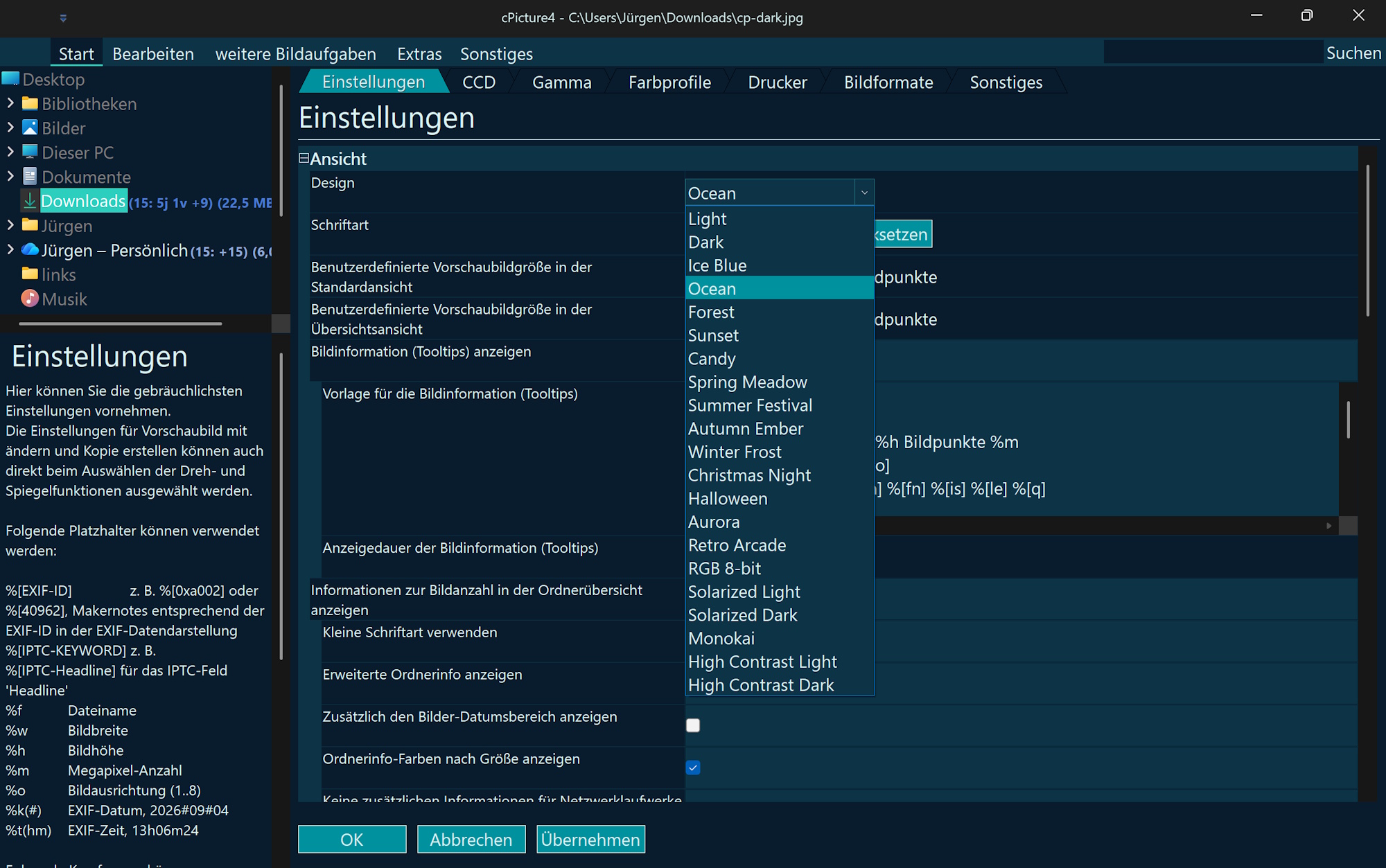
for example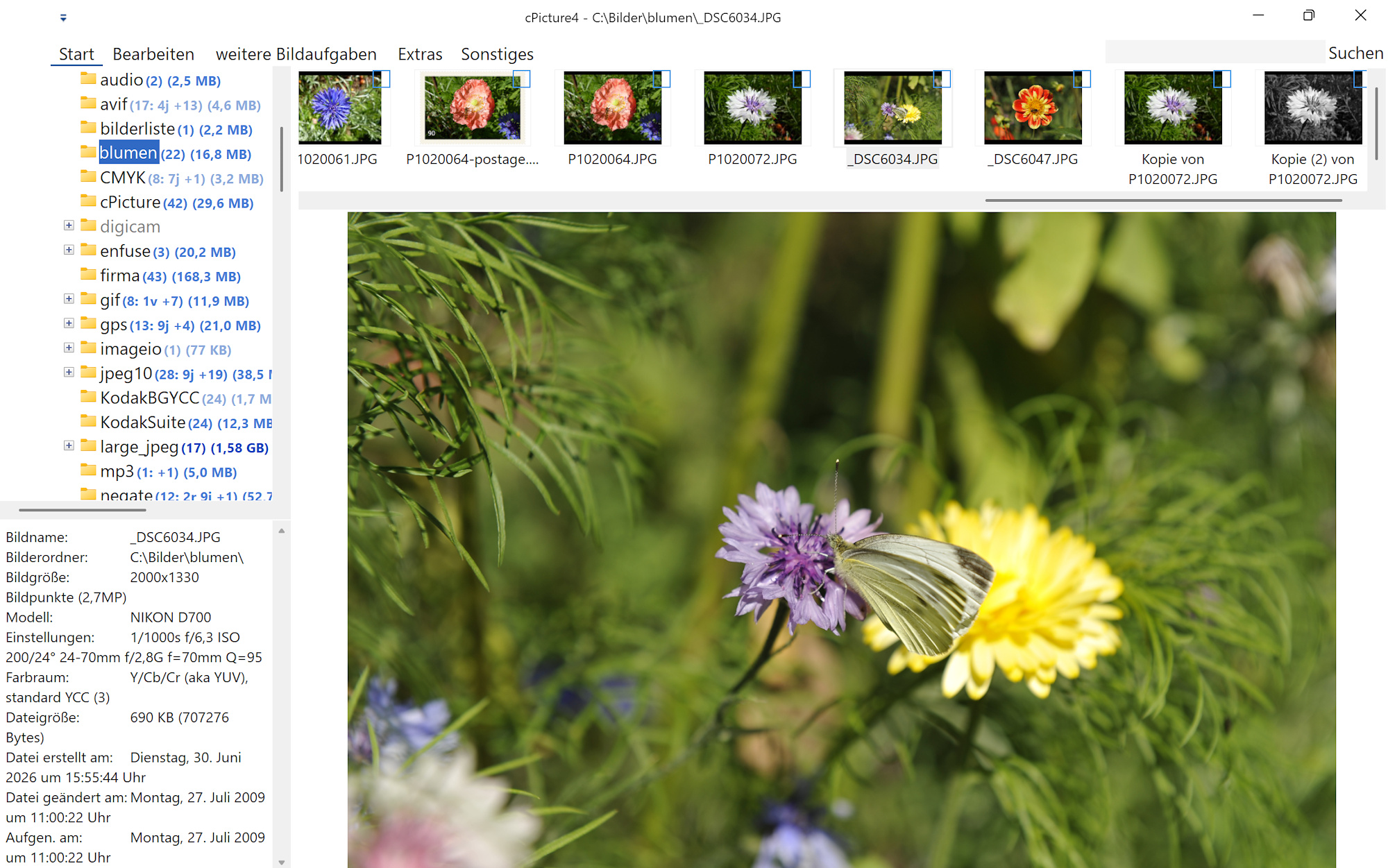
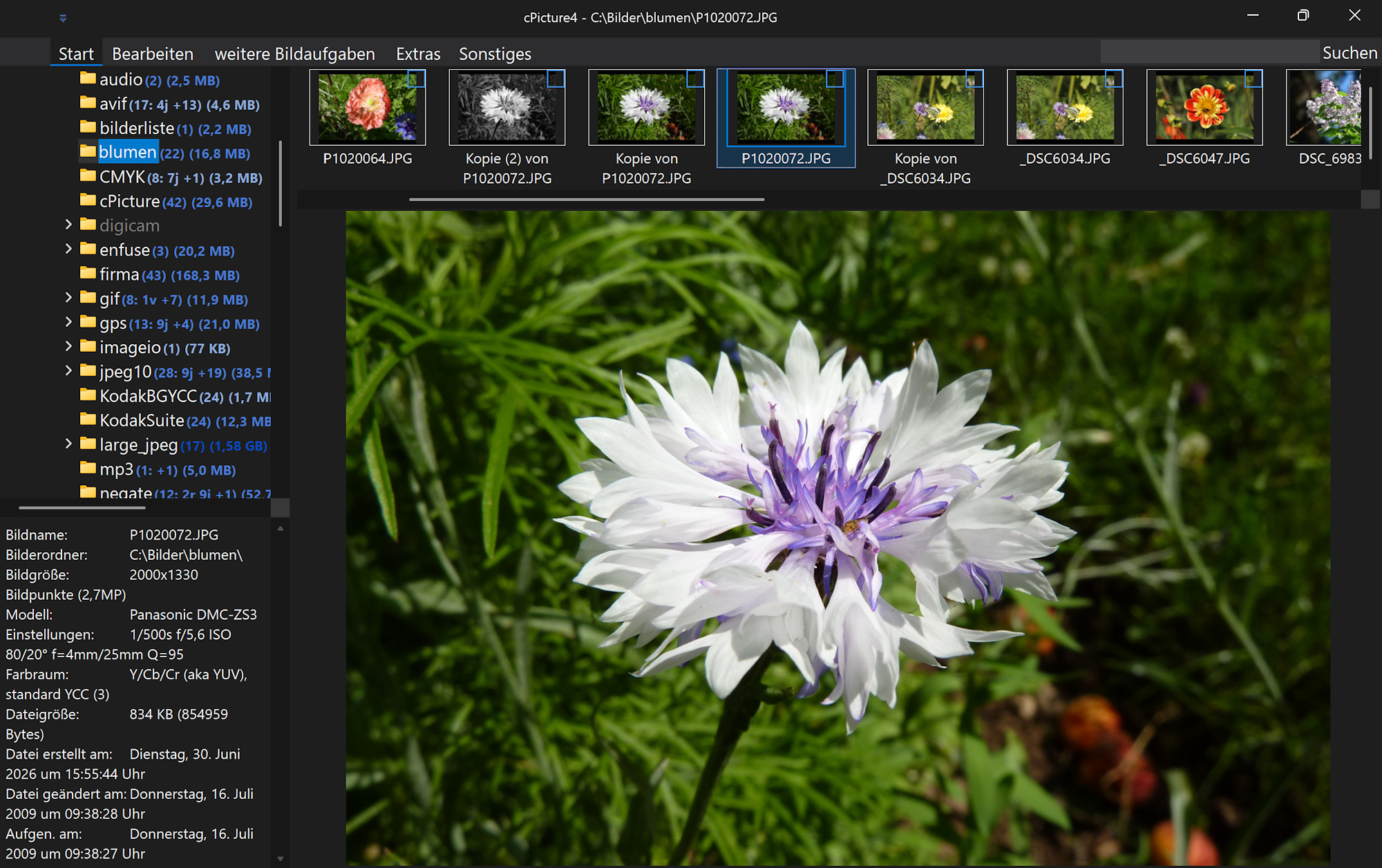
Set the experimental flag"ExperimentalAppThemeSelectionMode": truein config.json to enable an alternative theme‑selection method. For example:{ "app": "cPicture4", "version": "4.15", "settings": { ".ExperimentalAppThemeSelectionMode": true, "AVIVolume": 46, "AnaglyphMode": 3, "AppTheme": 1, "ArtEffectsBlockSize": "32", : - Minor improvements and general maintenance
cPicture is a portable application consisting of a single executable file with optional plugins.
Use the MSI installer to install or update the application, or use the Check for updates option in the Other category in the cPicture App.
Download German 64bit Installer MSI
Download English 64bit Installer MSIAdditional languages are available on the cPicture website. An alternative download is available on GitHub.
See the Download Instructions for details. For questions or feedback, please mail to cpicture. - Added app themes:
-
AVIF, GIF and WebP plugin
AVIF Format
This format plugin extends cPicture with support for the AVIF picture format. AVIF pictures can be opened and saved.
This plugin is built on libavif.
GitHub: libavif
Note: AVIF takes its time when loading and can feel glacial when saving.

GIF Format
This format plugin extends cPicture with support for GIF pictures, including animated GIF playback.
This plugin is built on the Windows GDI+ library.
GIF files are opened read-only.

WebP Format
This format plugin extends cPicture with support for the WebP picture format. WebP pictures can be opened and saved.
This plugin is built on libwebp.
GitHub: libwebp

Download the plugin from
Function plug-insmenu and selectManagein cPicture.
See the plugin overview -
cPicture 4.14
cPicture is updated to version 4.14
This update introduces a breaking change that affects how cPicture handles optional license files: Please check whether the folder
%AppData%\cPictureexists and copy the license file into it.
(Enter%AppData%\cPictureinto Windows File Explorer; it will automatically resolve to your user directory.)In Settings (press F9), under Other, a new button is available that handles this automatically.
Changes:
- Added RAW Structure Views, example for Nikon NEF:
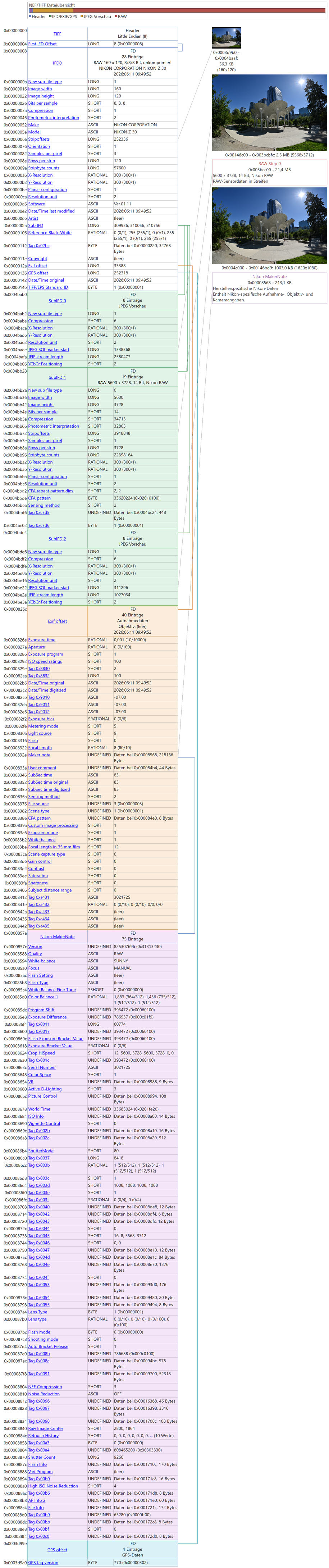
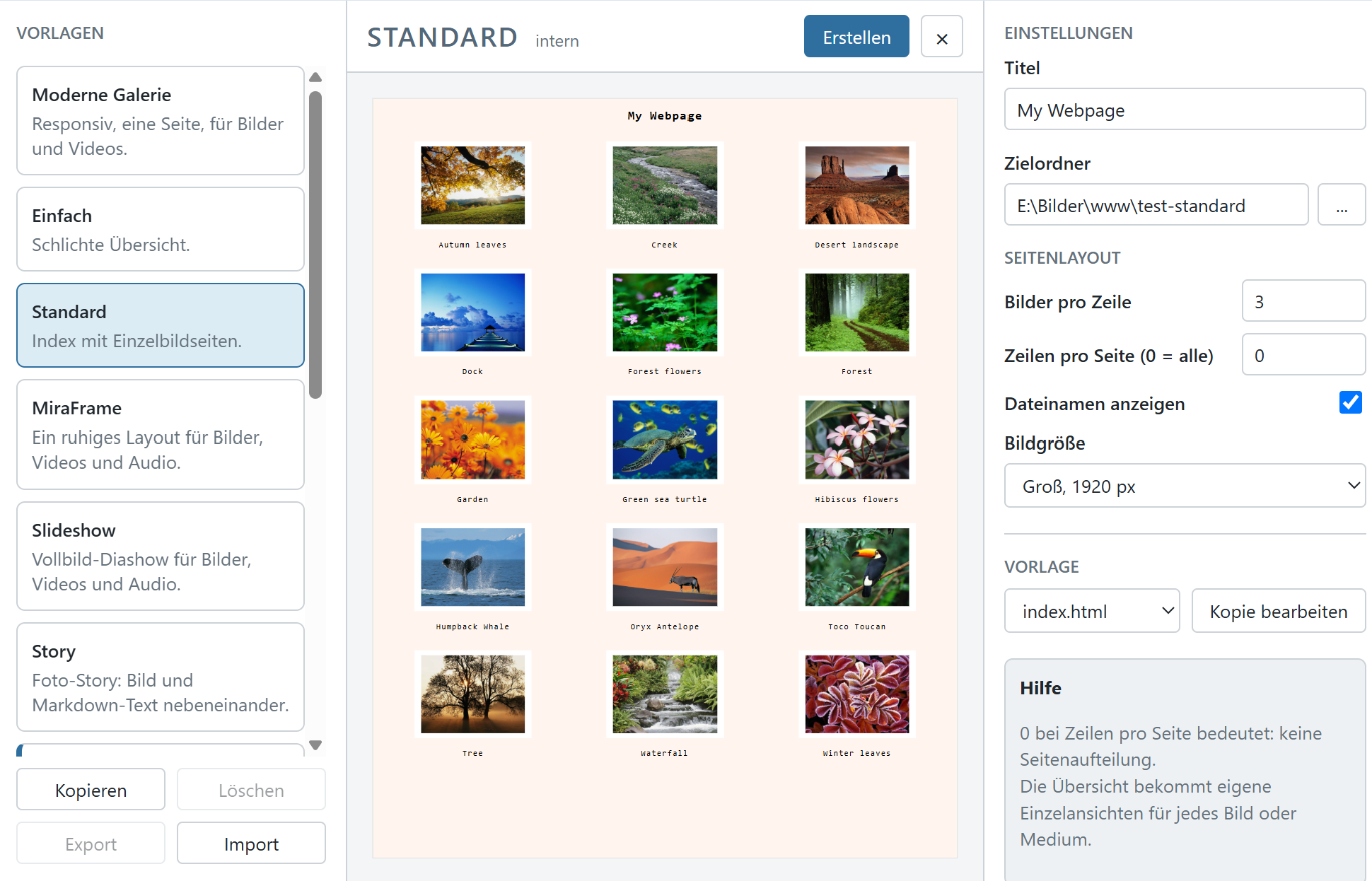
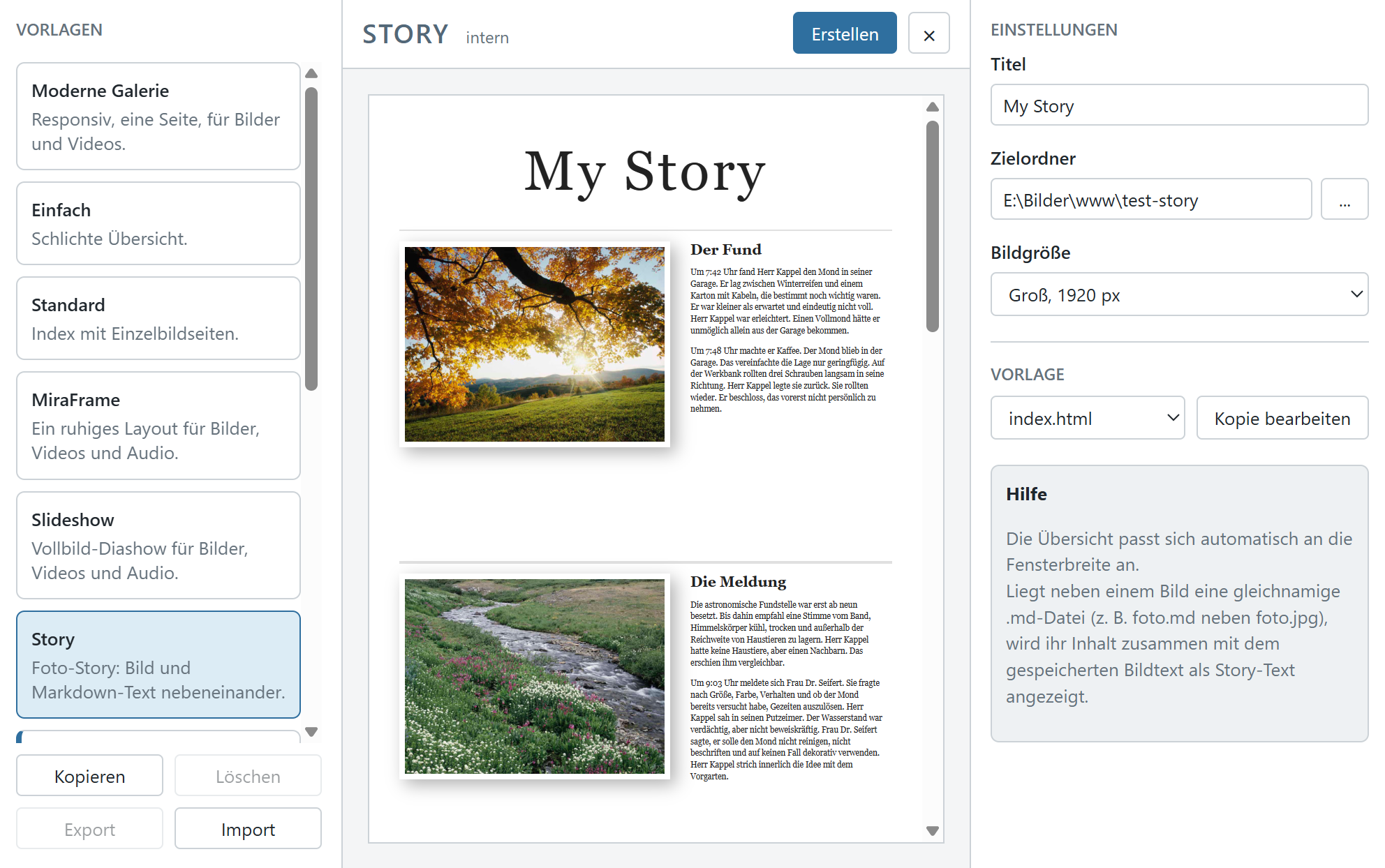
- Updated the function to create a Webpage from the picture selection
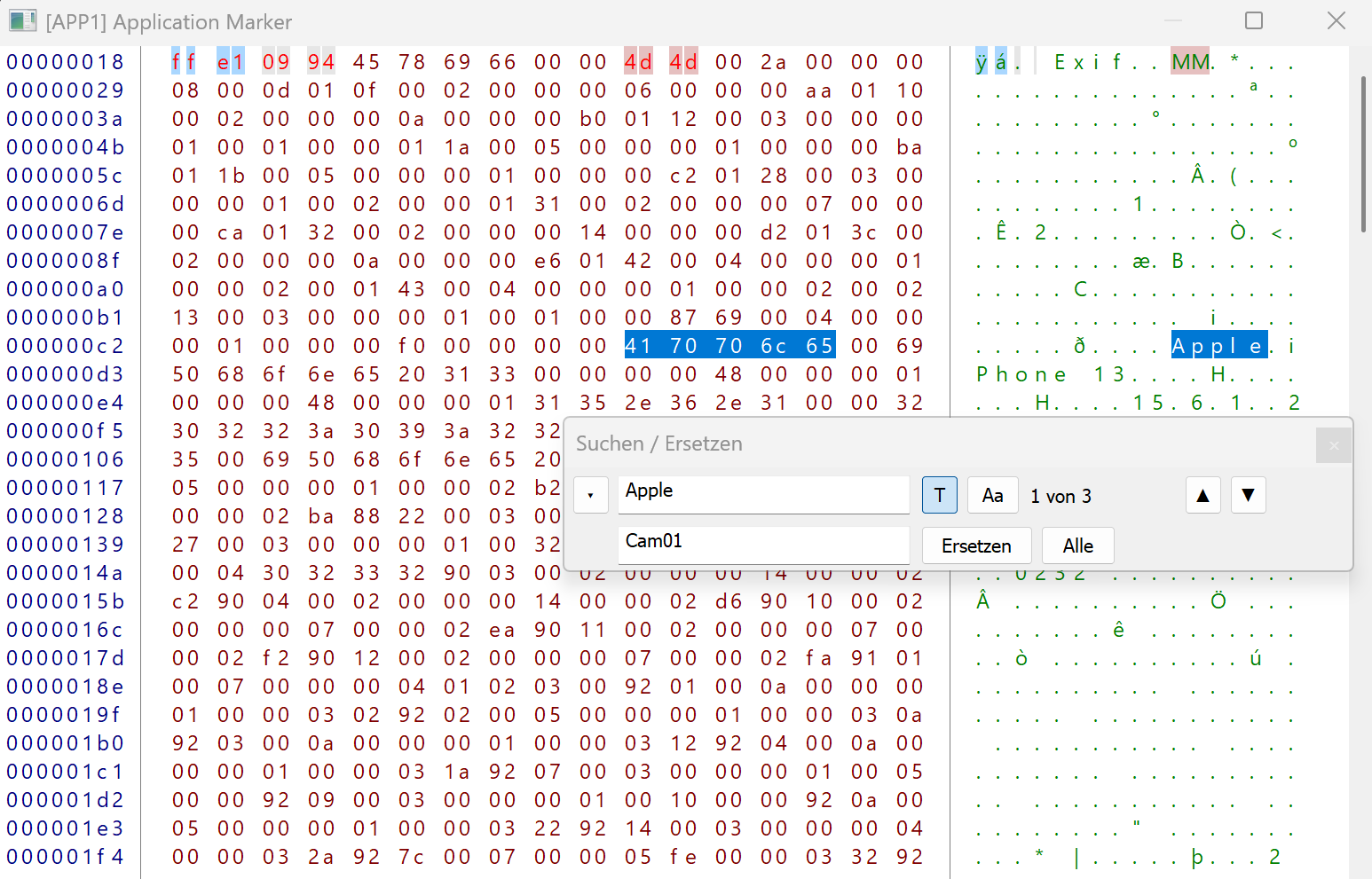
- Add Search/Replace for the HexView to modify any picture data
- Support for JPEG Lossless Sequential Huffman encoding (this is different from the lossless JPEG10)
- New format plugin interface version 1.2 with animated image support, enabling playback of animated AVIF, WebP, and GIF files when the corresponding plugins are installed
- Minor improvements and general maintenance
cPicture is a portable application consisting of a single executable file with optional plugins.
Use the MSI installer to install or update the application, or use the Check for updates option in the Other category in the cPicture App.
Download German 64bit Installer MSI
Download English 64bit Installer MSIAdditional languages are available on the cPicture website. An alternative download is available on GitHub.
See the Download Instructions for details. For questions or feedback, please mail to cpicture. - Added RAW Structure Views, example for Nikon NEF:
-
FilmReel plugin
FilmReel
This function plugin creates a FilmReel animation (.webp) from the selected images.
Settings:
- Frame delay (ms): Display duration of each frame in milliseconds
- Loop count (0 = infinite): How many times the animation repeats
- Quality (0–100): Compression level for lossy encoding
- Lossless: Lossless mode for maximum quality (larger file size)
The output file is saved next to the first selected image (
_filmreel.webp Example FilmReel created from 9 pictures with 400ms delay:


Download the plugin from
Function plug-insmenu and selectManagein cPicture.
See the plugin overview
Seite 1 von 17
Ältere Beiträge →