cPicture
A Windows photo explorer for photographers and image archivists. Opens fast, stays quiet, and keeps the interface out of the way.
For the work that starts after the camera is back in the bag.
Portable software for browsing, organizing, and processing image collections. Works directly on folders, with lossless JPEG editing, batch workflows, metadata control, and no catalog database.
- Windows 11+
- Portable
- JPEG and EXIF inspection
- No account
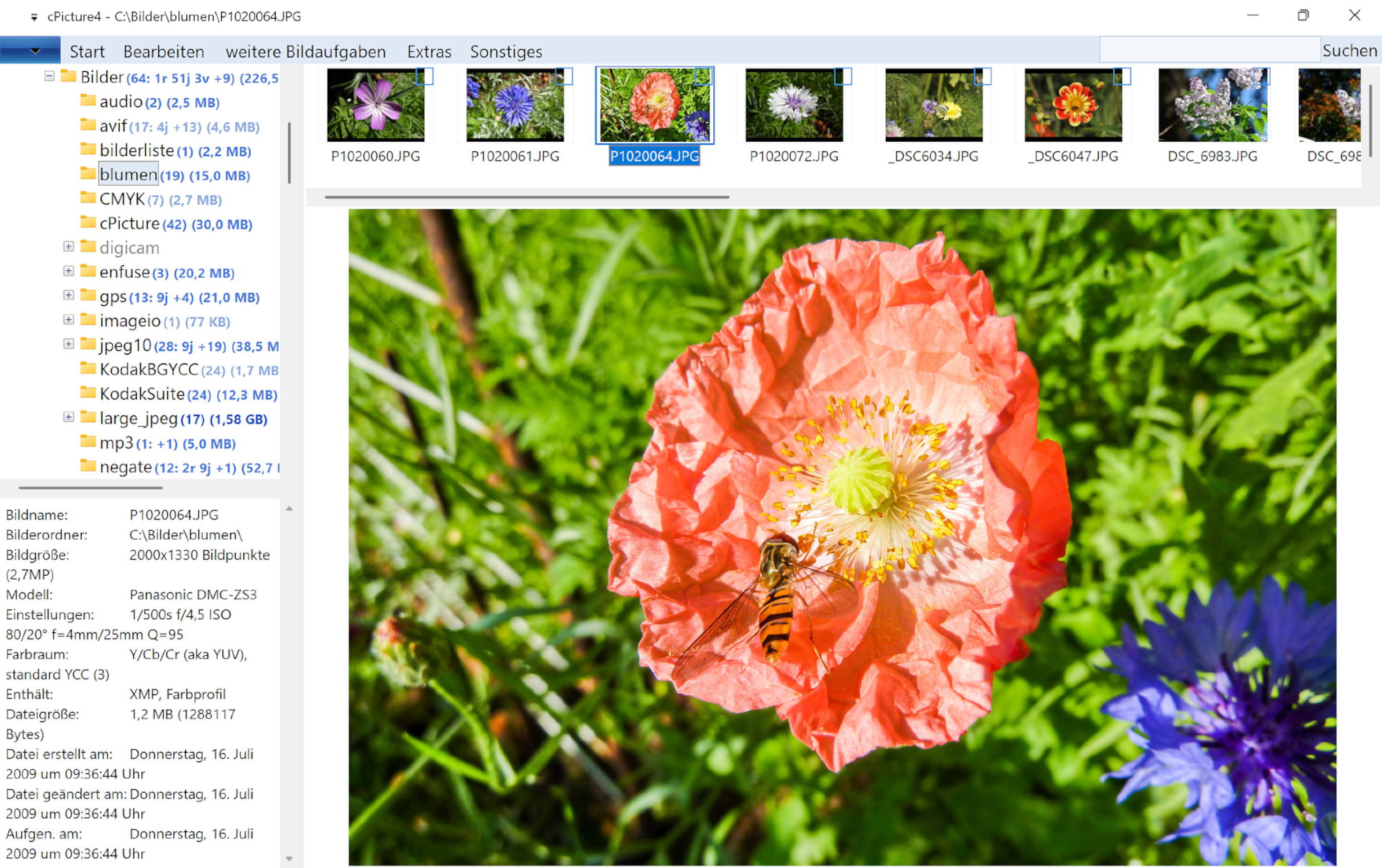
- Open folders directly and see file, camera, size, date, format, and image details without importing anything
- Compare similar shots, select keepers, and clean up large folders with fast overview, detail, preview, and comparison tools
- Use repeatable commands for JPEG operations, resizing, renaming, metadata work, and export tasks
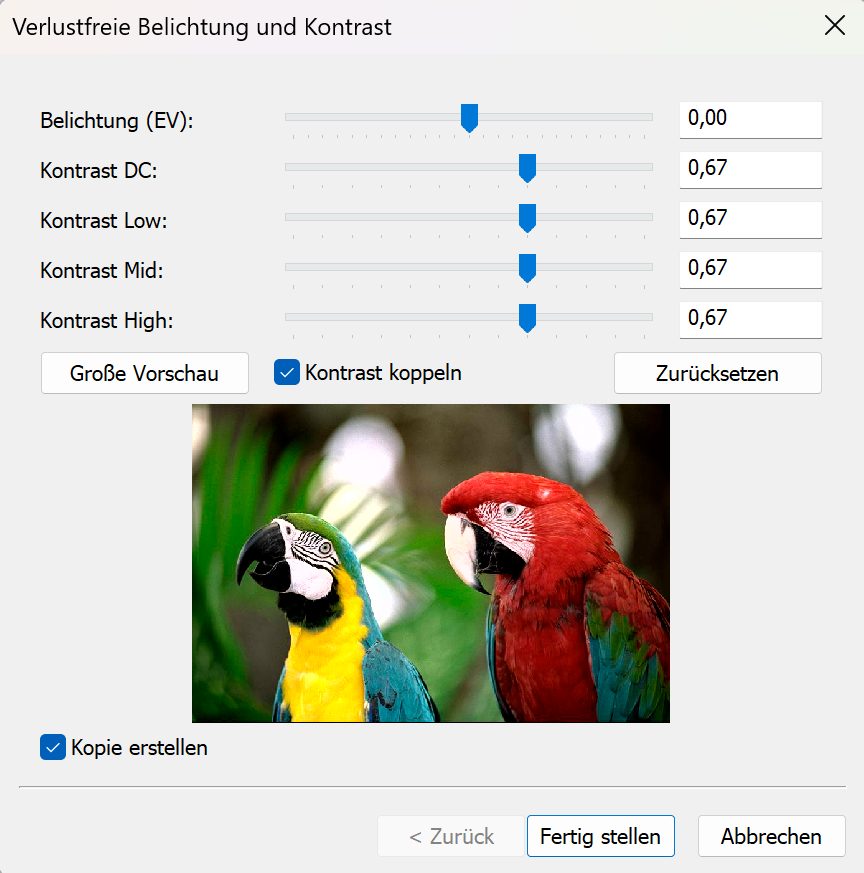
- JPEG10 reference implementation with lossless functions (negate, brightness, contrast, effects)
- Gamma-correct resizing for precise output quality
- Kodak Digita embedded audio support
Built for inspection work
Image folders often need inspection before processing: selection, metadata, JPEG operations, cleanup, and export.
Inspect
Read image, JPEG, camera, date, size, and file details directly from the selected picture.
Compare
Switch between overview, detail list, preview, and comparison modes without building a catalog first.
Process
Run focused local operations for rotation, resizing, renaming, conversion, EXIF work, and macro processing.
Fast folder search and image search
cPicture can quickly find folders by name and search pictures by file name and image metadata, including combined criteria and regular expressions.
GPS and map context
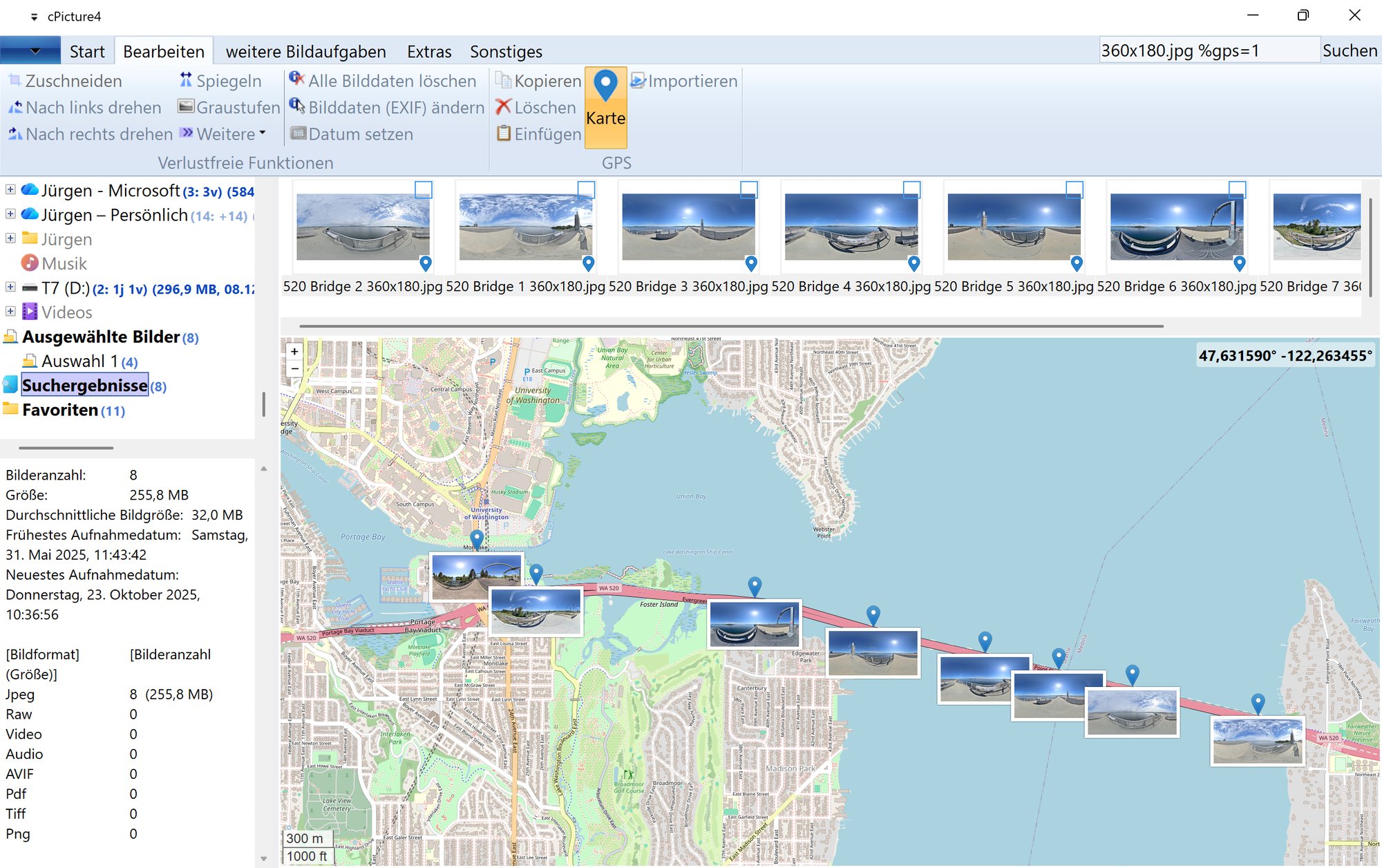
GPS metadata can be inspected and used with map-based views for local photo collections.
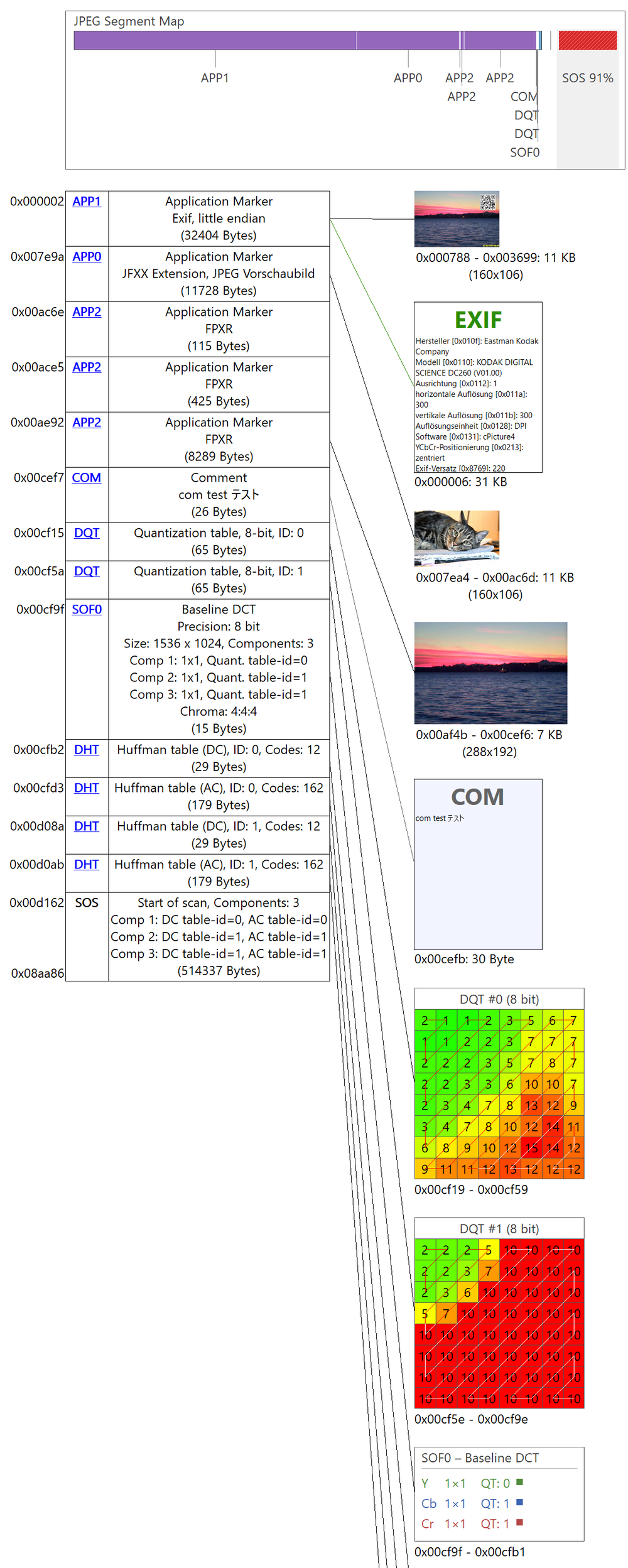
JPEG structure and file details
cPicture includes inspection and JPEG workflow tools for users who need to examine image files beyond the visible pixels, including embedded preview images and hidden image data.
JPEG structure entries can be saved individually, added, or removed.
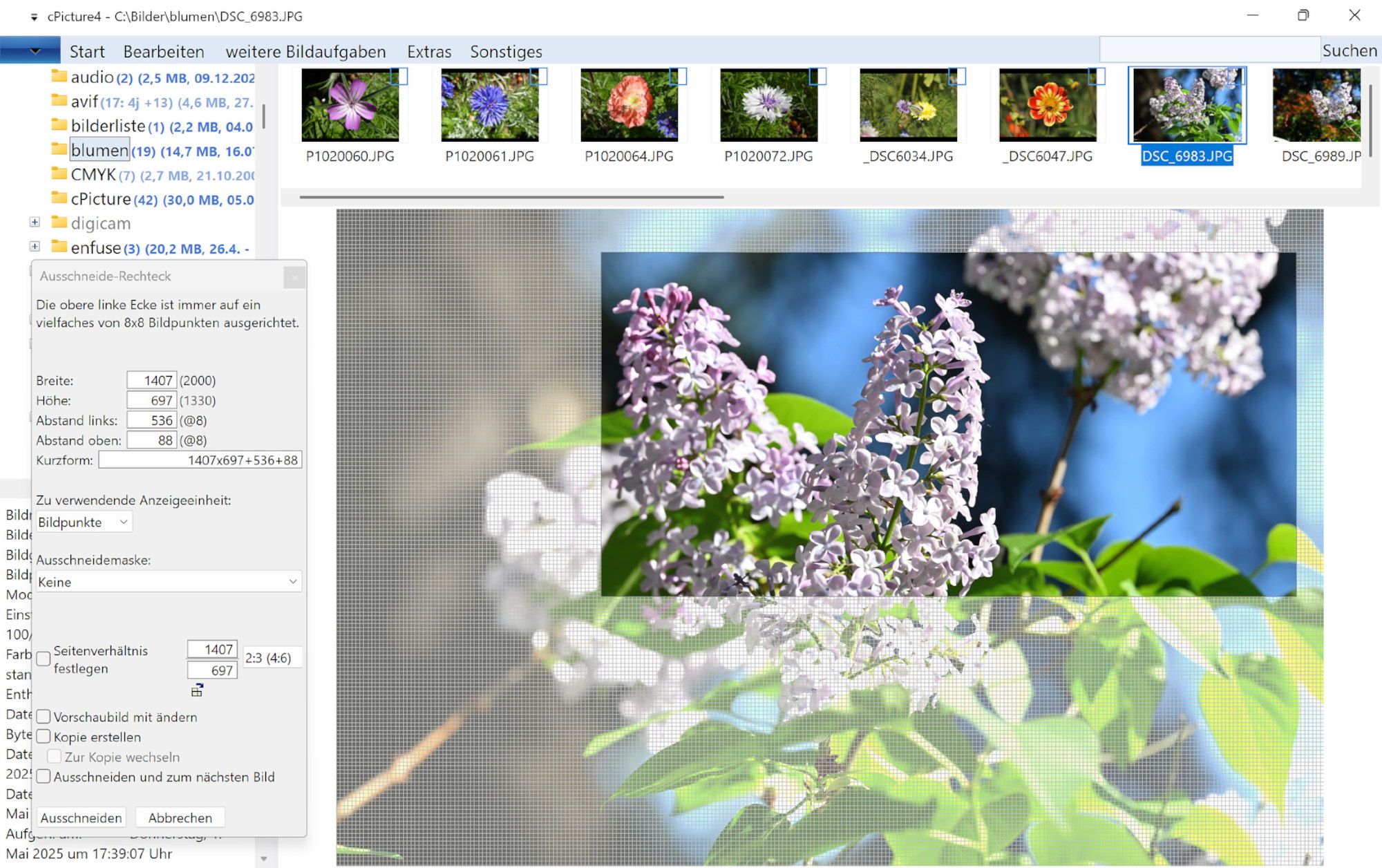
JPEG-domain operations and lossless tools
cPicture extends the lossless crop, rotate, and mirror functions with additional operations that work directly in the JPEG/DCT domain.

Extensible with focused function plugins
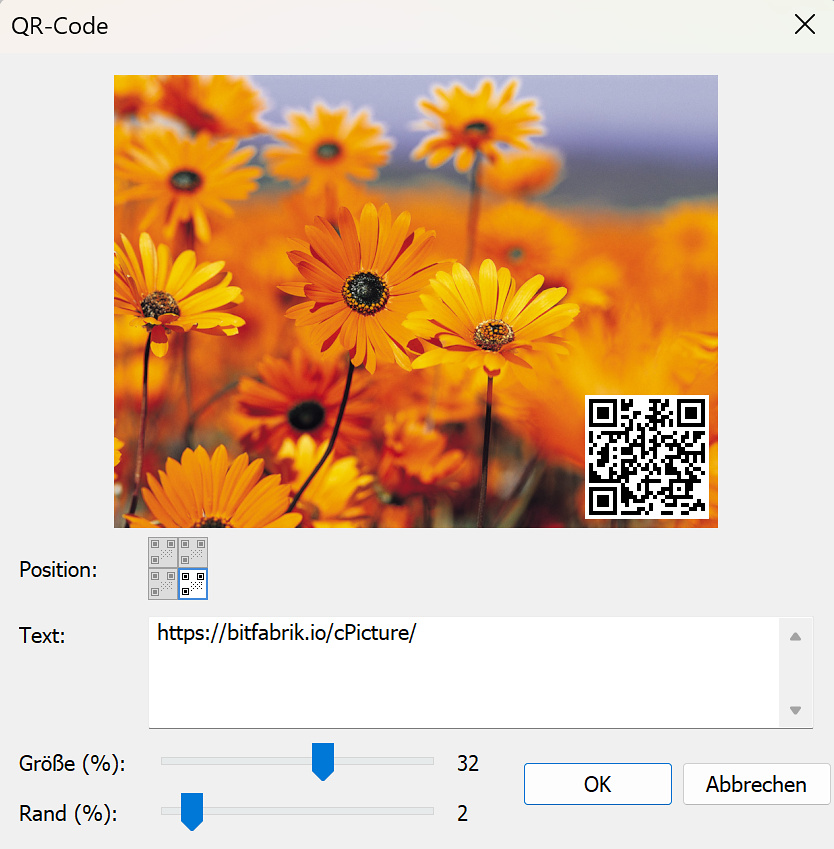
Function plugins add specialized image operations without changing the core workflow. The QR code plugin is one example of a focused extension.
Both editions use the same core. The free edition is intended for direct evaluation and regular file work; the paid upgrade is for users who want more control over larger workflows and how their files are displayed.
Free
$0
Portable folder browsing, JPEG tools, and local file workflows. No account, no installer, no licence process.
DownloadUpgrade
$21 one-time licence
- Multiple display modes: overview, detail list, and side-by-side views
- Macro processing: chain multiple operations in one pass
- Import and export EXIF data
- Pay once. Yours to keep.
Download
Direct download from bitfabrik.io
[Windows 11+]
Download
cPicture is independently developed and distributed directly by bitfabrik.io.
The direct download includes the built-in update engine, ensuring immediate access to new versions directly from this server.
Downloads are provided over HTTPS, and SHA256 checksums are available to verify the file.
Note: Windows may show a warning because this program is not published through an app store.
SHA256 checksum
Verify:
or run verify-sha256.ps1 to compare automatically
Alternative Download from github
Microsoft Store Edition (Alternative)
To bypass the local Windows security prompts, cPicture is available as an MSIX package via the Microsoft Store.Note: Due to the isolated environment required by the Store container, updates are tied to Microsoft's ingestion pipeline and may experience deployment delays compared to the direct version.
Get cPicture from the Microsoft Store